



Multi Factor Authentication
Another step to help protect your Account
What is it?
Multi Factor Authentication, or MFA, is an extra layer of security when you log in to your Amex Account to help reduce account takeovers and fraud.
It’s an optional feature that once switched on, will activate an extra step to logging in by sending you a unique one-time verification code. This helps ensure that the person logging in to your Amex Account is really you.
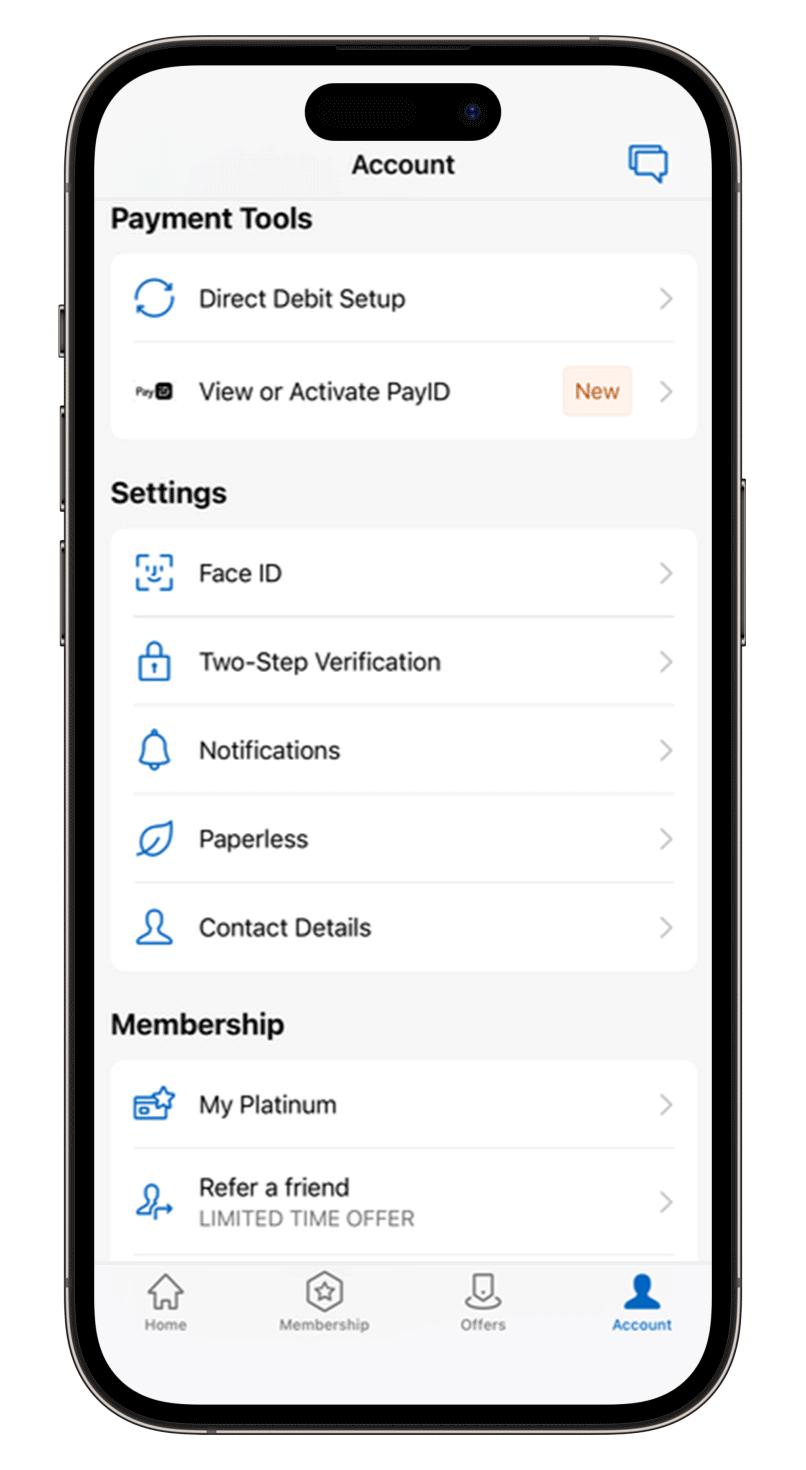
How to set up MFA?
You can either log in to your Amex Account via your desktop browser or the Amex App on your phone, and follow these simple steps:
 |
Log in with your User ID and password. |
 |
Go in to your Account tab and scroll down to Two-Step Verification. |
 |
Turn on your Two-Step Verification setting. |
 |
Choose how you want to receive your one-time verification code via email or SMS, then enter it on the next prompt to verify your identity. |
Don’t forget, if you don’t want to log in every time with MFA, you can choose the option to ‘Remember this device’ and it will skip that next time you log in through the same device.
Logging in on a different device?
Remember, if you’re not on a trusted device, do not use the ‘Remember this device’ functionality. And don’t forget to remove your already trusted device if you do change devices.
Extra step. Extra security.
MFA only takes one more step when logging in to your Amex Account, but it means a higher level of online security and safety.