



Edit Bank Information
Within the “Bank Information” section of the “Update/View Accounts” tab, you can change information about specific Credit and Debit accounts for the location selected.
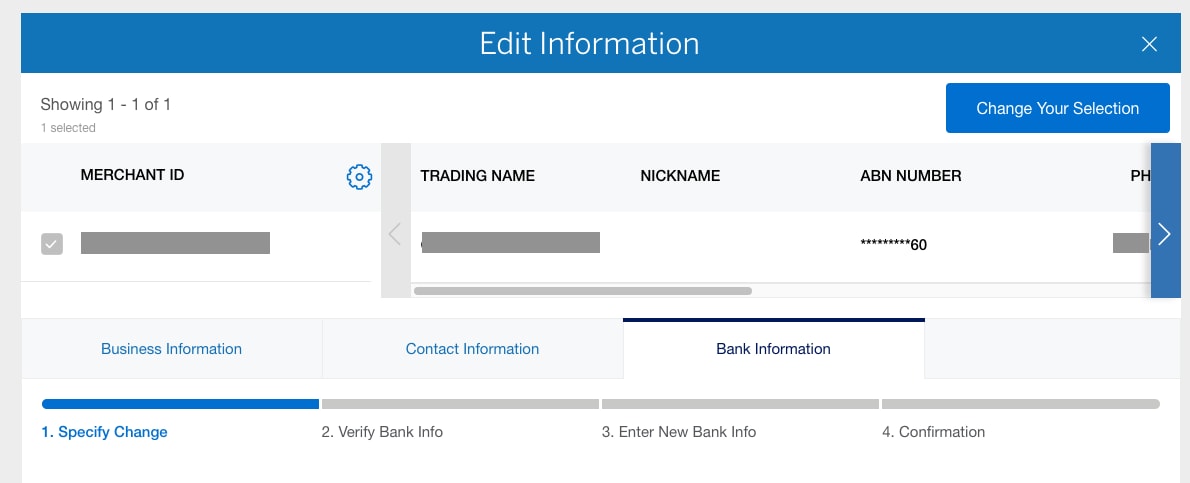
Once the bank accounts you would like to edit are selected (by clicking on the checkbox), press Continue to verify bank information.
In order to verify your bank information, you will need to follow instructions that will verify your identity for security purposes. A one-time code will be sent to you via preferred communication method. Once the code is entered correctly, click on the “Continue” button to enter the new bank information.
Once your identity is verified, you can enter your new bank information. You will need to have the following information available to complete the process:
- 9-digit Routing Number
- New Bank Account Number
- Account Type
- Bank Name
Contact Us
Live Chat
Click the 'Chat' button once you login to your account to chat with a member of our service team.
Call Us
Our customer care representatives will assist you Mon-Fri, 8:00am to 6:00pm AEST/AEDT.