



Introducing @ Work Access Center
@ Work Access Center has empowering new functionality that lets Main Program Administrators (MPAs) view and manage who has access to their Corporate Programs and what they are authorized to do.
Created in response to Clients’ feedback, Access Center provides MPAs with complete visibility of their Corporate Program for clear oversight and control, with easy-to-view reporting of Program Administrators’ (PAs) access to company’s Accounts.
What’s New
Streamlined User management
A standardized naming convention has been introduced with consolidated Roles and Authorizations.
Increased visibility and powerful reporting
Includes PA Roles and Authorizations by country and CID.
Enhanced process efficiency
With real-time self serve management capabilities, up-to-date reporting, and global consistency.
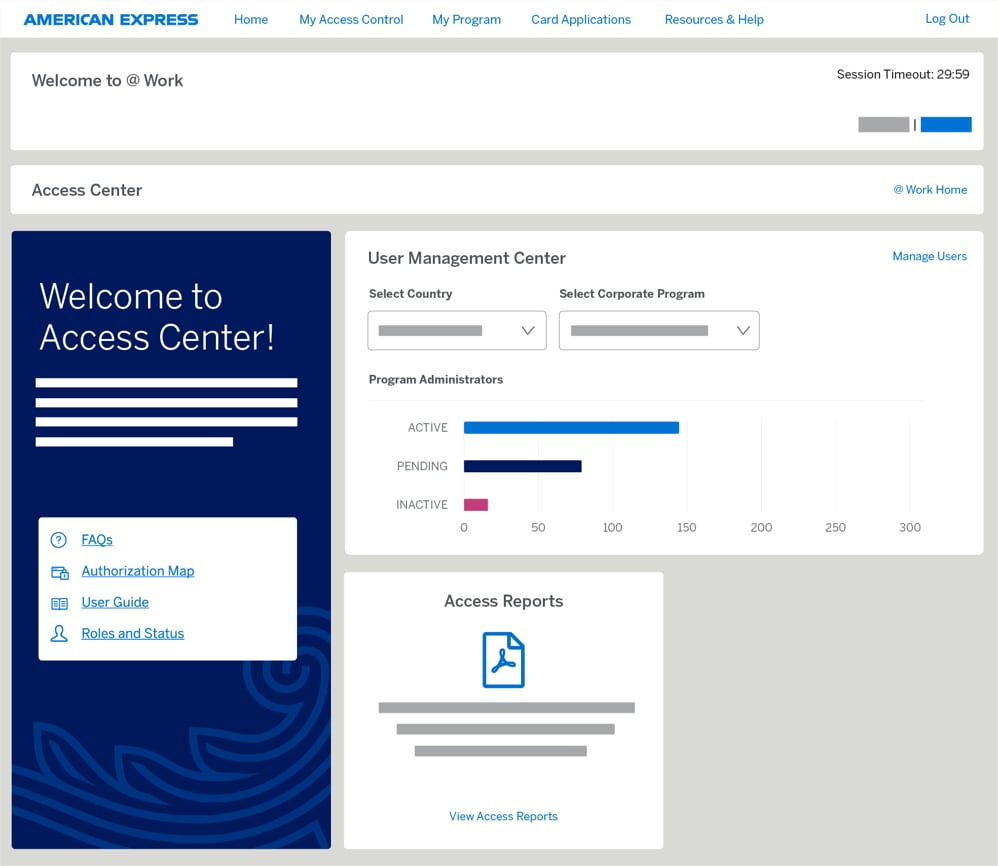
Welcome to Access Center
Access Center is only accessible to designated Main Program Administrators through the new “My Access Control” tab on the @ Work homepage.
Access Center has three sections:
1. A Welcome Corner with four resources:
A User Guide
Roles Descriptions
Authorizations definitions
FAQs
2. A User Management Center
3. Access Reporting
User Management Center
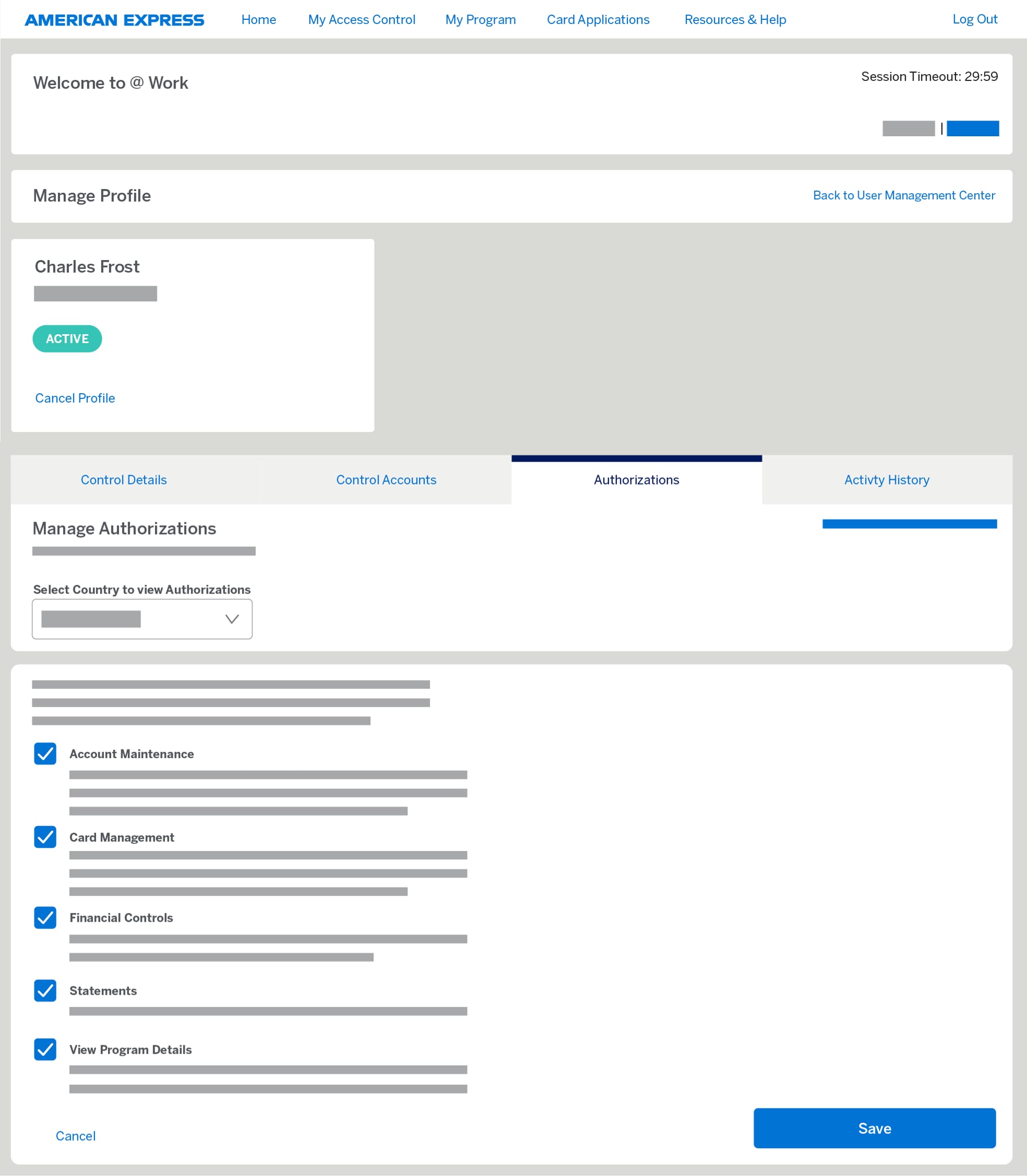
Main Program Administrators can edit, modify or cancel Program Administrators’ access and authorizations.
MPAs can manage the most frequently used authorizations:
- Account Maintenance
- Card Management
- Financial Controls
- Statements
- View Program Details
These authorizations can still be managed through today’s servicing channels, which remain fully available.
Access Reporting
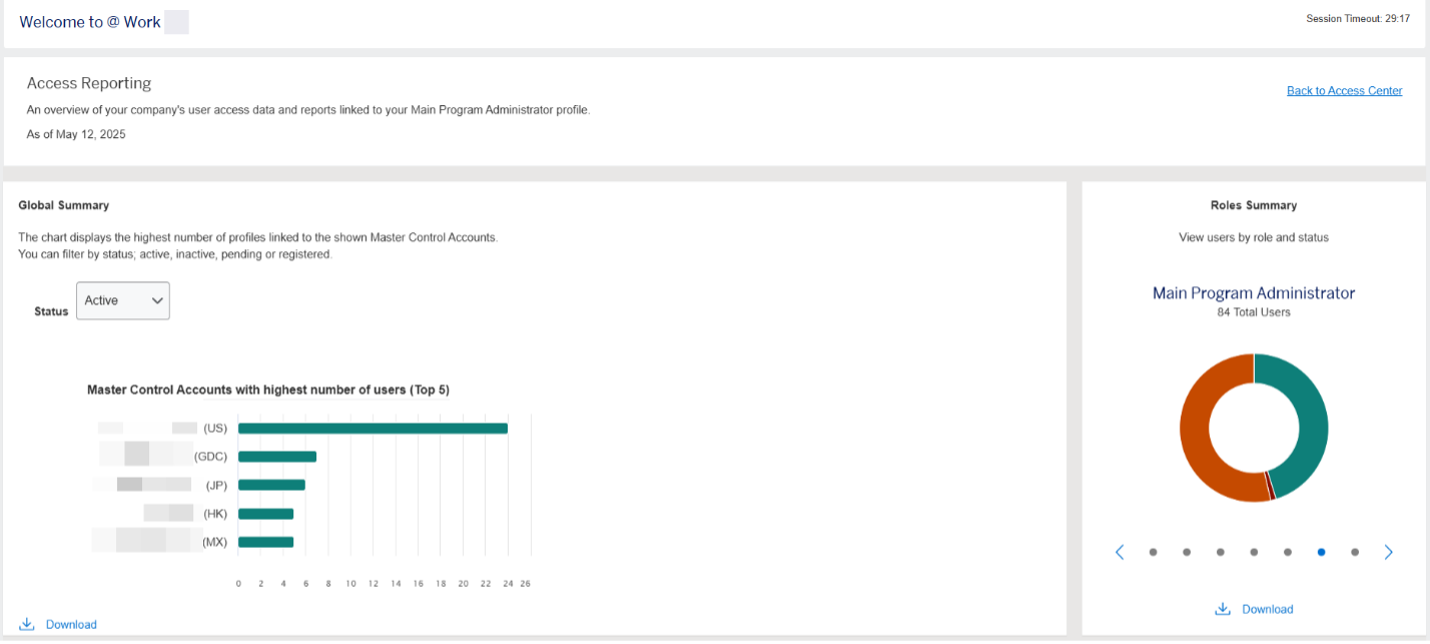
MPAs can view and download reports for all PAs in their Corporate Program hierarchy. This includes:
- A Global Summary Chart
- A Roles Summary Chart
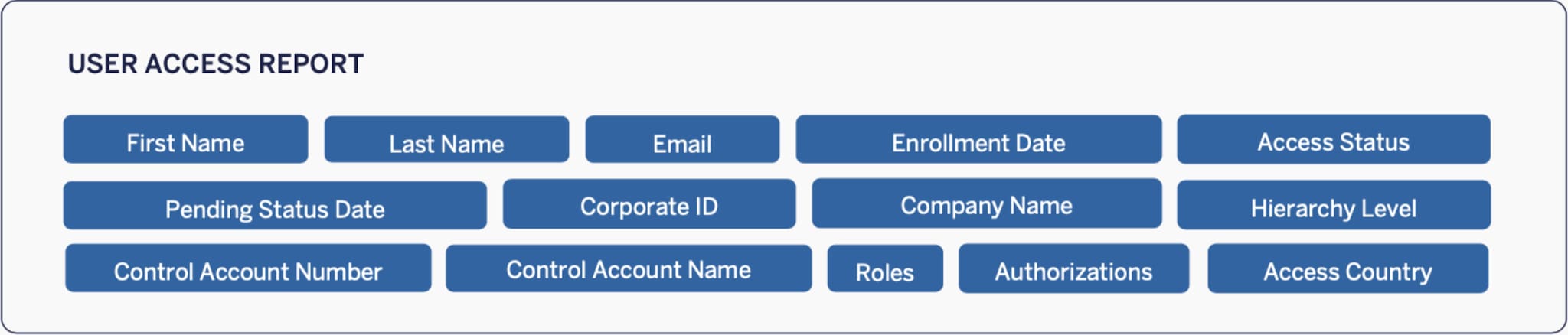
- Access Reports (see below)
Roles and Permissions of a Program Owner, MPA and PA
In addition to the roles and permissions of a Program Administrator, Main Program Administrators can fully utilise the Access Centre.
A Program Owner is the person who has overall responsibility for the Account.

Program Owner
Notified to us by the Company as someone who is authorised to make decisions about their Corporate Program for specific Control Accounts.
Main Program Administrator*
Authorised by the Company as the central Administrator of the Corporate Program for specific Control Accounts.
Responsible for assigning access to Company employees (e.g., PAs) to perform administration tasks.
May perform PA tasks and has full access to @ Work.
* May also be known as Master Program Administrator.


Program Administrator
Responsible for day-to-day administrative tasks for a Corporate Program for specific Control Accounts and has access to @ Work services.
What to expect
What MPAs can expect
Standardized and globally consistent names for roles and authorizations.
An intuitive Access Center online functionality accessible from the @ Work landing page.
A consistent global experience.
Simplified PA management.
Enhanced visibility to your program PAs and their authorizations.
MPAs must be assigned by the client’s Program Owner, and access management oversight can be assigned at a global, regional, or country level.
What PAs can expect
PAs may experience a new role title and/or changes to their authorizations.
These changes should not impact your ability to do your job.
If PAs have questions or need to understand why something related to their profile has changed, please reach out to their MPA or Account Management Team.
If a PA would like to become an MPA, they should reach out to their MPA or Account Management Team.
Neep help?
Please reach out to your Account Management Team for help.
Frequently Asked Questions (FAQs)
Designed to give you more control, the User Management Center is the newest online feature to help you manage your Program Administrators. The User Management Center provides Main Program Administrators with real-time access of Program Administrators linked to your Corporate Program.
No, the User Management Center is only available to Main Program Administrators (MPAs) that a Program Owner designates as an Access Center User. Only designated MPAs can view, modify or cancel Program Administrators profiles that have access to their Company's Corporate Program(s).
The Access Center is available globally.
Designed to give you more control, the User Management Centre is the newest online feature to help you manage your Program Administrators. The User Management Centre provides Main Program Administrators with real-time access of Program Administrators linked to your Corporate Programme.
No, the User Management Centre is only available to Main Program Administrators (MPAs) that a Program Owner designates as an Access Centre User. Only designated MPAs can view, modify or cancel Program Administrators profiles that have access to their Company's Corporate Program(s).
Cancellation of a User is immediate when done online or by contacting Customer Service. The User will no longer have online access to @ Work or be able to contact Customer Service by phone to discuss the Corporate Program. Once cancelled, the User’s status will display as cancelled. Once a profile is cancelled, it cannot be reinstated or recovered. A new profile must be created by contacting Customer Service.
If the profile had access to @ Work Reporting, it may take 10-14 calendar days before this feature is fully disabled. If any reports are scheduled to be sent by email, they will go to the email address associated with the profile.
You may grant up to five authorizations at a country level. As an example, any authorizations selected in Country A will be applied to all Corporate Programs in Country A. The selections made will be applied to all Corporate Programs in that country. If you have a Corporate Program in Country A and one in Country B, you may change the authorizations for each country. The authorizations will be applied the next time the user logs in to @ Work.
Access Reports are designed to give you a 24/7 digital experience to view and/or download both detailed and high-level information about all Users with access to your company’s data.
A designated Main Program Administrator(s) (MPA) is the only role that can access these reports. Access Reports can be downloaded to Excel and CVS formats.
This data will show you:
- A report listing PA’s who have access to your Corporate Programs.
- Robust details including the Countries, Control Accounts, and Authorizations each PA has in their profile.
- When the profile was created.
- General demographic details of the profile.
The Access Report site contains data that is updated multiple times a day. Once reports from the site have been downloaded, you must refresh the site and/or download a new report to view any changes that were made after the original report was run and/or downloaded.
Yes, each report can be downloaded. Click the “Download Full Report” button to generate a complete report with details of all PAs available to you. As a friendly reminder, make sure you are saving the information to a secure folder.
Depending on when you submit your changes and when they have been processed, our reporting site will update and reflect changes accordingly.
The data provided through our Access Report site is to inform you of all PAs within your Corporate Programs, globally. Here are tips to help interpret the data correctly:
- The data details of PAs provided in the reports are decided by the access of your profile.
- User Guides on the Access Center home page will provide you with step-by-step instructions on how to use the Access Reports page.
- Visit the Access Center “Roles and Status” page to get full descriptions of each role and status you may see on your report.
Within the Access Center, there is a User Guide to assist you while navigating the Access Reports page. If you are unable to find the necessary information, please contact your Sales/Account Manager or Customer Service for help.