



Security Center
If you think you've been a victim of fraud, we're here to help.
Call us toll free on 1-800-528-4800.
Or log in to your account and chat with us live.
Take action to protect yourself from fraud
We'll use them to send verification codes over email or SMS to verify it's you logging in to your account.

Turn on notifications. It's an easier, safer way to confirm it's really you when you are accessing your account or shopping online.
Add your Card to Apple Pay, Google Pay or Samsung Pay for added payment security. Your physical Card details aren’t stored or shared.
Follow our top security tips

Spot signs of common scams
Recognize common scam tactics used by fraudsters and learn how to avoid them.
If you receive a phishing email or text, or come across a fake AMEX site, report it right away at spoof@americanexpress.com.

Stay safe with the Amex App
The Amex App is a secure, seamless way to confirm it’s you. Follow these steps:
- Enable biometrics.
- Turn on notifications on your device settings.
- Add your device to your account so we can use it to verify it’s you.
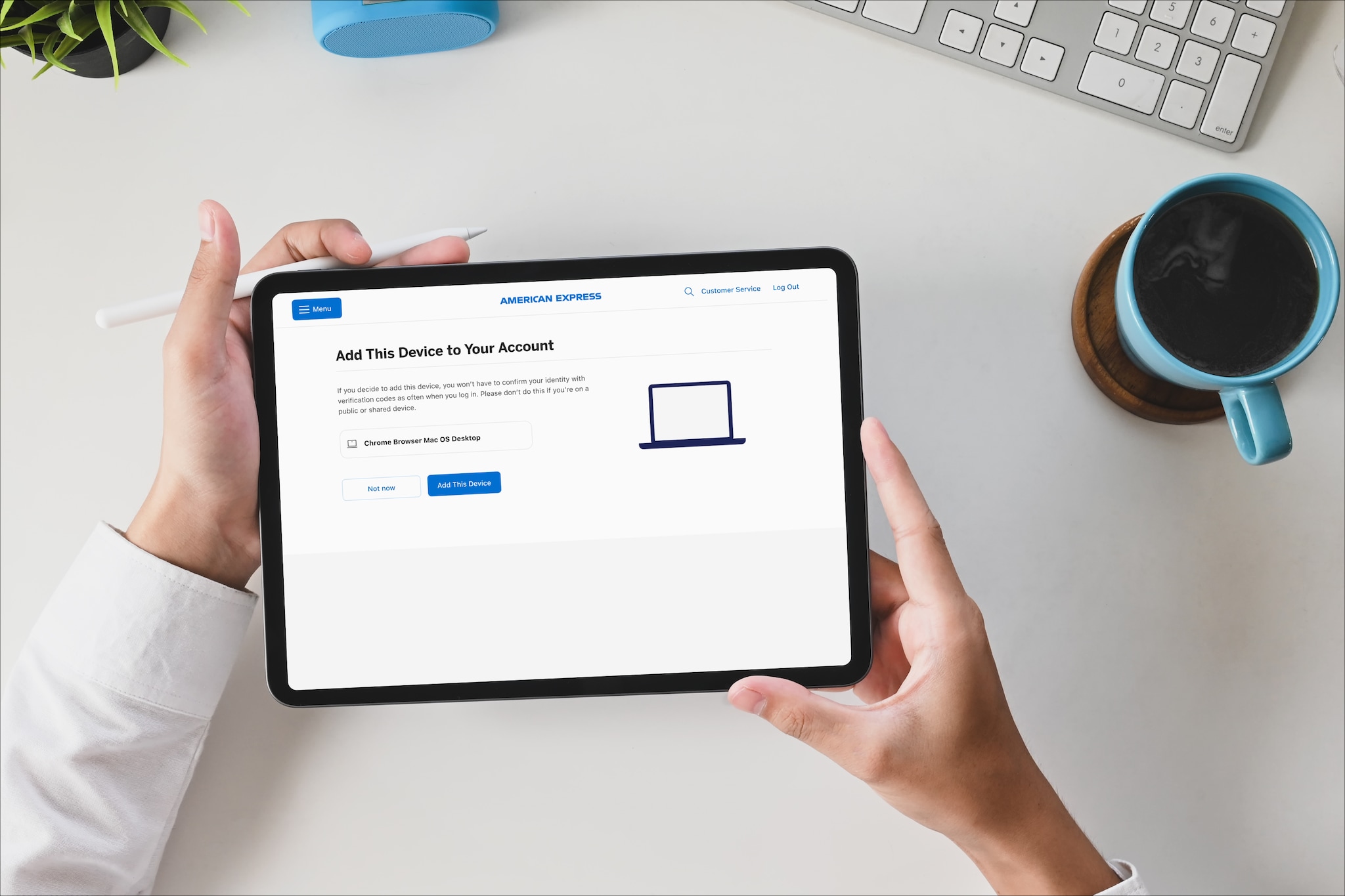
Review your saved devices
Review the devices associated to your account and remove any that are lost, stolen, or no longer use to help keep your account secure.
See how we're backing you

Two-step verification adds a layer of safety
Your account is protected with two-step verification. We’ll send you a verification code or a notification to confirm it’s really you logging in. Add your devices to your account and we won't have to verify you as often.

SafeKey® protects you behind the scenes
When you check out online at participating merchants, SafeKey works in the background to make sure it’s really you using your Card. And if we need to, we’ll ask you to confirm with biometrics, an App notification or a code.

Elevate Your Security with Voice ID
Enjoy simple, easy verification, enhanced security, and superior customer service with Voice ID.
Frequently Ask Questions
For optimal security, it’s recommended to update your password every 3–6 months — or immediately if:
- You suspect someone may know your password.
- You’ve used the same password on multiple sites.
- You receive a fraud alert about unusual account activity.
Log in and visit Account Services to change your password.
To help keep your account secure, we may ask you to re-add your device from time to time. When this happens, you’ll just need to confirm it’s really you by entering a verification code.
If you changed your password or got a new device, you will need to set up your biometrics again. This helps keep your account secure. Log in to your account and visit the Two-Step Verification section to set them up again.
Verification codes are sent for different purposes, and each type uses contact details from a different part of your account:
For SafeKey verification: Codes are sent to the contact details in your Card Profile. You can view or update these in the Amex App or under Account Management when signed in through a web browser.
For logging to your account: Codes are sent to the contact details in the Authentication Management section of your account. You can view or update these by logging in through a web browser.
Verification codes are sent from different parts of your account depending on the purpose
For SafeKey verification: Check that your contact details are up to date in your Card Profile. (available in the Amex App or under Account Management when signed in through a web browser).
For logging in to your account: Confirm your details are current in Authentication Management (found under Security and Privacy when logged in through a web browser).
If your information is correct but you’re still not receiving codes, please check your spam or junk folder, review your blocked senders list, and make sure that messages from American Express aren’t being filtered out.
The notifications to verify your identity are sent to the device you most recently added to your account. If you have a particular device (like a phone, smartwatch, tablet or laptop) you'd like to use, follow these steps:
- Download or update the Amex App on that device.
- Turn on notifications in your device’s settings.
- Add your device in the Manage Devices section of your account
The fraud alert notifications are sent all devices where the Amex App is installed on, and notifications are turned on.
Try clicking Resend Notification. If you still don’t get a notification, choose Send Verification Code Instead. Once the code comes through, use it to confirm it’s really you.
If you receive a notification, email or SMS to verify your identity but don't recognise the activity, follow the instructions on the screen. If you have any questions or need help, call the number on the back of your Card.
Tell us about suspicious activity
If you think you've been a victim of fraud, get in touch using the number on the back of your Card whether you are calling from the United States or overseas.
Useful Links
Privacy Center
To learn how we protect your privacy, visit our Privacy Center.