



Get more from Membership with the American Express® App*



Scan the QR code to download the Amex® App on your mobile device.
The Amex® App helps you see your activity in real time, get personalized recommendations, explore new features, and more.


Home

View key account info at a glance
See your Card balances and activity in one place, and use the search bar to quickly find what you’re looking for.
TRY IT:
Get a snapshot of your weekly spending under Financial Insights.
Membership

Your rewards and benefits, all in one spot
Easily track everything you’ve earned and redeemed with the Rewards Summary, then scroll to Explore Benefits and discover more of what your Card can unlock.
TRY IT:
Get a detailed look at your last 30 days of rewards activity in the Rewards Summary.
Offers

Find and use personalized offers
Browse and enroll in Amex Offers* tailored to your preferences. Once enrolled, track your redemptions and view total savings to date.
TRY IT:
Click on the “+” sign next to Recommended Offers to instantly enroll and save.
Account

Manage your accounts and try new features
Set alerts, add or confirm Cards, and easily manage your settings with just a few taps. You can also explore new travel and dining features all in one place to enhance your Membership.
TRY IT:
Scroll to Settings and click Try New Features to explore the latest updates to enhance your Membership.

Maximize your Amex® App experience

Enroll in notifications
Choose the specific alerts you want to receive about payments, spending, offers, and other account activity.
Money management is easier than ever with the Amex® App
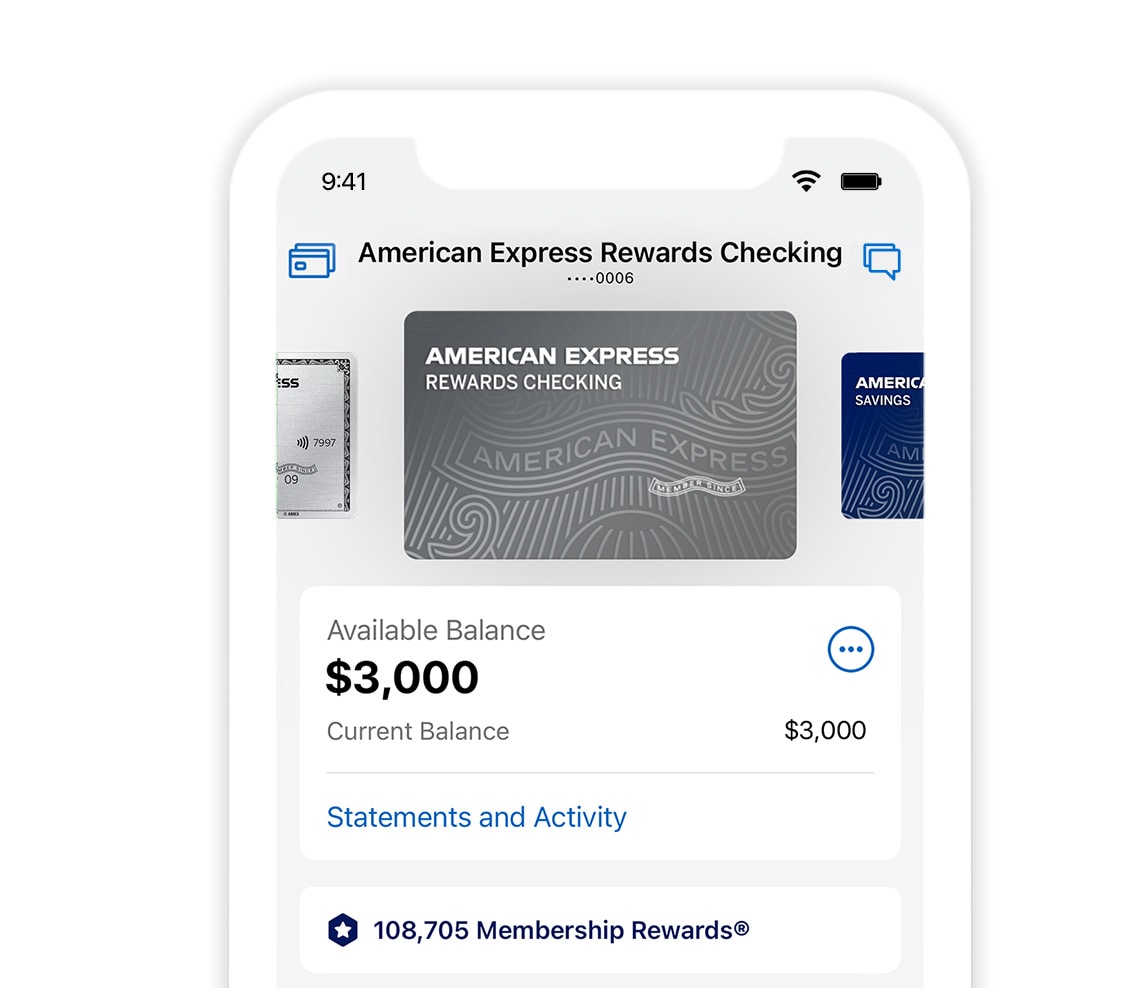
A seamless way to manage your American Express® Rewards Checking account
Mobile Check Deposits: Deposit checks on the go by taking a picture with your camera phone.*
Find an ATM in the App: With your American Express® Debit Card, you have unlimited fee-free withdrawals at 70,000+ Allpoint® and MoneyPass® ATM locations nationwide.*
Digital Wallet: Add your American Express® Debit Card to your digital wallet for fast, easy payments.*
Learn more about Amex® Rewards Checking.
Accounts offered by American Express National Bank. Member FDIC.
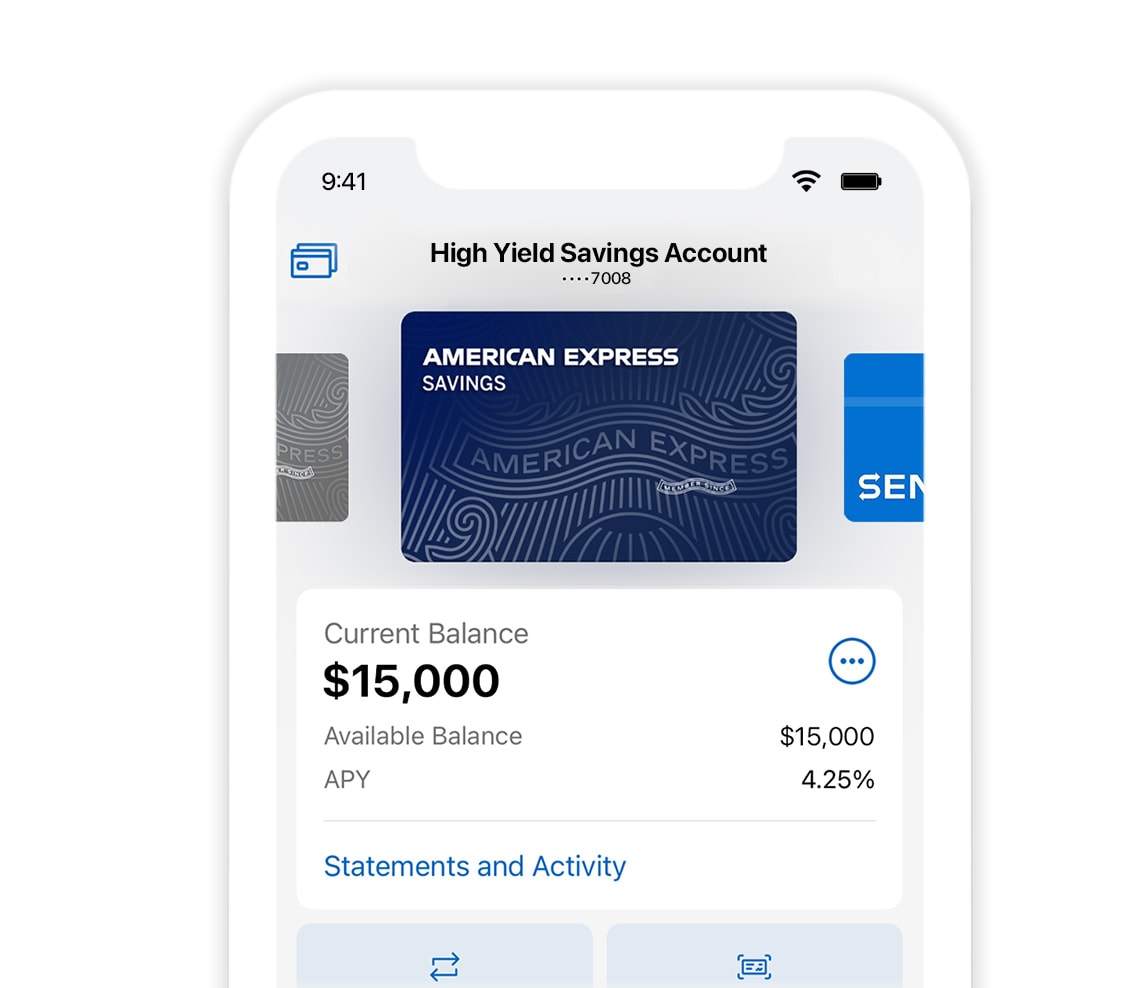
Manage your High Yield Savings Account 24/7 with the Amex® App
Deposit Funds: Connect your existing bank account and transfer money between linked accounts with a few taps, including the American Express® Rewards Checking account.*
Transaction History: Review recent transactions and monthly statements on the go.
Account Activity: Get custom alerts about important account activity and receive monthly statements for all your American Express® Savings products from a single login.
Learn more about High Yield Savings Account
Accounts offered by American Express National Bank. Member FDIC.
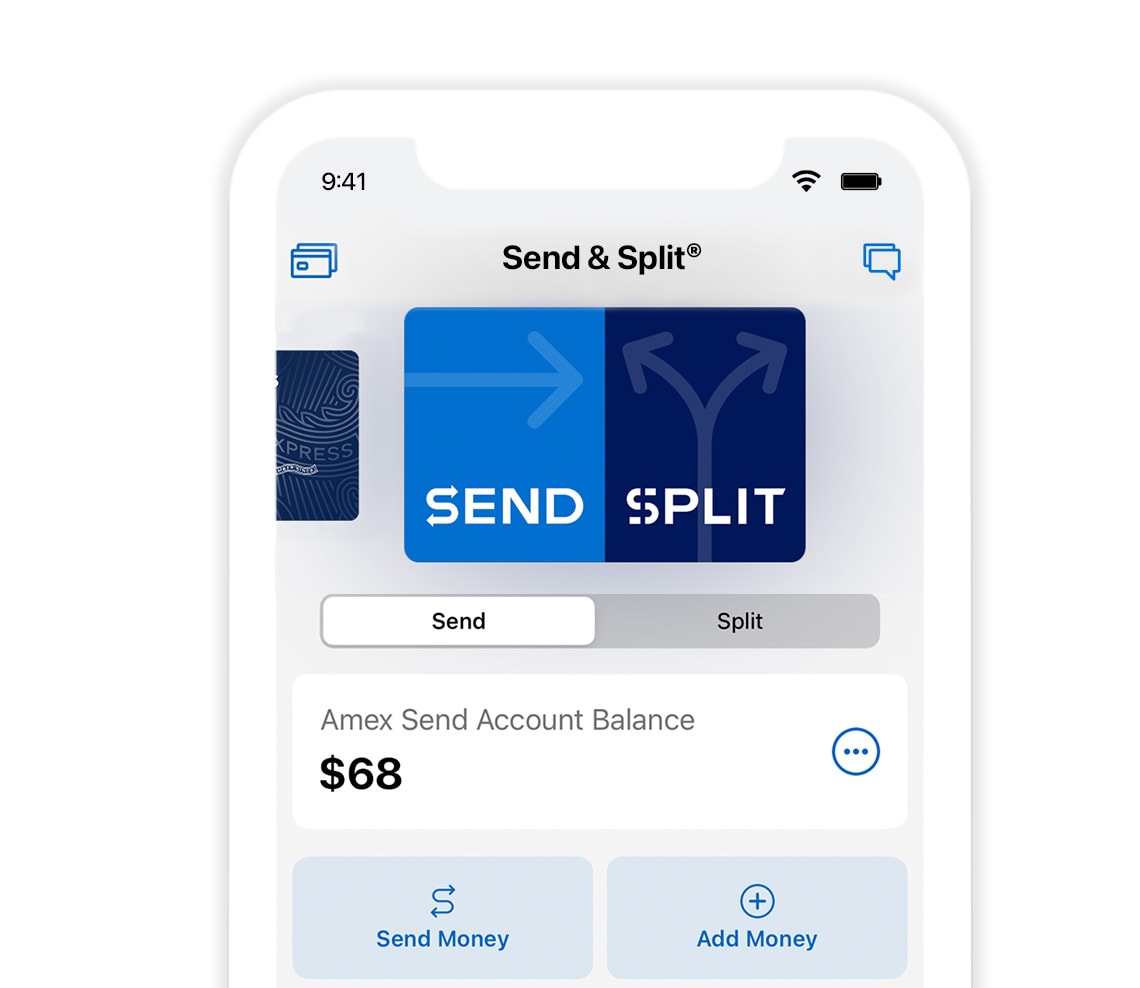
Seamlessly send money and split purchases with friends on Venmo or PayPal, right from the Amex® App – with Send & Split®*
Send: Enjoy the flexibility of your Card when you send money on Venmo or PayPal and skip the standard Venmo/PayPal credit card fee.
Split: Split a purchase with friends, then get paid back as a statement credit to your Card. We split and track repayments for you – plus, you’ll keep the rewards earned on the whole purchase.
Learn More About Send & Split®
AA
One Membership – three ways to unlock it
From everyday spending to inspired trips and reservations at some of the best restaurants, our collection of three apps puts the full power of Membership in the palm of your hand.

Explore all benefits using the Amex® App


Book your travel with the Amex Travel™ App


Dine with Resy by booking in the Resy app

Platinum Card® and American Express® Gold Card Members can link accounts for a streamlined experience.
Ready to Get Started?
Download the Amex® App to get started
Not a Card Member? No Problem.
Find a Card that rewards your lifestyle.
*TERMS AND CONDITIONS
AMEX OFFERS
To redeem an Amex Offer®, eligible Card Members must first enroll in the offer through their online account or in the American Express® App and then use their enrolled Card to make a qualifying purchase. Only U.S.-issued American Express Consumer and Business Cards may be eligible to participate. Card Members can check their eligibility by visiting the Amex Offers section of their online account. American Express, in its sole discretion, reserves the right to determine eligibility for the Amex Offers program and may revoke access or enrollment if we determine that you have engaged, or are likely to engage, in abuse, misuse, or gaming of the program. Please review the terms of each offer for details on how to redeem. By enrolling in an offer, you agree that American Express may use your transaction and personal information to administer the offer, communicate with you about it, and facilitate your experience in accordance with the American Express Privacy Statement. You also consent to receiving electronic communications from American Express, including email, app notifications, and other digital messages, related to your enrolled offers and the Amex Offers program. By enrolling in an offer, you agree to the individual offer terms and Program Terms. See individual offer terms below, and full Program Terms.
AMERICAN EXPRESS REWARDS CHECKING – MOBILE CHECK DEPOSIT
Mobile Check Deposit is subject to deposit limits and other restrictions, which may change in the future. Please see our Mobile Check Deposit Agreement (go.amex/mcdterms) for limits and other restrictions. This agreement may be accessed prior to your use of this service. Please see the Rewards Checking Schedule (go.amex/checkingschedule) for information about when funds deposited through Mobile Check Deposit are made available. Mobile data rates may apply.
AMERICAN EXPRESS REWARDS CHECKING – ATM USE
At Allpoint® and MoneyPass® locations in the U.S., you can withdraw cash and get account information with no fee. Access to ATMs outside of the Allpoint® and MoneyPass® network are subject to fees by the ATM owner and/or network. ATM withdrawal limits apply. American Express applies foreign exchange fees to withdrawals in foreign currencies. American Express does not accept ATM cash deposits into your Rewards Checking account at this time. Visit americanexpress.com/rewardscheckingterms for more information and americanexpress.com/en-us/banking/atm-locator to find participating ATMs in the U.S.
AMERICAN EXPRESS REWARDS CHECKING – DIGITAL WALLET
Digital Wallets are Apple Pay®, and Google PayTM. Contactless payments are accepted at participating merchants only.
AMERICAN EXPRESS® SAVINGS – TRANSFERS
For purposes of transferring funds to or from an external bank, business days are Monday through Friday, excluding federal holidays. Transfers can be initiated 24/7 digitally or may be made by phone (transfers are not available by phone between 7:00 PM and 11:59 PM), but any transfers initiated after 7:00 PM Eastern Time or on non-business days will begin processing on the next business day. Funds deposited into your account may be subject to holds. See the Funds Availability section of your Consumer Deposit Account Agreement and Savings Schedules for more information.
SEND & SPLIT®
Send & Split® is only available in the American Express® App (“Amex App”) to Card Members with an eligible Card. Eligible Cards are US issued Basic Consumer Cards that are issued by American Express National Bank and are not cancelled. Prepaid Cards, American Express Corporate Cards, American Express Small Business Cards, American Express-branded cards or account numbers issued by other financial institutions and American Express Cards issued outside of the United States are not eligible Cards. To use Send & Split, you must first have an email address on file, enroll in Send & Split® in your American Express Online Account (“Online Account”) and open an Amex Send stored balance account in the Amex App (“Send Account”).
Send & Split allows you to: (i) send a person-to-person payment from your Send Account to Venmo and PayPal users (“Send”) and (ii) split a Card purchase (“Split”) and receive funds to your Card account as a statement credit or to your linked Venmo or PayPal account. You may use Send & Split® with an Additional consumer Card that is issued in the US by American Express National Bank and is not cancelled if you also have an eligible Card in the same Online Account and that Online Account is enrolled in Send & Split. You must have or create an account with Venmo or PayPal and link your Online Account to your PayPal or Venmo account to use Send & Split. You must add money to your Send Account from your eligible Card(s) to Send to a Venmo or PayPal recipient.
The money you add will be reflected in your Send Account balance. The charge on your Card for an Add Money transaction does not earn rewards and is subject to the Card’s purchase APR.
Once the Send from your Send Account is available in the recipient’s Venmo or PayPal account, you do not have the ability to cancel the transaction. There is no fee to Send to US recipients.
PayPal charges a fee to Send to non-US recipients. With Split, you can split pending or posted purchases that are made with your eligible Card in your Amex App. Once you select a purchase to Split, select the contacts you want to request to Split with. You can choose to get paid back as a statement credit to your Card account (a Split credit) or to your linked Venmo or PayPal account.
Split credits to your Card account apply when we receive confirmation that the Split request was completed but may take 24-36 hours to post to your Card account. You are still responsible to pay the full purchase amount charged to your Card, regardless of whether you are paid back via Split. You earn rewards for purchases that you split in the same way that you earn rewards for other purchases.
Other eligibility and restrictions apply. For complete details visit https://americanexpress.com/sendandsplitterms to view Terms & Conditions. Send Account issued by American Express National Bank.
The American Express® App and app features are available only for eligible accounts in the United States. American Express® prepaid Cards and Cards issued by non-American Express issuers are not eligible.
To log in, customers must have an American Express user ID and password or create one in the app.
Apple, the Apple logo, iPad, and iPhone are trademarks of Apple Inc., registered in the U.S. and other countries.
iOS is a trademark or registered trademark of Cisco in the U.S. and other countries and is used under license.
App Store is a service mark of Apple Inc., Android is a trademark of Google LLC., Google Play, and the Google Play logo are trademarks of Google LLC.