


Digital Waitlist
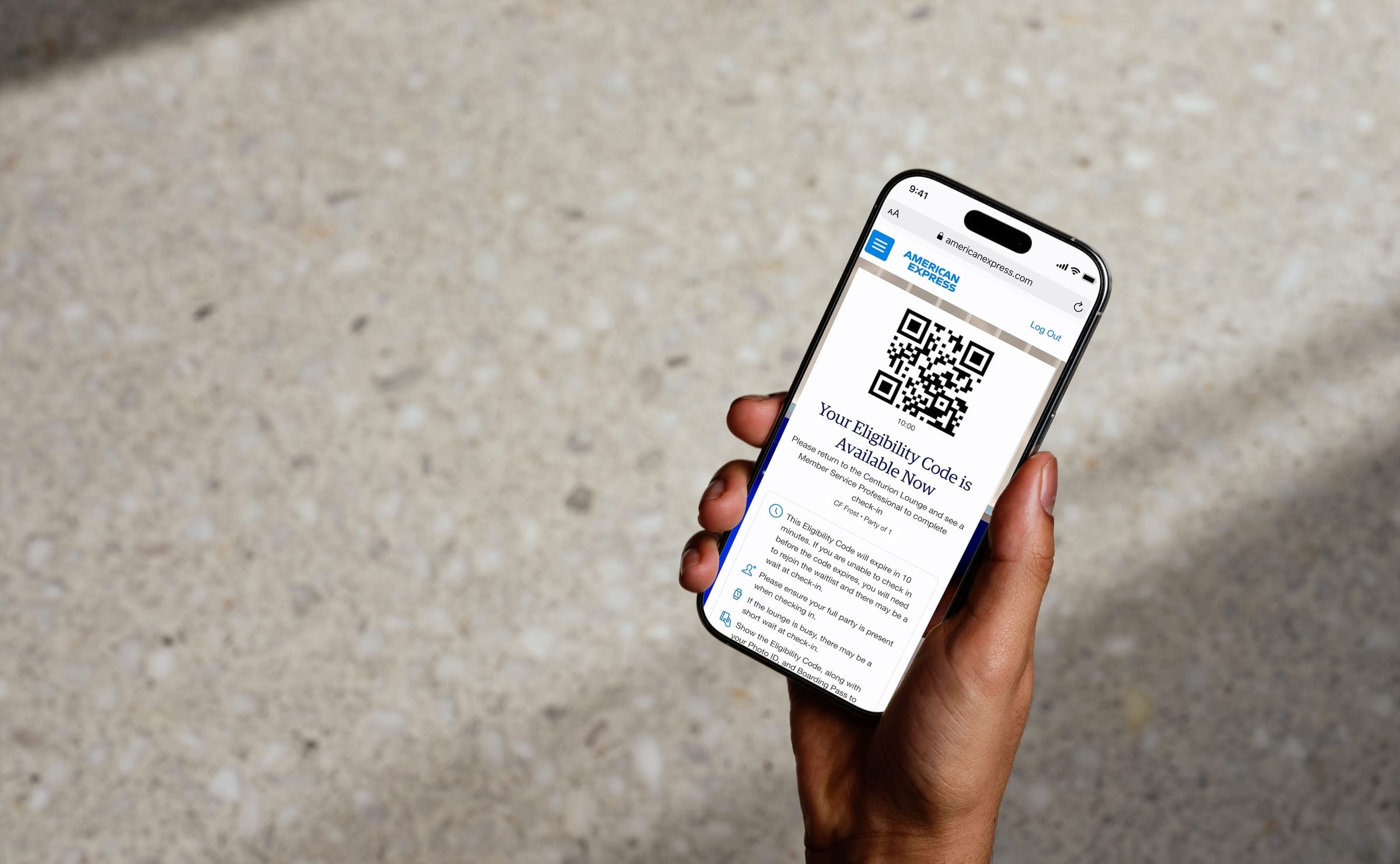
Digital Check-In & Waitlist
Know Before You Go
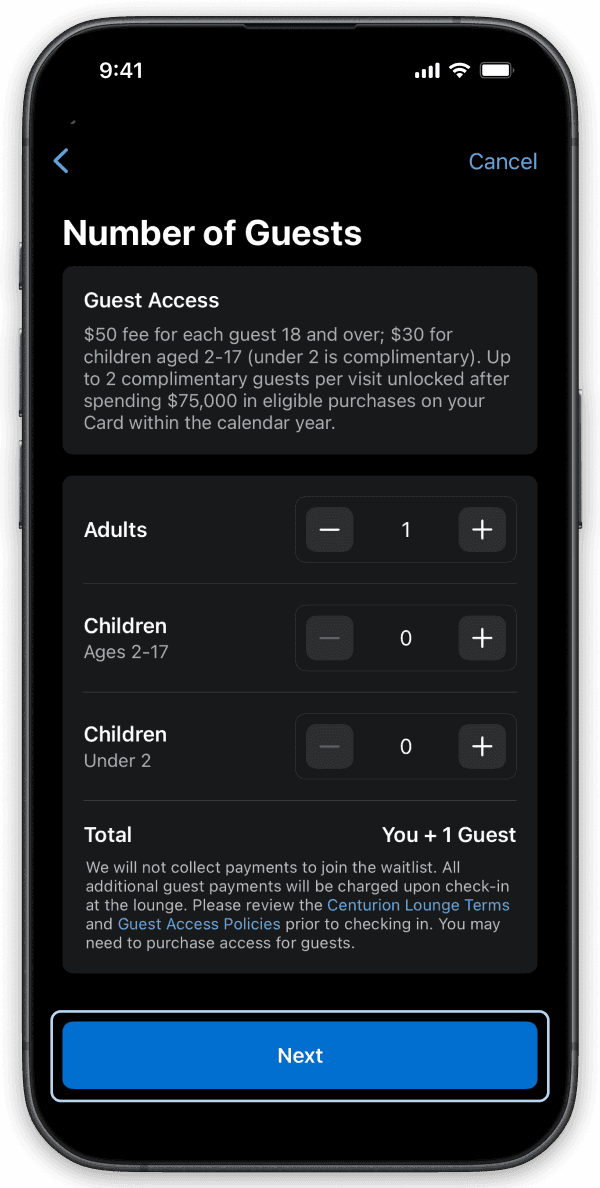
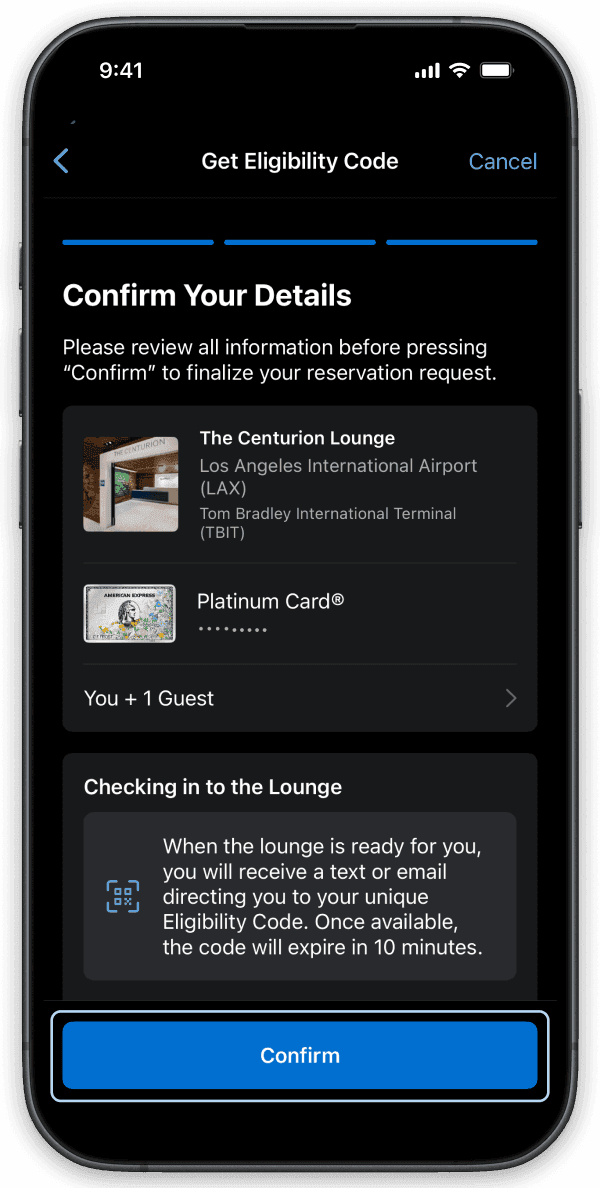
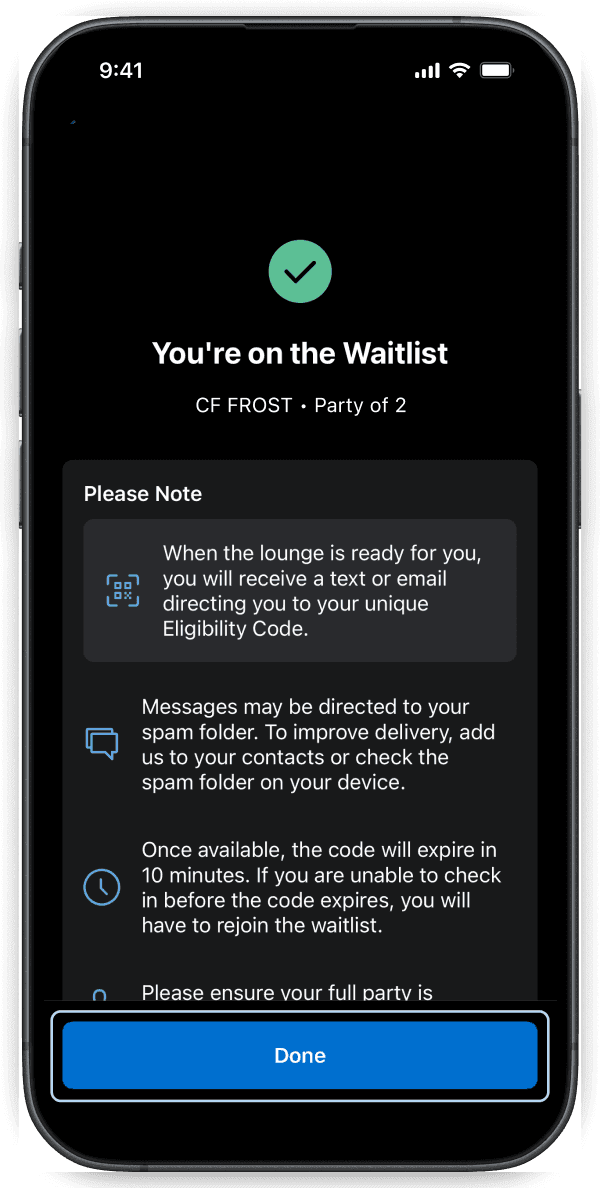
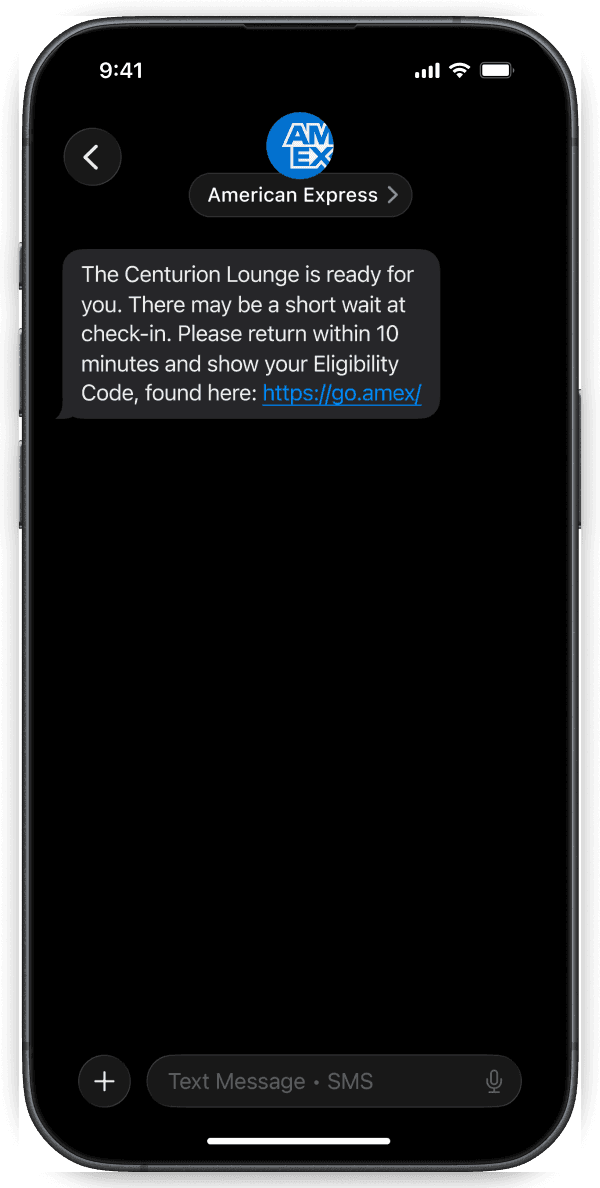
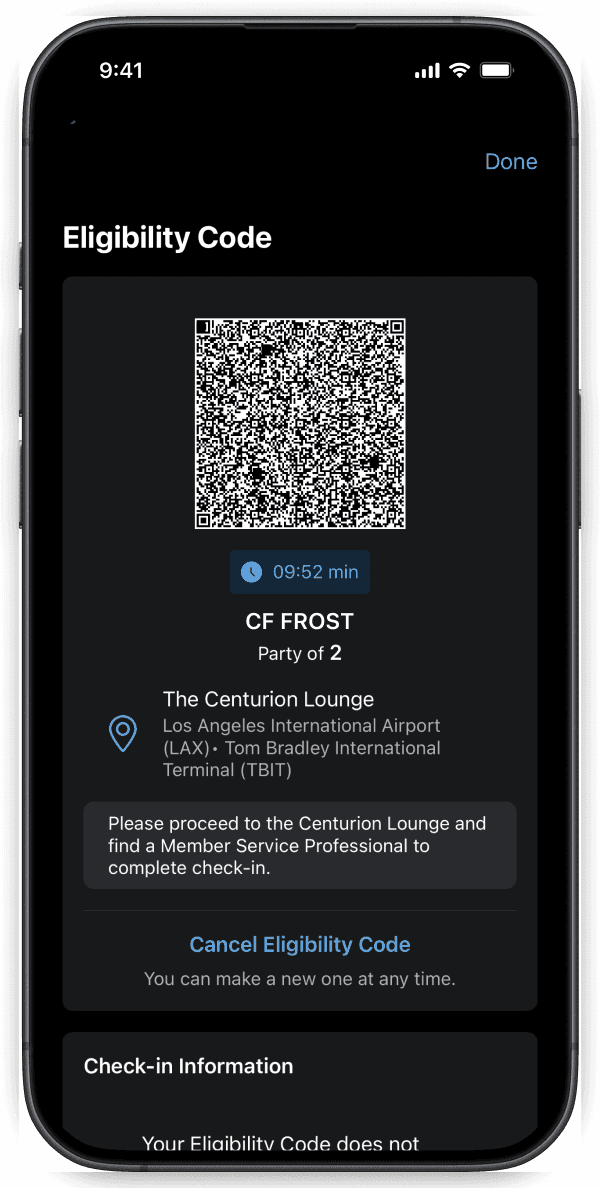
Spend less time at the front desk and more time enjoying the lounge. On the day of your trip, US Platinum® Card Members and Delta SkyMiles® Reserve Card Members can use the Amex® App to check in to an eligible Centurion® Lounge before arrival. You can verify your boarding pass, confirm your party size, and receive an eligibility code to help streamline your lounge arrival experience. If there is a waitlist at a participating lounge, you'll also have the option to join directly through the Amex® App and receive a notification when a spot becomes available. Simply return to the lounge with your eligibility code when prompted.
How it works:
- Open the Amex App and select the Membership tab
- Tap Find Airport Lounges
- Select your eligible Centurion Lounge location
- Choose Get Eligibility Code to check in before arrival. If available, select Join Waitlist and opt in to receive updates via SMS or email.
Eligible Card Members only. International Platinum Cards, American Express prepaid cards, and cards issued by non-American Express issuers are not eligible to add themselves to the waitlist via the Amex App. MESSAGE AND DATA RATES MAY APPLY. See below for step-by-step instructions.
How to join the Centurion Lounge Digital Waitlist
Join the Centurion Lounge Digital Waitlist
Before arriving at the lounge on the day of your trip, eligible Card Members can save time by joining the waitlist via the Amex App if the lounge is at capacity.
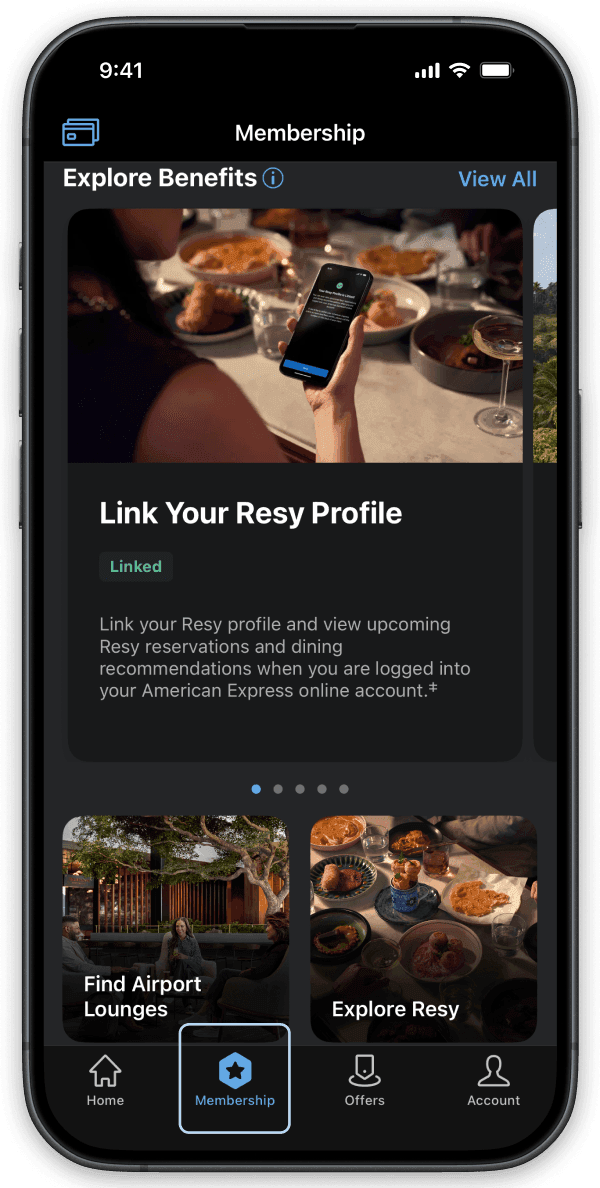
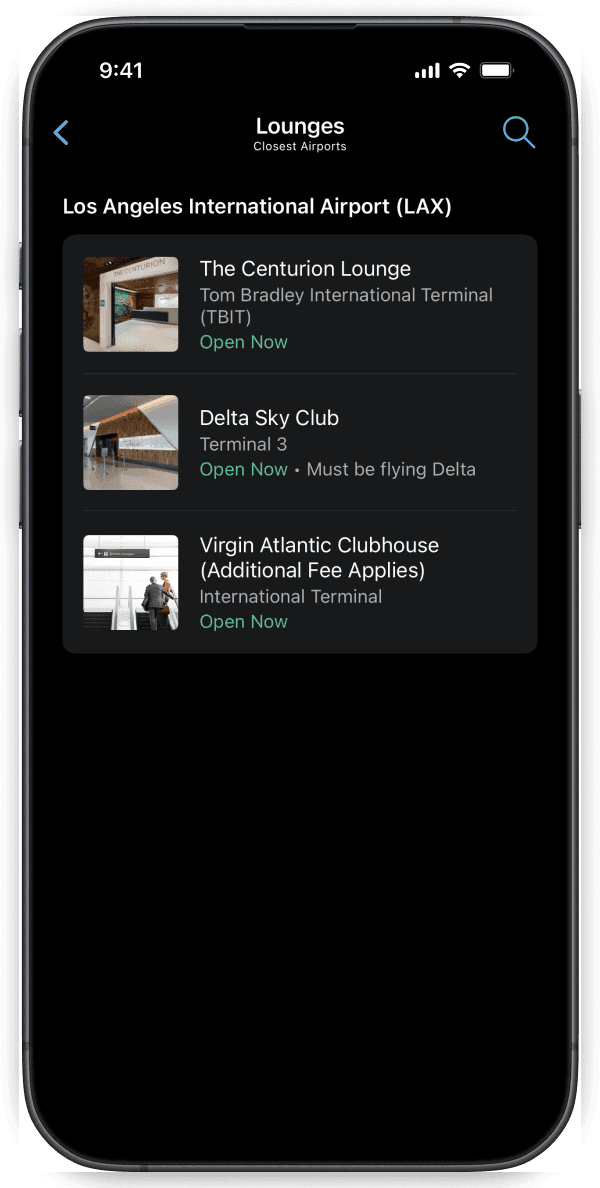
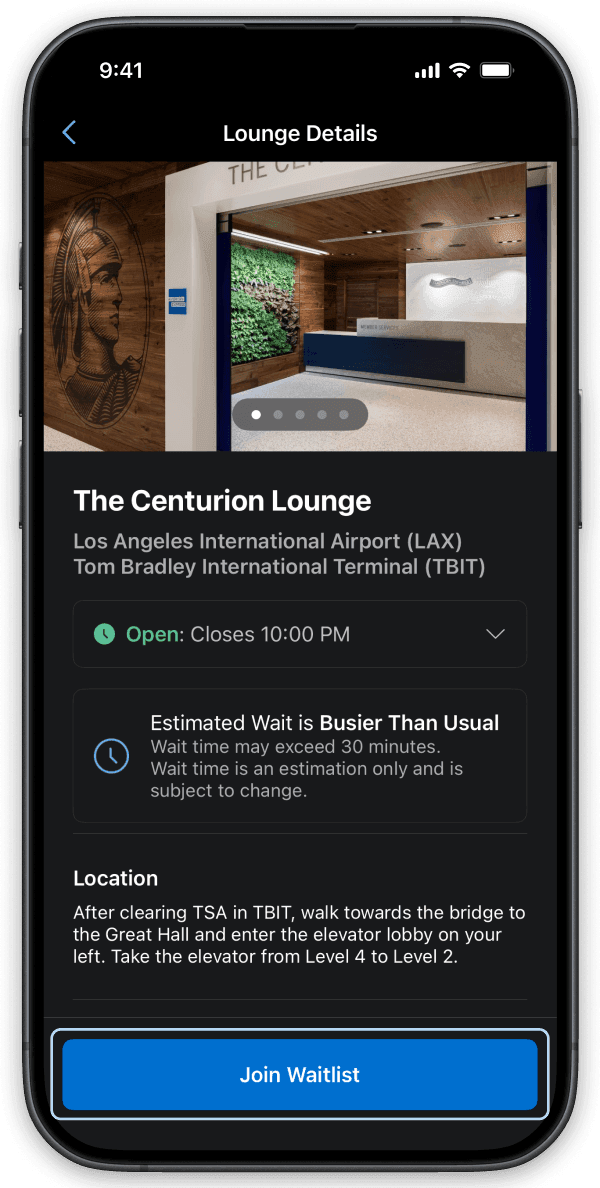
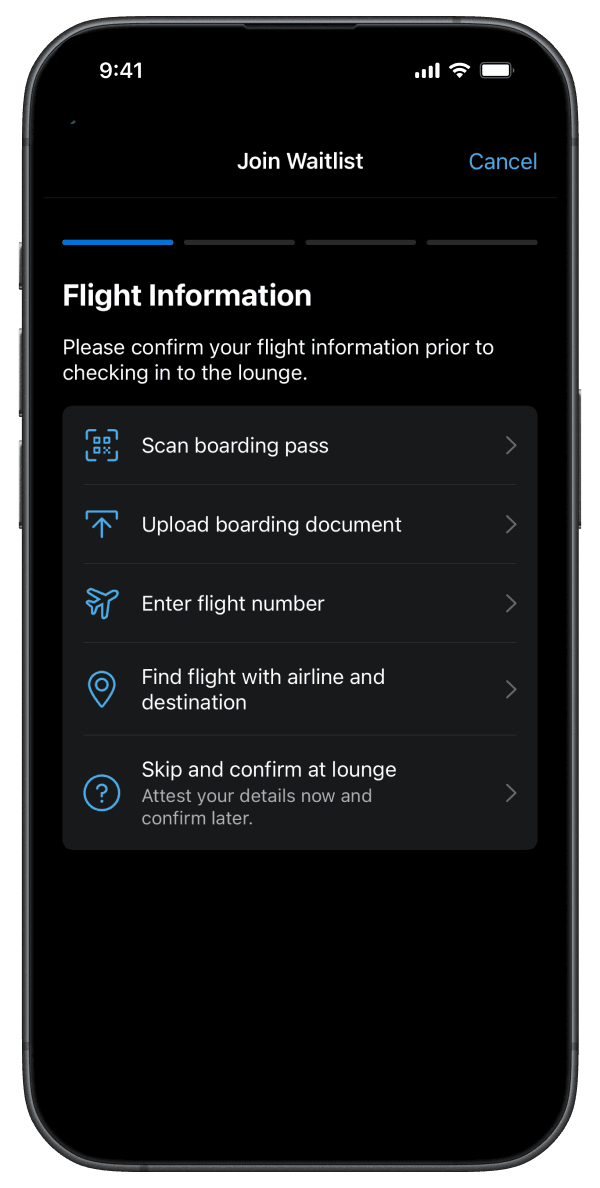
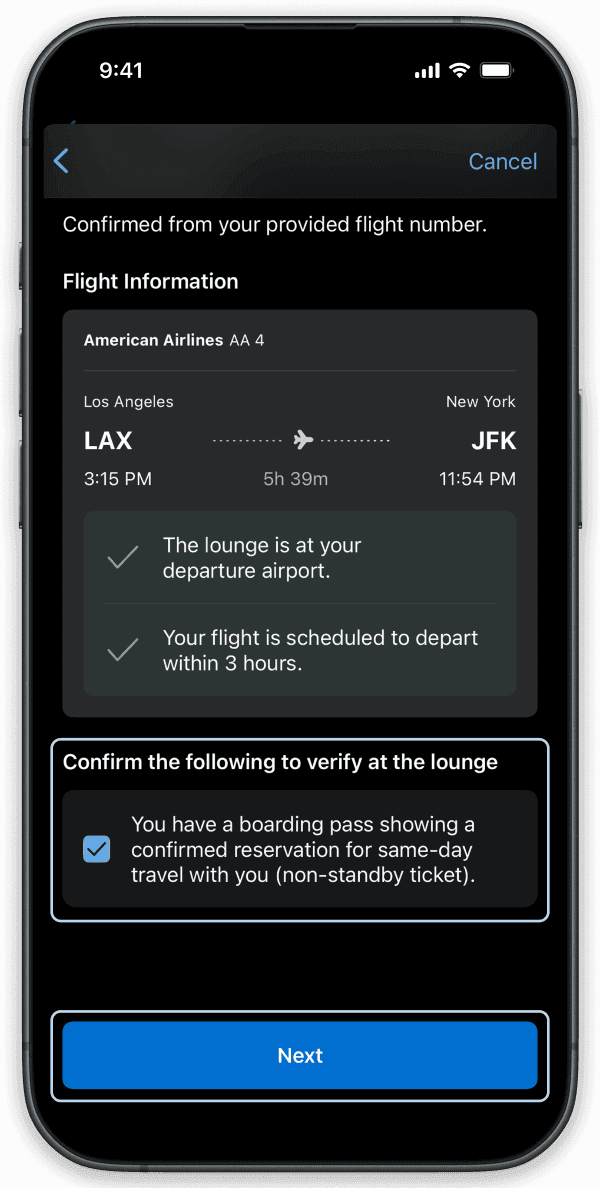
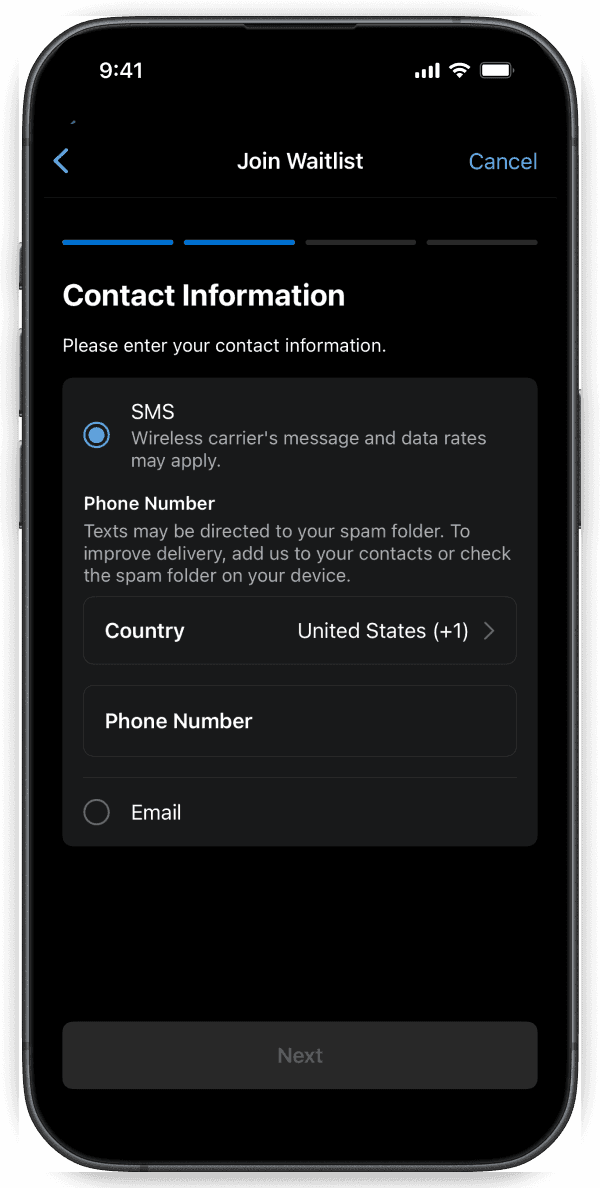
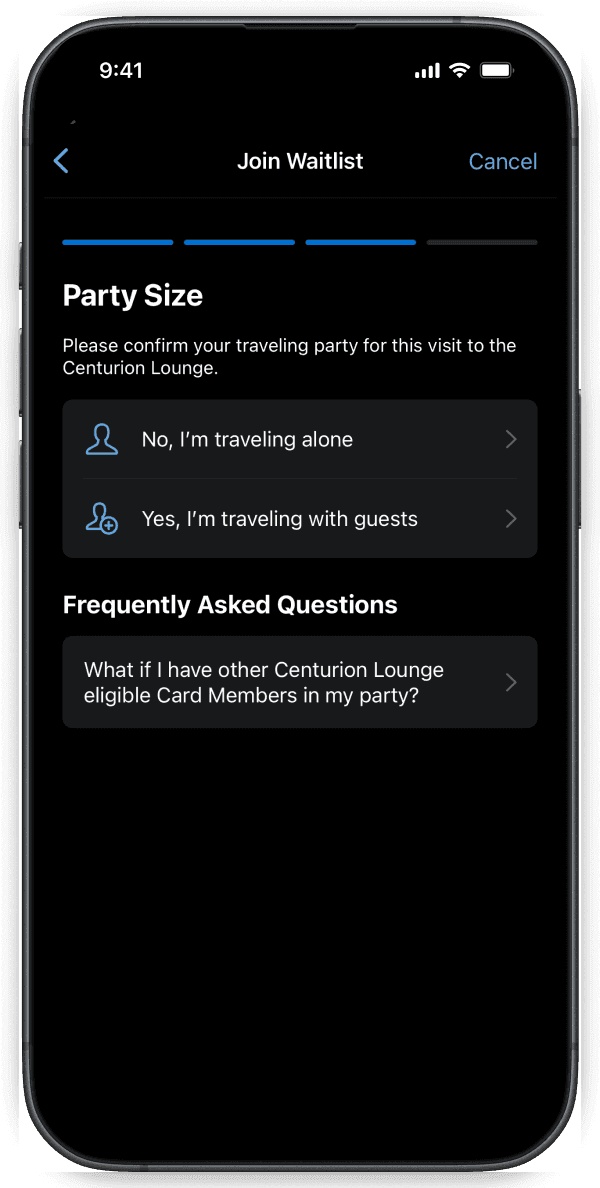
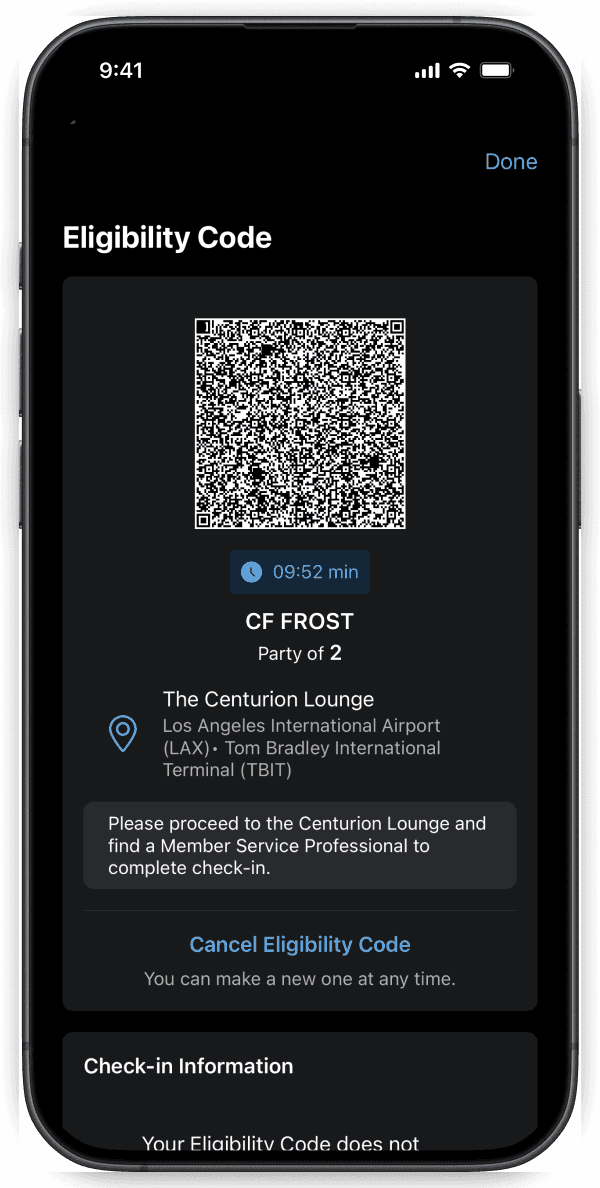
How To Create an Eligibility Code
Get an Eligibility Code
Please note, this QR Check-in Code does not guarantee entry to the lounge, which is subject to capacity constraints and access terms.
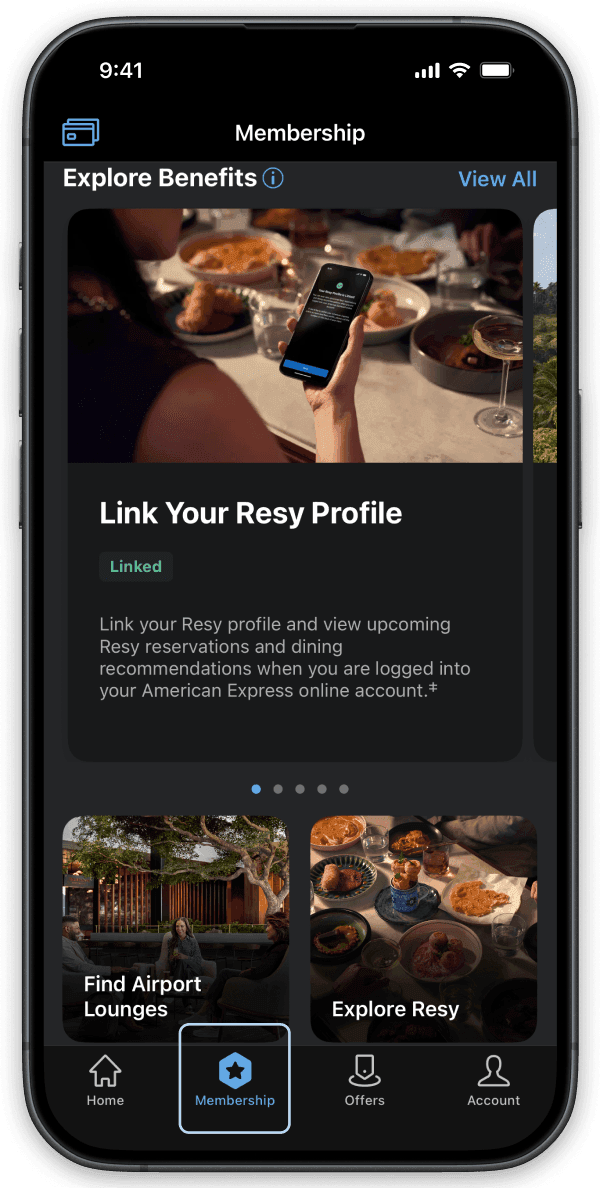
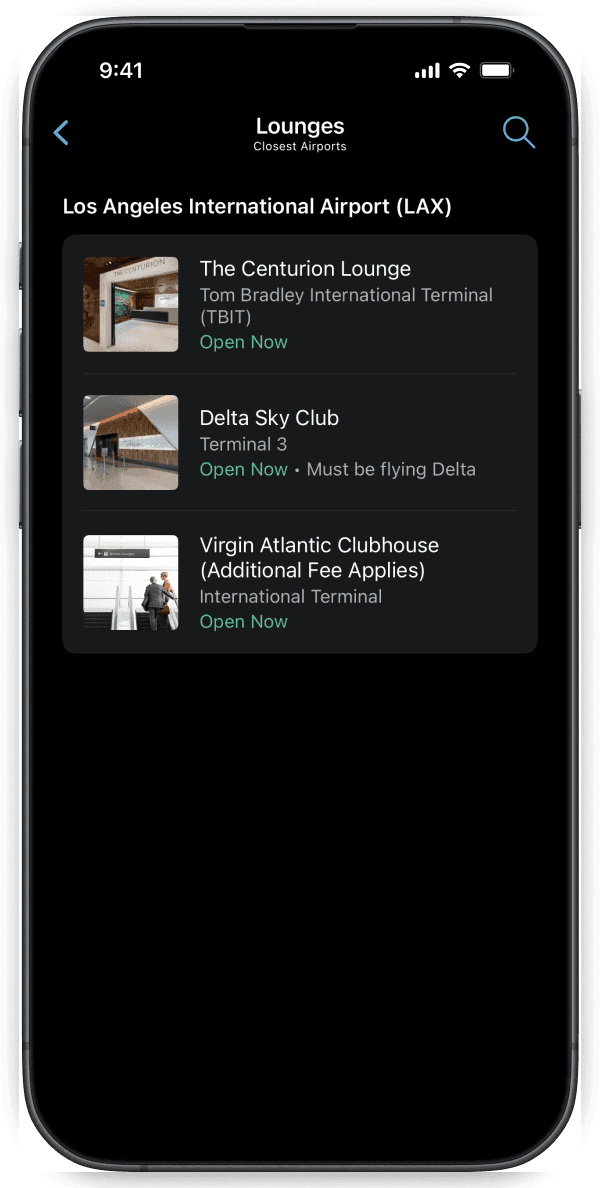
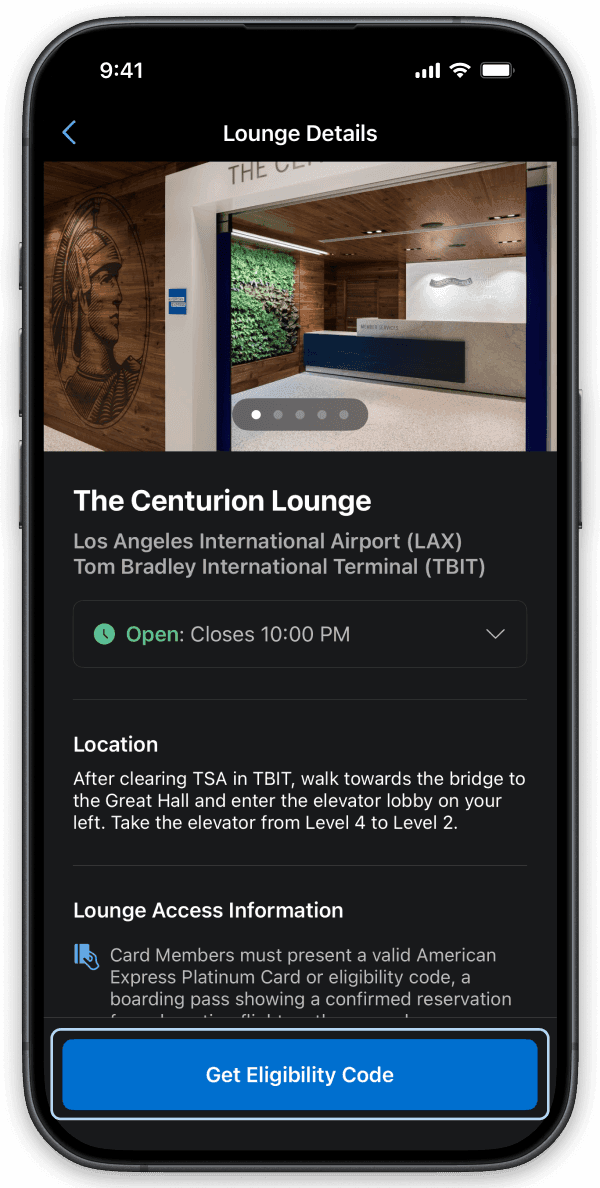
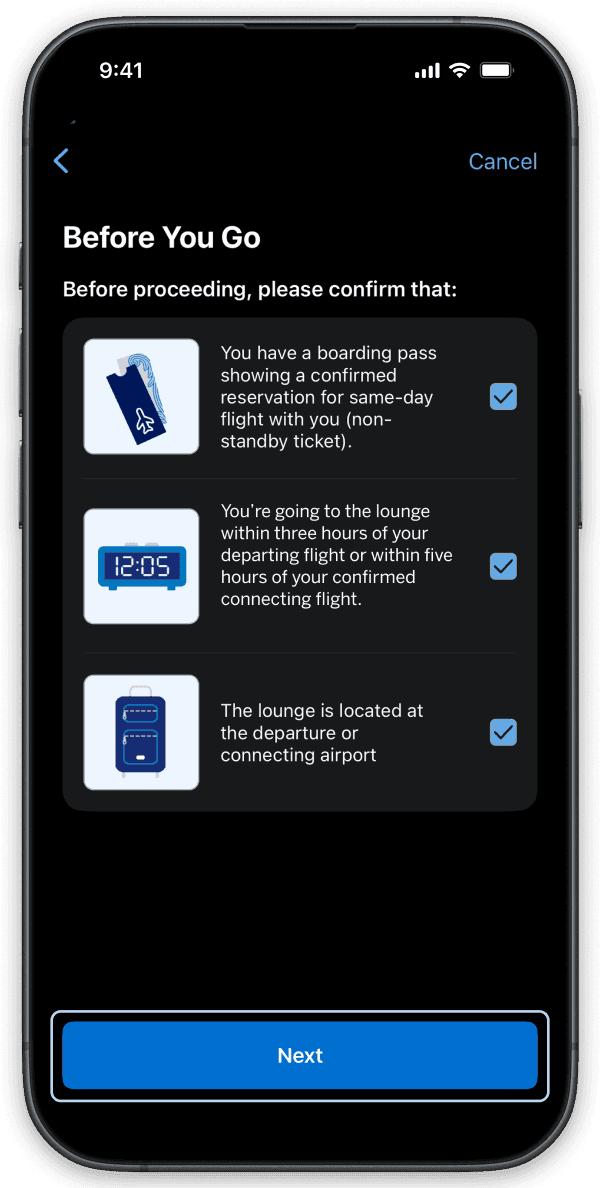
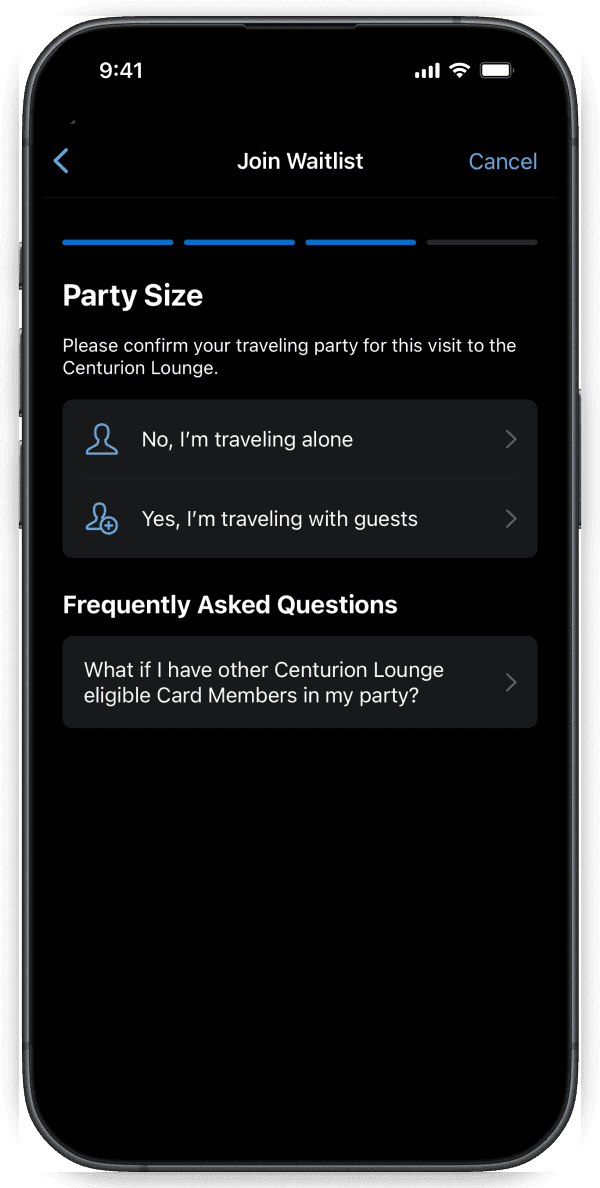
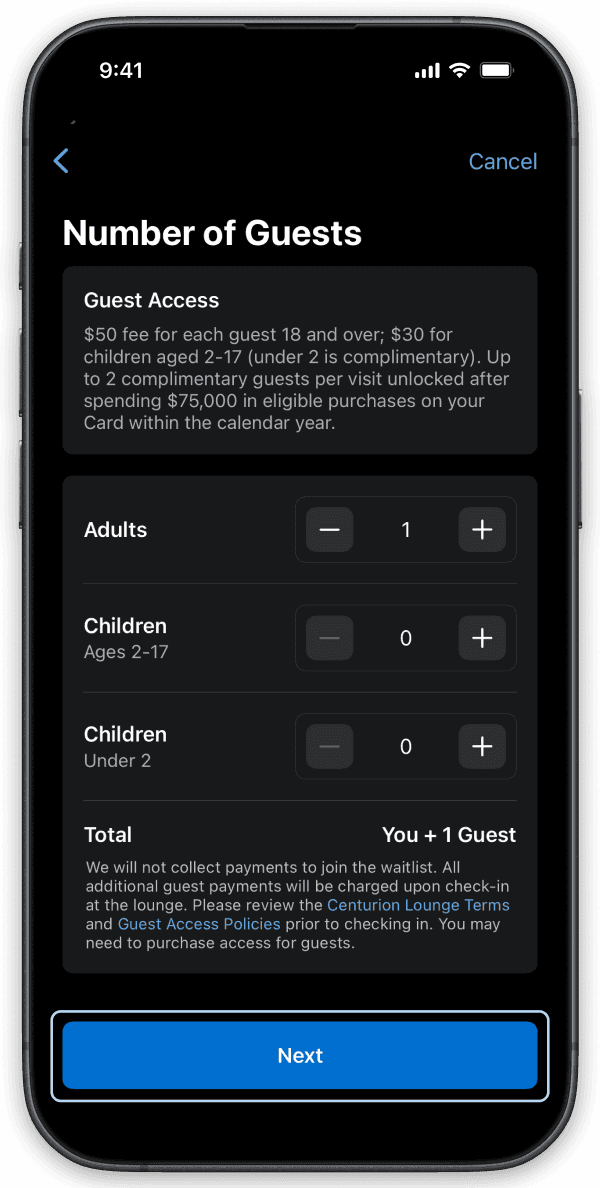
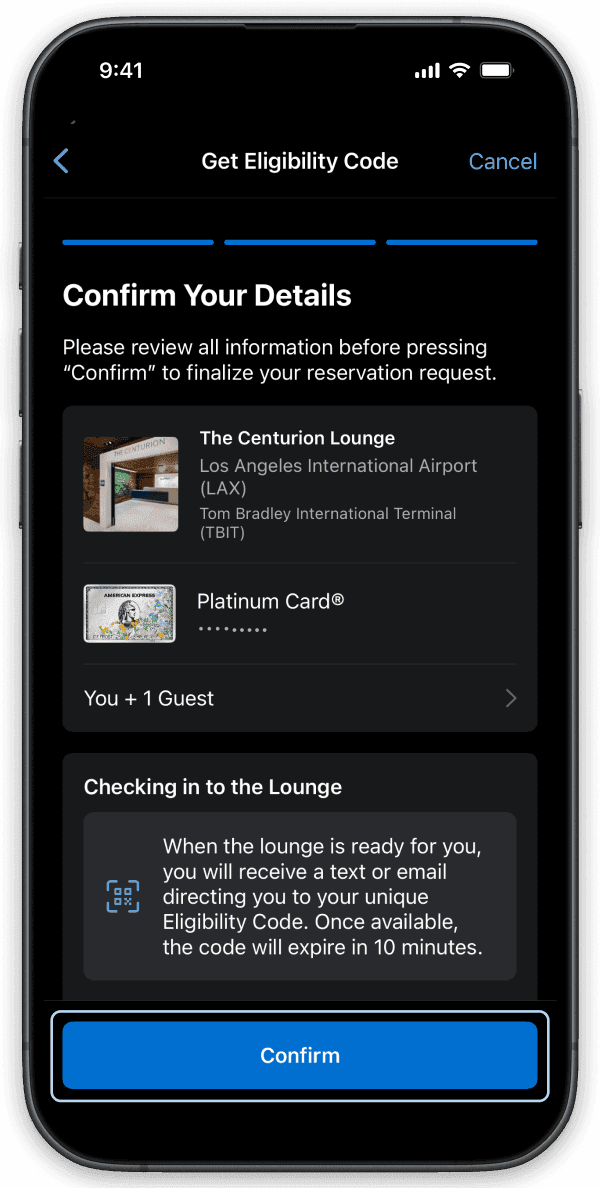
Find lounges on the go by visiting the Membership section of the American Express® App.
Text FINDALOUNGE to 86509 for a link to download the App.**
**The American Express® App and app features are available only for eligible accounts in the United States. American Express® prepaid cards and Cards issued by non-American Express issuers are not eligible. To log in, customers must have an American Express user ID and password or create one in the app.
Apple, the Apple logo, iPad, and iPhone are trademarks of Apple Inc., registered in the U.S. and other countries. iOS is a trademark or registered trademark of Cisco in the U.S. and other countries and is used under license. App Store is a service mark of Apple Inc., Android is a trademark of Google LLC., Google Play, and the Google Play logo are trademarks of Google LLC.