How to Activate a Credit Card
7 Min Read | Last updated: June 16, 2025

This article contains general information and is not intended to provide information that is specific to American Express products and services. Similar products and services offered by different companies will have different features and you should always read about product details before acquiring any financial product.
Learn how to activate a credit card online, with the issuer app, or by phone, and choose the most convenient credit card activation method for you.
At-A-Glance
- You can quickly activate your new credit card online, through the issuer’s app, or by calling. Many methods require identity verification and some personal details.
- American Express® offers Instant Card Numbers, a service for eligible Card Members to instantly activate a virtual card while waiting for a physical card to arrive.
- Your credit card account may still be active and usable even if you don’t activate the card, making card activation an important first step in responsible credit use.
So you applied for a credit card. But before you can enjoy exciting rewards and cardholder benefits, help build credit over time, or simply make purchases, you may need to activate your new card. But how do you activate a credit card? And why is activation required in the first place? Let’s find out.
What Is Credit Card Activation?
Credit card activation makes your new card ready for use, alerts the issuer that you received the card correctly, and may involve identity verification.1 Once activated, you can begin making purchases and enjoy any cash back or travel benefits your card offers.
How Do You Activate a Credit Card?
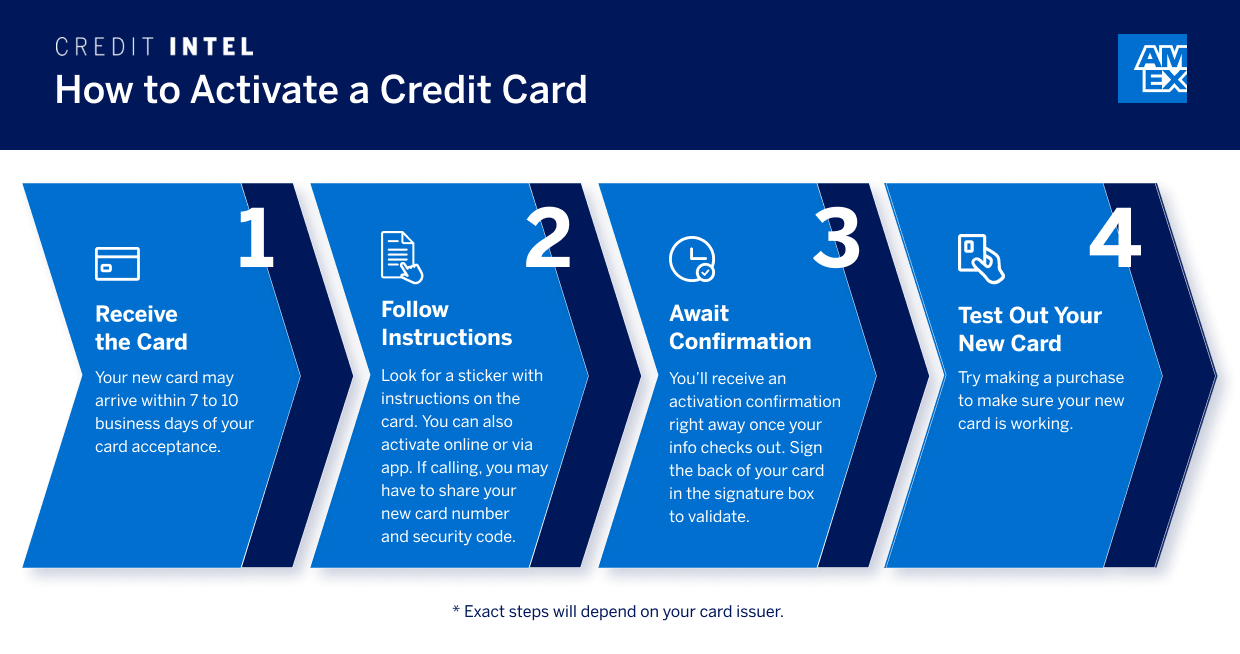
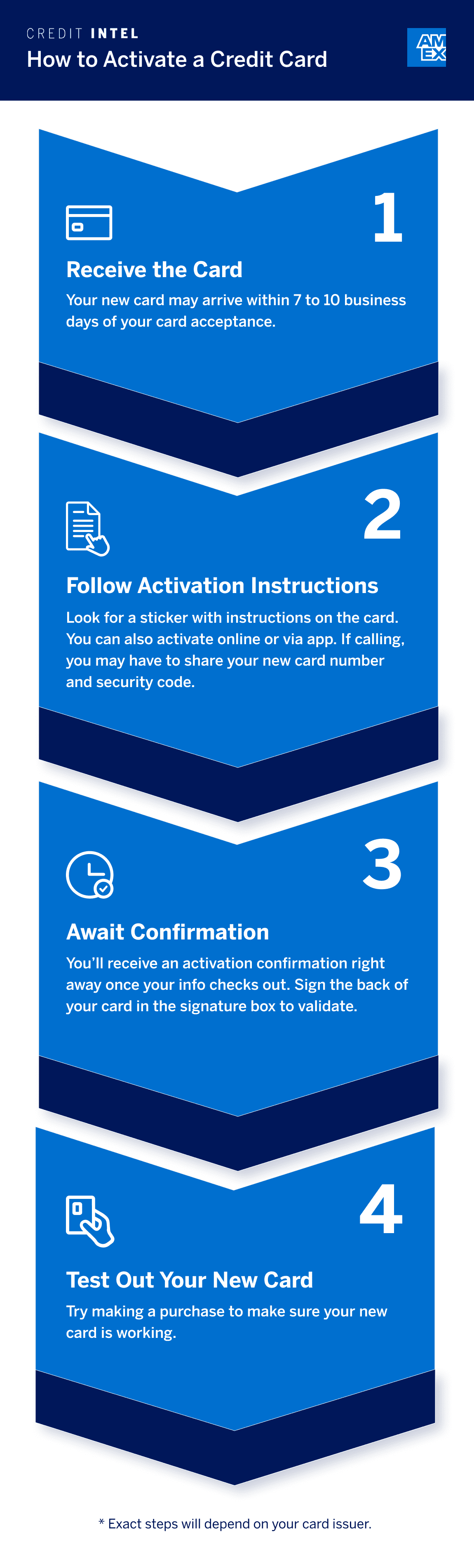
The exact steps required to activate a credit card will vary, depending on the card issuer. But the process may be quick and convenient, and can entail some variation of the following steps:
1. Receive the card
Before you can activate your credit card, you may have to wait to receive the card in the mail. This could take 7-10 business days of application approval, but this will vary, depending on the card issuer.2 But take note: Some card issuers now offer instant card numbers, enabling you to access your card immediately after you’re approved (more on that later).
2. Follow the instructions
Most credit cards should come with activation instructions, either printed on a sticker on the front of the card or in a pamphlet that’s mailed with the card. These should clearly outline the activation process.
While the instructions that come with your card will be specific to your card issuer’s activation process, you can activate your new credit card online, via mobile app, or by phone. If you’re activating your new card by phone, you may want to call from the phone number associated with your account. This way, when you call, the card issuer has an additional means of identifying you, helping ensure that the new credit card is in the right hands.
Security Tip
If you choose to activate your new credit card online, avoid using a shared computer or public Wi-Fi. Activating from your personal computer on a secure home network can help keep your personal and card information secure.
Once you’ve created an online account or downloaded and set up your account on the mobile app, you may be able to schedule payments, redeem rewards and points, view card statements, and check your balance.
You’ll also want to make sure you understand your card’s rewards program (if one is available) and any introductory offer terms.
3. Wait for confirmation
If all information is correct and checks out, activation confirmation should happen immediately, and you can start using your card. Online, you should see a message saying your card is ready for use. If you activated your new credit card by phone, you’ll likely hear a confirmation message.
After you’ve received your confirmation, and your card is active, you’ll want to sign the back of your card in the signature box to ensure your card is valid to merchants.
4. Try your new card
You may want to make a purchase after activating your new card, just to be sure everything is in working order. It doesn’t have to be a major expense; a small purchase like a cup of coffee will do. If the transaction goes through, you’re good to go. But if an error occurs, if the card is declined, for example, contact your card issuer to resolve the issue.
Methods for Activating a Credit Card
You may be able to activate your card online, via phone, or through your credit card issuer’s app, if they allow this option.
Whether activating online, on the credit card company’s mobile app, or by phone, you should be prepared to provide some personal information, such as your new card number, your card’s security code, and other relevant personal details.
- Online Credit Card Activation
Activating online often involves scanning a QR (Quick Response) code that brings you directly to an activation page. When you’re finished, the page may redirect you to a new confirmation page, telling you the card is now ready for use. - App Activation
Activating through the issuer app also often involves a QR code, but downloading the app first may save time. Once complete, you may see a message saying your card is activated. - Activation By Phone
Activating by phone is another convenient alternative if you’re abroad, encountering Wi-Fi issues, or prefer speaking to someone. Check the back of your card for national and international numbers, but depending on your location, they may not be toll-free. Once activated, you’ll likely hear a confirmation message.
Most activation methods may require some personal information, so having the card number and CVV code, ZIP code, phone number, or other relevant personal details handy can streamline the process.
When Can You Use Your Card After Activation?
You can start using your card immediately following activation, but it doesn’t hurt to wait for strategic purchases. If you activated a Travel Card, use it as soon as you need to book a flight, hotel, or vacation. If you activate a credit card offering cash back, you may want to wait for an eligible purchase opportunity before using it.

What Are Instant Card Numbers?
Don’t have time to wait until your card arrives in the mail? You may be able to use an instant card number instead.
Instant Card Number by American Express® lets you immediately activate and use a virtual card before the physical card arrives.
Here’s how it works:
- After you apply for the card you want and prove eligibility, you automatically receive an Instant Card Number.
- You can then add the number to your digital wallet.
- You’re free to shop online or at any establishment that accepts virtual wallet payments.
Frequently Asked Questions
Depending on the activation method, the activation process may take as little as a few minutes. In the case of Instant Card Numbers, activation takes seconds.
Because credit card accounts can open automatically after approval, it’s possible someone could use your credit card even if it’s not activated. Not activating your card may also make you less aware of annual fees and payment dates.3 Learning how to protect yourself against credit fraud can also help protect your personal information.
While account cancellation isn’t automatic when leaving cards inactivated, it could happen. The issuer determines how long you have to activate the card, so contact them if you don’t receive your card in the mail in a timely fashion.4
An automated confirmation message may not be sufficient for everyone who tries to activate their card. To double-check the activation status, you can call the number on the back of the card or the customer service phone number listed on their official website.
The Takeaway
Activating your credit card is a simple security measure to complete before you start using it. If you’re eligible for an instant card number, you don’t have to wait for your physical card to begin shopping; activation is automatic.
1 “How to activate a credit card,” Bankrate
2 “How Long Does It Take to Get a Credit Card?,” Experian
3 “What to do if you decide not to activate your new credit card,” CNBC
4 “What happens if you don’t activate a credit card?,” Bankrate


Megan Doyle is a business technology writer and researcher whose work focuses on financial services and cross-cultural diversity and inclusion.
All Credit Intel content is written by freelance authors and commissioned and paid for by American Express.
Related Articles

10 Common Reasons Why a Credit Card Can Be Declined
Explore the most common reasons for a declined credit card, such as travel, credit limits, errors, or fraud, and learn how to protect your account.

How to Apply for Instant Approval Credit Cards
With an instant card number, you could start using your card instantly after approval. See how instant approval credit cards work.

What Is a Credit Card Number?
Credit card numbers may seem random, but each digit serves a specific purpose, like identifying the credit card issuer, the card network, and more.
The material made available for you on this website, Credit Intel, is for informational purposes only and intended for U.S. residents and is not intended to provide legal, tax or financial advice. If you have questions, please consult your own professional legal, tax and financial advisors.