



Introducing a refreshed American Express @ Work® Homepage
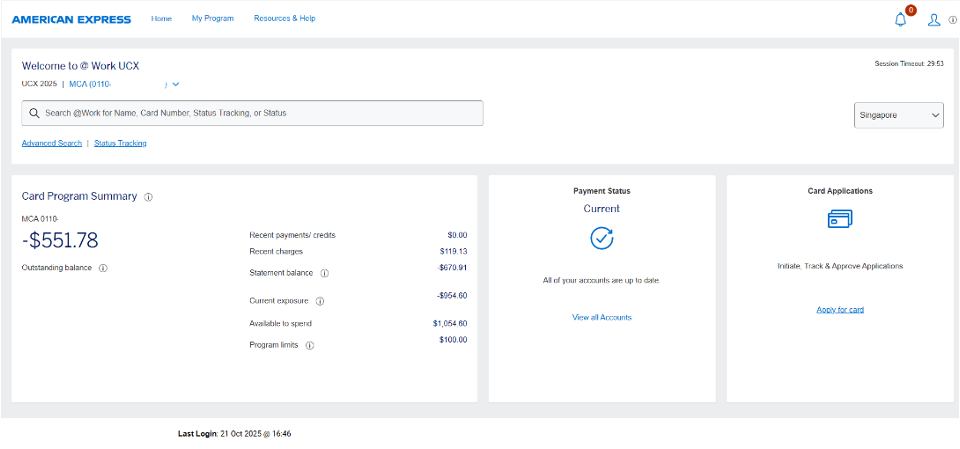
A fresh new look with customisable features, a modernised search functionality, and action-oriented alerts, providing you with a more premium experience.
Redesigned Homepage
- A redesigned User experience
- Seamless navigation
- Enhanced search capabilities
- Options to tailor your page view - Coming soon
- New alert settings
The @Work homepage has launched in Australia, Austria, Denmark, France, Germany, IEC, India, Italy, Mexico, Netherlands, New Zealand, Norway, Singapore, United Kingdom and USA. More countries to follow.
Note:
- In some countries the new homepage will roll out in phases to smaller groups at a time.
- Screens may vary by market.
Modernised Search
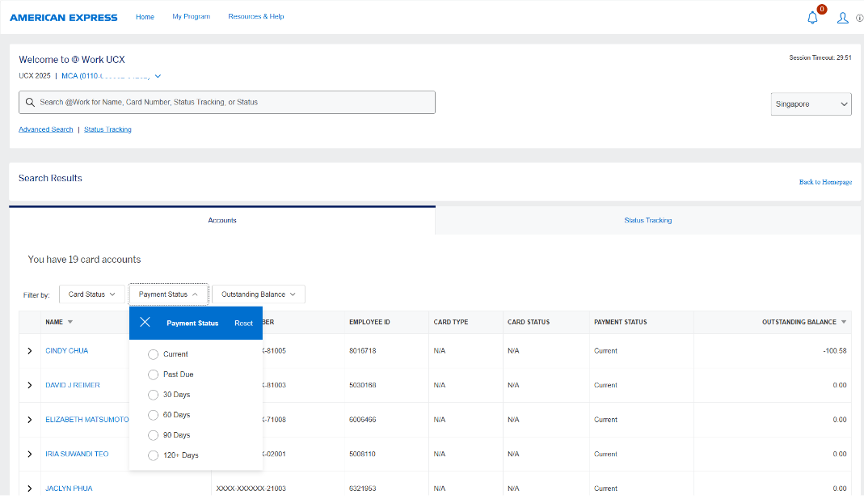
We have also redesigned our search functionality with:
- A modern and intuitive design
- Efficient navigation and filtering options
- Dynamic and inclusive search results
- Local language support
- An ability to initiate actions within search results
- Auto-suggest recommendations while the user is typing
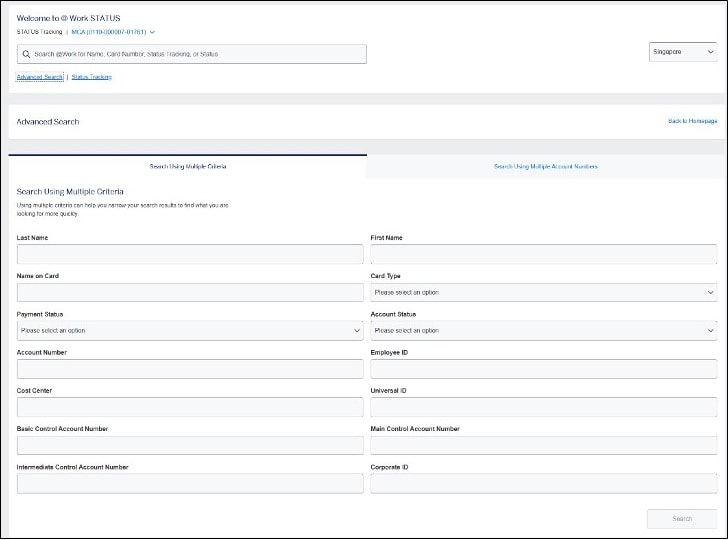
A new advanced search experience where you can initiate bulk actions or search using multiple criteria
*Advanced search will soon be available in Argentina, Australia, Austria, Canada, Denmark, France, Germany, IEC, India, Italy, Mexico Netherlands, Norway, Singapore, Spain, Sweden, United Kingdom, USA and for Global Dollar Card.
Frequently Asked Questions
You will see the uplifted homepage change on your screen when that specific country rolls out their launch. So for example, if you manage three countries, you might see one country has already changed to the uplifted homepage, while the other two countries that you manage are still reflecting the original design.
In some countries, the new homepage will roll out in phases to small groups at a time.
You can find your specific country-enrollment and PA Servicing team contact information here. Once you have enrolled, you can find an Onboarding Checklist to learn how to get started.
Visit the Global PA Resource Centre to learn find essential information to help manage your Corporate Card Programme.
We’ve redesigned the user experience for advanced search. The functionality from the previous advanced search pages remains the same.
The link to Advanced Search will still live under the search bar in the welcome header.
You can search multiple account numbers at one time (to initiate bulk actions) or search by specific parameters to return an exact match.