



SafeKey and Online Safety
It's how we check in when you check out
SafeKey brings safety and ease to online transactions.

SafeKey. What is it?
American Express SafeKey® is a smart authentication technology that works behind the scenes, protecting you against fraud while you shop online by checking it's really you when a purchase is made.
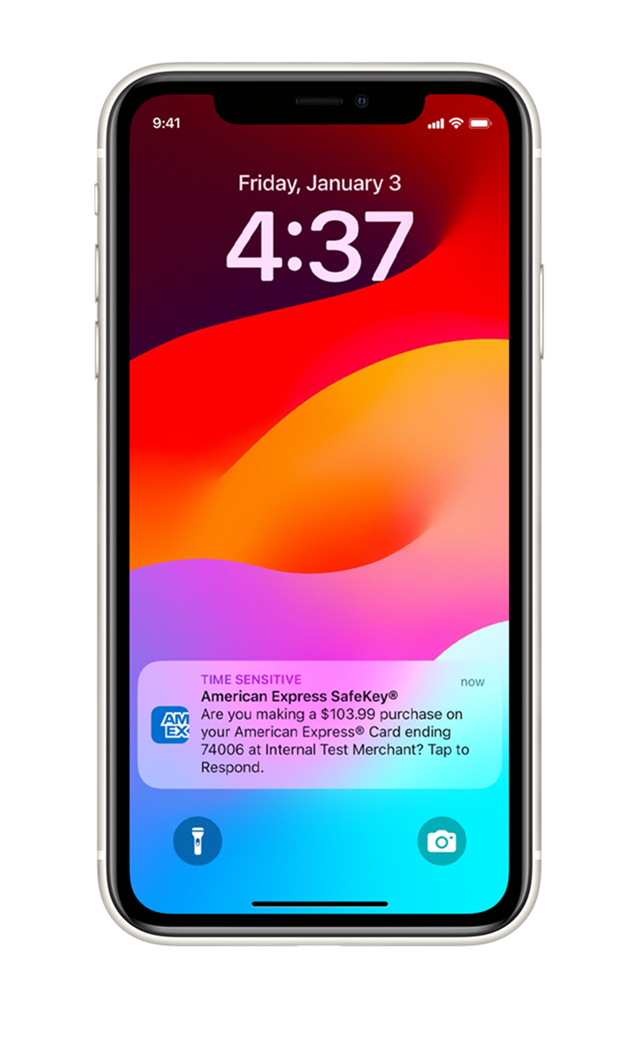
Tap on the App notification or enter the One-time Code sent to your mobile number and/ or email address.
^ Only applicable to selected online transactions
How does SafeKey work^?
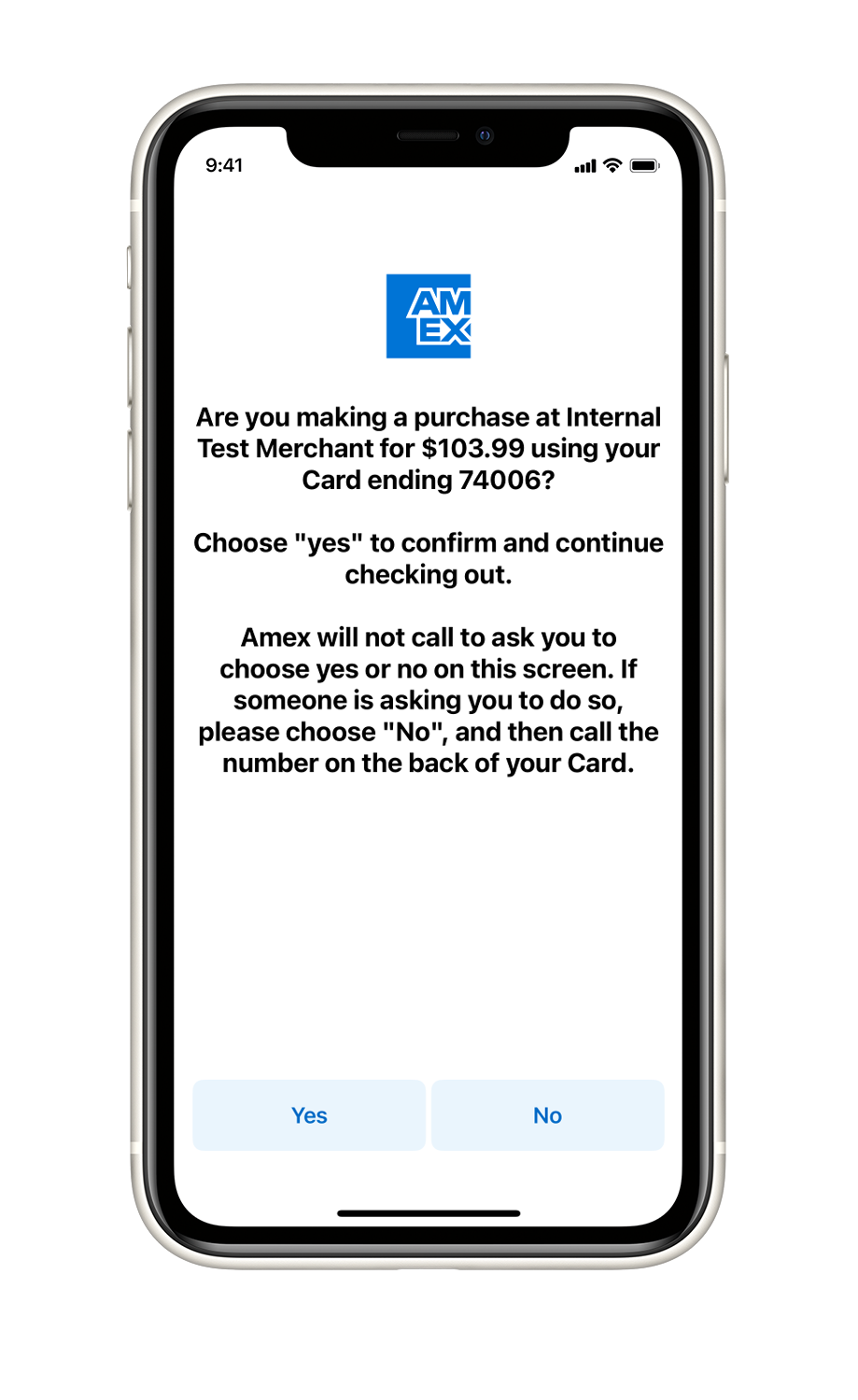
Please check the transaction details and choose "Yes" to confirm and continue checking out.
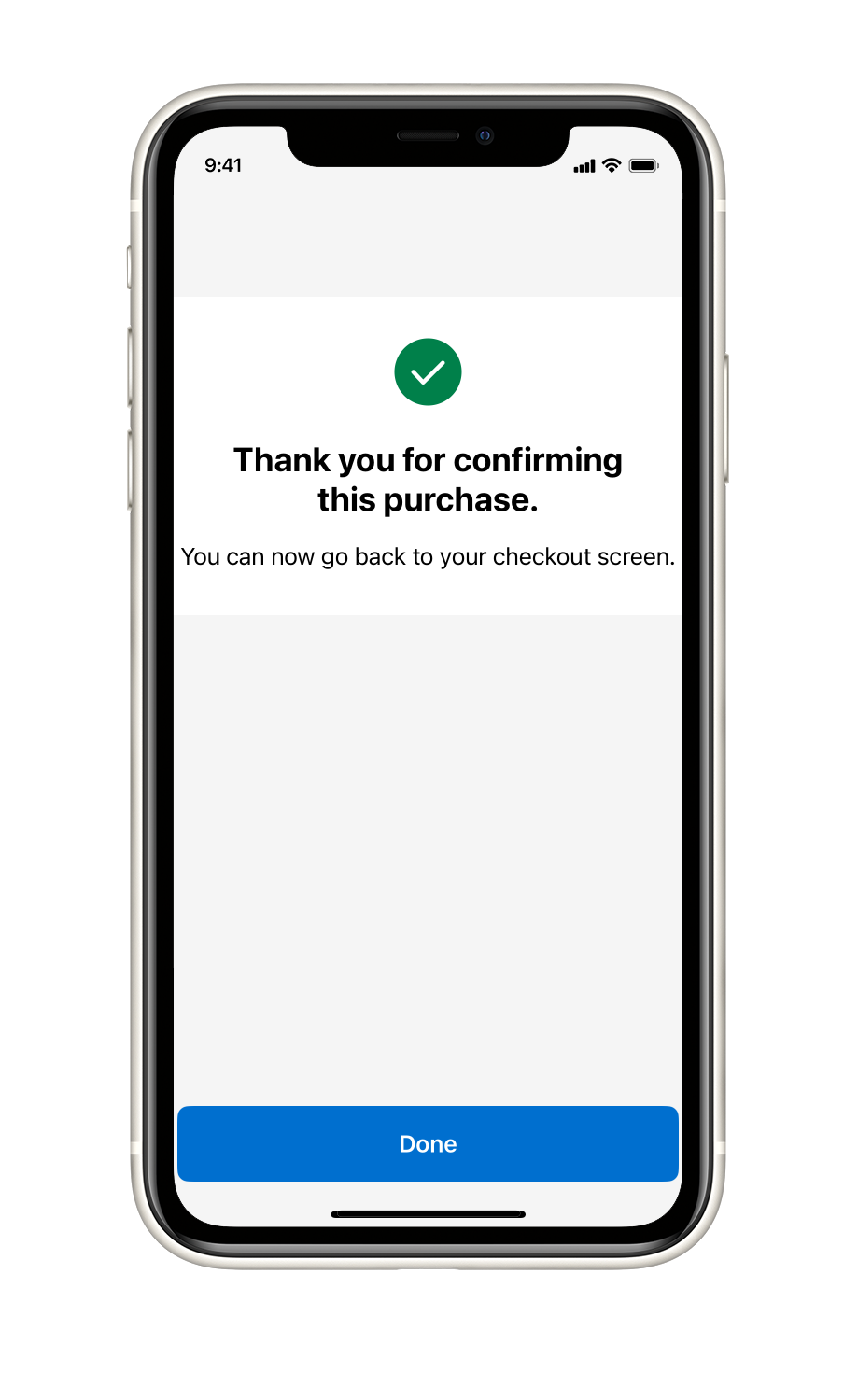
You're verification is complete.
Make sure you're ready for a smooth checkout
- Download the Amex HK App or make sure you have the latest version
- Turn on notifications so you don't miss us checking it's you
- Turn on ‘remember this device’ in the app (Account > Two Step Verification)

We'll need the right email and phone number for you so we can send you codes at checkout. Log into your Amex Account and go to Identity Management Centre.
Online Safety
In addition to SafeKey, here are some things to be aware of to help protect yourself when shopping online:
• The web address should start with ‘https://’ – the ‘s’ stands for secure
• It should have a padlock symbol in the browser address bar
• In some browsers, the address bar or the company name is in green
• Log out of every site, every time you’ve registered your details
• Choose strong, unique passwords (not your child’s birthday, for example)
• Using a secure password manager may be helpful
• Keep your anti-virus software up to date and install a firewall
• Make sure your spam filter is switched on
SafeKey FAQ's
American Express SafeKey is an authentication service which helps prevent unauthorized use of your American Express® Card online by confirming your identity with additional verification information. You may be asked to provide a dynamic One-time Code (OTC) that you receive by email or at your mobile number for transactions you make with participating online merchants.
When you enter your Card number for payment at a participating online merchant, a SafeKey window will appear automatically. You will be prompted to enter some additional information for verification purposes, which may include an OTC, which will be sent to the mobile number and/or email address on file for that account. Once you enter the information requested and it is verified, your online transaction will be processed. In some instances, you may be prompted to enter the three-digit number on the back of your Card (3CSC), an OTC, or both the 3CSC and OTC. After the OTC is sent to you, it is valid for 10 minutes. If you do not enter the OTC and complete your transaction during the 10 minutes, you will need to restart the transaction with the merchant.
No, American Express does not charge a fee for this service.
As a Cardmember, you have been automatically enrolled in SafeKey, so you don't need to take any additional steps to benefit from this online security feature. However, please make sure that any mobile numbers and/or email addresses you have on file with us are up-to-date for all your Cards, and advise any Supplementary Cardmembers
that you may have on your account to update their own information on file with us as well.
You can confirm your contact details either by logging into your online account at global.americanexpress.com/account-management to view your Personal Details or by calling the number on the back of your Card.
When you check out at a participating online merchant, a portion of your mobile number and/or email address to which we have sent the OTC will be displayed. The OTC is automatically sent to both your mobile number and email address if we have them on file. If you need to update your contact information, you can follow the prompts within the SafeKey experience or call the number on the back of your Card.
The OTC helps to protect you against online fraud. It is an additional security measure to verify the identity of our Cardmembers.
You will receive the OTC by SMS and/or email, depending on which contact details you have on file for the Card that you are using to make your purchase.
No. This measure only applies for purchases made at participating merchants and only when prompted by the SafeKey verification page. Some transactions will not require an OTC, but may require different verification information, such as your 3CSC.
Yes, if you do not have a mobile number or email address on file you will be prompted to enter this information to receive the OTC and complete your transaction. If you do not have a mobile number, you can choose to receive the OTC by email, and vice versa.
You can update your contact details in multiple ways, including:
- Through your online account at global.americanexpress.com/account-management,
- Via the "Update Contact Details" link on the OTC entry page displayedduring checkout, or
- By calling the number on the back of your Card
After the OTC is sent to you, it is valid for 10 minutes. If you do not enter the OTC and complete your transaction during the 10 minutes, you will need to restart the transaction with the merchant.
The OTC is valid for 10 minutes after it is generated. The SafeKey page will also expire after 10 minutes, which means you will have to start the entire transaction process again with a new OTC. If you still have not received your OTC after clicking "Resend OTC", check your email junk/spam folder if it was sent to you by email. If you
still have not received your OTC, call the number on the back of your Card for support.
If the merchant is not participating in American Express SafeKey, you will not be asked for any SafeKey verification information. Even at participating merchant websites, you may not be required to provide the OTC if other information is requested on the SafeKey screen.
No, each Card can have a different mobile phone number or email address associated with it. If a mobile phone number and/or email address has not been put on file for the Additional Cards, you should advise the Additional Card Members on your account to provide that information by logging into their account at americanexpress.com or by calling the number on the back of their Card.
No, the contact details update for the Supplementary Card will not change any details on file for the Basic Card or other Supplementary Cards. It applies to that Supplementary Card only.
We will use personal information collected through SafeKey for the purpose of providing the SafeKey service (for example to verify your identity or to authorize transactions) and to update your contact details in American Express' systems.
Yes, American Express provides online protection for all our Cardmembers. As part of our ongoing commitment to protecting your account's security, we launched SafeKey to allow you to shop in an even more secure online environment. Please be assured that you are not liable for fraudulent charges on your account.
If you ever suspect that fraudulent contact information changes or purchases have been made on your account, please call us immediately at the number on the back of your Card.
The SafeKey program is designed to require an OTC on some, but not all transactions. Instead of an OTC, you may be asked to provide other verification information, such as your 3CSC.
Yes, if prompted, you are required to enter the OTC or other verification information to complete a transaction with an American Express SafeKey merchant.
A transaction could fail for various reasons. If you enter the OTC incorrectly or did not answer certain security questions correctly, access to SafeKey may be blocked. If the OTC wasn't entered within 10 minutes, the transaction will expire. Technical issues in the merchant's payment service could also interrupt the transaction. In each of these cases, you will receive an on-screen notification letting you know what went wrong. If you have any questions, you can always call the number on the back of your Card
for assistance.
American Express will never email you to ask you for sensitive information. If you receive a suspicious email which claims to be from American Express, do not click on any links. If you have any questions, please call the number on the back of your Card.
If you have downloaded the app and enabled notifications for it on multiple devices, SafeKey identity verification notifications will be sent to the latest
device on which you have turned on ‘remember this device’.
If you don’t receive a notification, then you can click “resend notification” to get a new notification sent to your device. If the notification is still not received, then you can complete authentication by selecting “send verification code instead”. This will allow you to complete authentication with a one-time passcode.
The notification will remain active for 4 minutes before it will timeout.
If you receive a SafeKey identity verification notification but do not recognise the transaction, you should tap the notification, and select ‘no’ when asked if
it’s you making the purchase. For any questions you can call the number on back of your card.
If you have downloaded the Amex HK App and enabled notifications on multiple devices, SafeKey push notifications will be sent to the latest device on which you have turned on ‘remember this device’.
If you have received a SafeKey push notification but do not recognize the transaction, you should tap the notification and select ‘no’ when asked if it’s you making the purchase. For any questions, please call the number on the back of your Card.
- Ensure contact details (Email Address and Phone number) on your Identity Management Centre is up to date
- Enable the following on your Amex HK App
- Two-step verification and trust your device
- Push Notification (Account > Notifications > enable one or more alerts)
Your email address is already registered to another online account. Please use a different email address and try again.
There are various reasons that can cause you to not receive SafeKey Push. If your trusted device is linked to your account for more than 90 days, you may need to recertify and trust your mobile device again. If you have downloaded the Amex HK App and enabled notifications on multiple trusted devices, SafeKey push will only be sent to your most recently trusted device.
Related Pages
Shopping Protection
Everything you buy should be protected - Get in touch if you’re having trouble being heard. American Express gives Cardmembers a helping hand whenever you need support.
Learn more