



Add your American Express Card to your mobile wallet to make secure, contactless payments from your compatible phone or wearable with a single tap on your device.
Safe purchases
Our world-class fraud protection lets you make safe contactless transactions, big or small, via your phone or wearable.
Convenient and fast
Contactless mobile payments with your American Express® Card are a quick and no-touch way to shop.
A rewarding experience
Continue to earn rewards when you make payments using your eligible American Express Card with a mobile wallet.
Explore the mobile wallet that's right for you
No wallet, no problem. Add your American Express Card to a mobile wallet of your choice and use your phone or wearable to make swift, secure, and instant payments, just as you would your Card, no matter where you are or what you're doing.
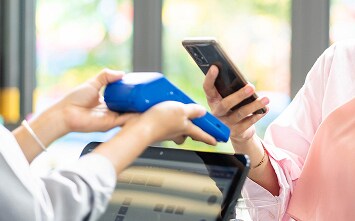
Using Apple Pay® with your American Express Card is an easy and quick way to make transactions. Learn more.

Make instant transactions on your Android device via Google Wallet™ for a convenient experience.
Learn more.

Pay on the go with Samsung Pay on your compatible Samsung device for simple and secure in-app and in-store payments anywhere that accepts American Express contactless payments.
Learn more.
Mobile Wallet Security
Make easy cashless transactions that are safe and secure by using a mobile wallet of your choice. Pay on the go and be in absolute control by authorising each payment you make.

You authorise each payment.
Whether it's a passcode, biometric recognition (face, iris or fingerprint scan), or a secure tap without unlocking your phone, you're in control.

Encrypted details.
To help protect transactions from fraud, your Card details aren’t saved to your phone. Instead, your device is given a unique token that’s then sent to the merchant.

Instant fraud alerts.
Our intelligent security systems send you instant alerts regarding odd or unusual activities detected in your account.
Take control
Manage your American Express Card on your phone and be in control of your Card while your preferred digital wallet.
Phone lost or stolen?
If you lose or misplace your card you can chat with us online 24/7 in the Amex App or call 0800 656 600 or +64 9 583 8300.
You can also use features to find, lock or delete cards and data from your device that are provided by our wallet partners.
To find out how please refer to them directly, such as for;
Apple Pay using Find My ,
Google Pay using Find Hub.


Are you replacing your Card?
Access your Account and manage Card replacements in a few quick steps. You are able to continue using your mobile wallet as your Card is being replaced. Once your Card is replaced, we'll automatically update your wallet.
Where to use your mobile wallet?
Use your mobile wallet at any place that welcomes American Express contactless payments; in-store, online, or in-app. You can now easily close off any business deals, pay for your groceries, or a new pair of trainers with your mobile wallet.

In-store and online purchases
Make a quick pit stop at your favourite coffee shop or finally buy that item waiting in your online cart with instant access to your account by using mobile wallets. Once you've loaded your American Express Card on to a mobile wallet of your choice, you can use your phone or device to make swift, secure, and instant payments at the terminal in the store, which means that you don't have to carry your physical Cards.
On the go?
Use your American Express Card with Apple Pay on eligible bus, train and some ferries with the Auckland Transport Network. Simply tag on and off as you enter and as you get off to enjoy American Express rewards.
Learn More

Frequently Asked Questions
To make payments with your mobile device, you’ll first need to link your American Express Card to your particular device’s mobile wallet app i.e. Apple Pay®, or Google Wallet.* Once linked, you’ll be able to pay with your mobile anywhere you see a contactless payments symbol. For more information, select your mobile device’s wallet below:
Apple Pay®
Google Wallet
*Apple, the Apple logo, iPhone and iPad are trademarks of Apple Inc., registered in the US and other countries. Apple Pay®, Touch ID® and Face ID® are trademarks of Apple Inc. Google Wallet and the Google Logo are trademarks of Google LLC.
Yes, using your mobile is a safe and secure way to pay.
This is because: You authorise each payment, using either a passcode or biometric scan. Your Card details aren’t saved to your phone. Your device is instead given a unique token identifier that is sent to the Merchant, which American Express authenticates as being linked to your Account. Only American Express can see your Card details.
If you lose or misplace your card you can chat with us online 24/7 in the Amex App or call 0800 656 600 or +64 9 583 8300.
You can also use features to find, lock or delete cards and data from your device that are provided by our wallet partners.
To find out how please refer to them directly, such as for;
Apple Pay using Find My ,
Google Pay using Find Hub.
Apple Pay, Apple, the Apple logo, FaceID, TouchID, iPhone® and iPad® are trademarks of Apple Inc., registered in the US and other countries.
Apple Pay Terms and Conditions | American Express NZ
Google, Android, Google Pay, Google Wallet and other marks are trademarks of Google LLC
Google Wallet Terms and Conditions | American Express NZ