
Initiate, Approve and Track Card applications in one place with ease
The Corporate Card Application process is now faster and more collaborative than ever.
Send Applications with ease : With only a few clicks you can initiate Applications to employees, and they will receive the email invite to apply from American Express.
Collaborate : Benefit from unlimited Programme Administrator sharing at the Control Account level. Share Access Keys, visibility on application progress and approval capabilities.
Monitor Centrally : View the status of applications, with the power to resend, cancel or approve as needed.
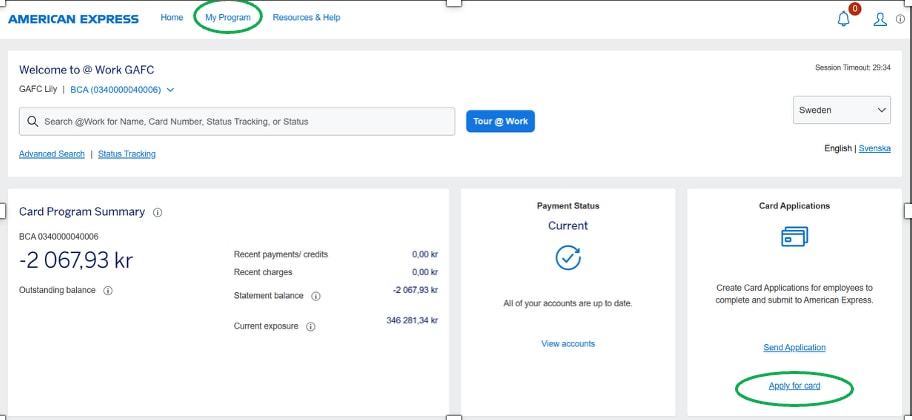
On the American Express @ Work Homepage, clickGlobal Apply for Card (GAFC) in the Card Applications tile or select the link under My Programme.
On the American Express @ Work Homepage, click Global Apply for Card (GAFC)
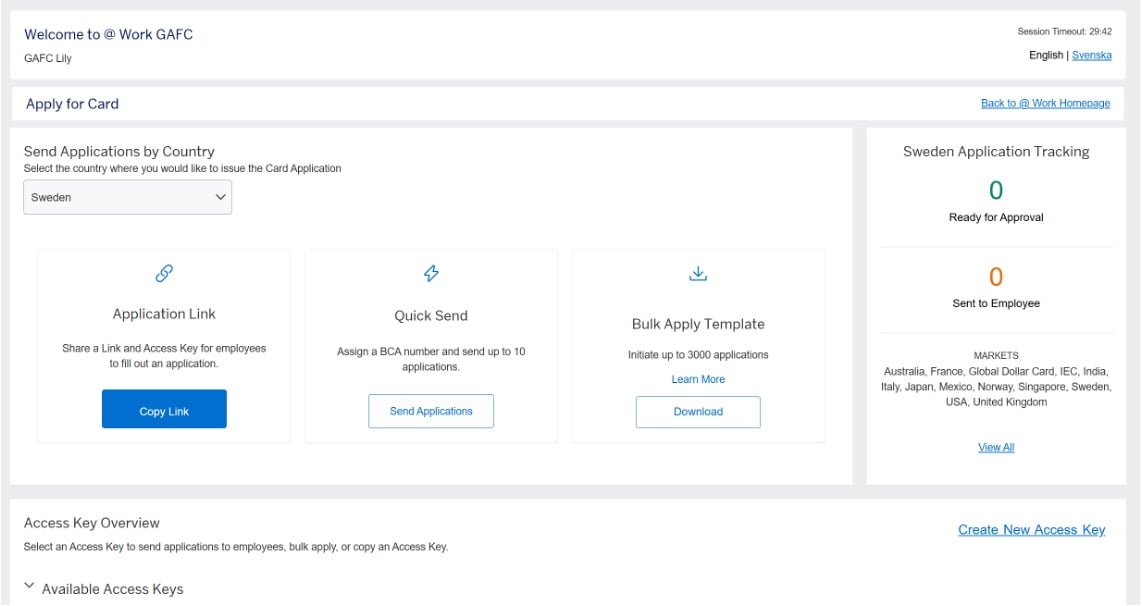
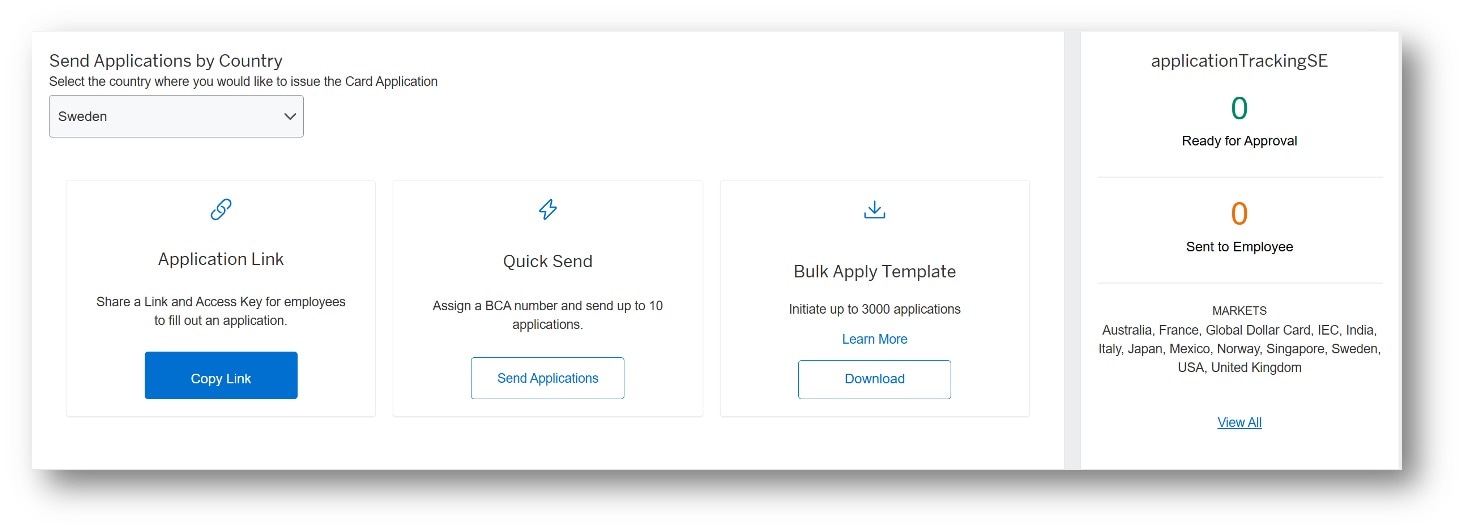
From the Global Apply for Card dashboard, view and manage your global Card applications in one place
- Send Applications By Country : Select a country from the drop-down list.
- Application Link : Click Copy Link to share an application link and access key.
- Quick Send : Click Send Applications to initiate and send up to 10 applications quickly without an access key.
- Bulk Apply Template : Click Download to access Bulk Apply templates, initiate and send up to 3,000 applications at once. (Bulk Apply is not available for all countries.)
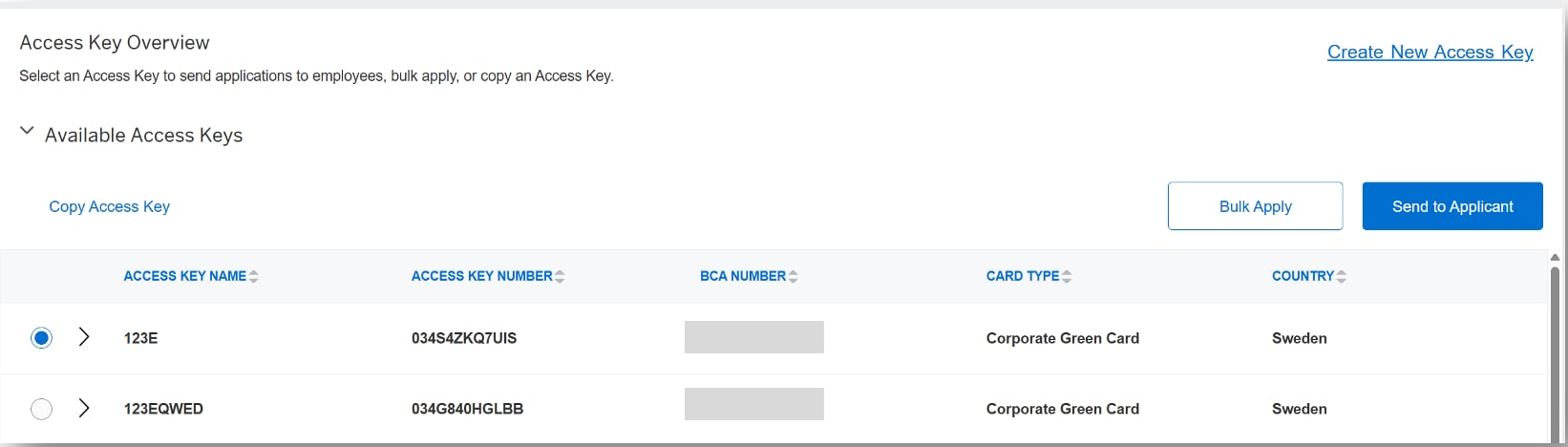
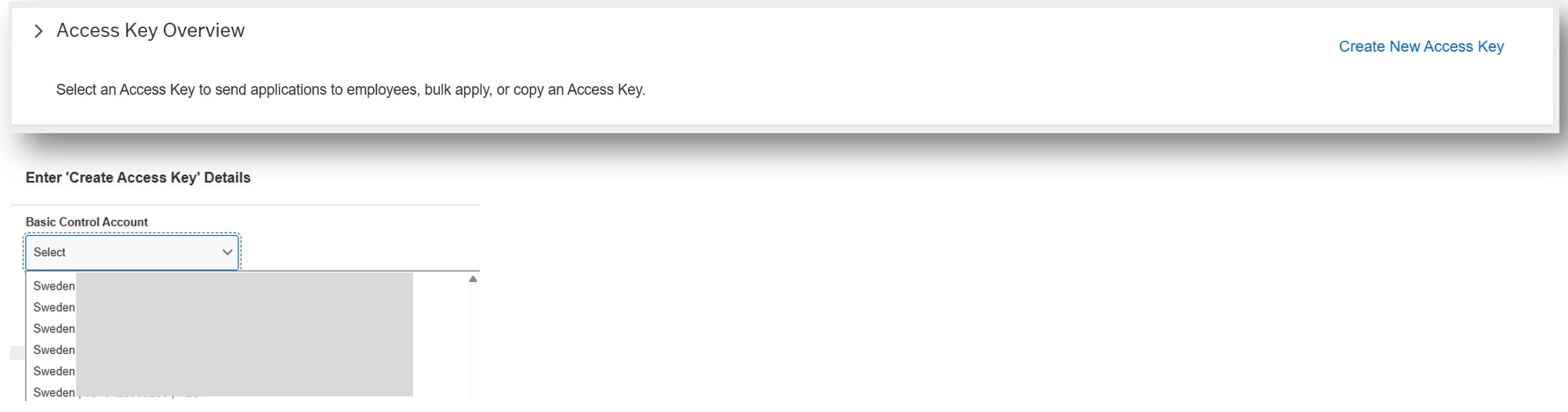
- Access Key Overview : Create and manage access keys and select an existing access key to send up to 10 applications using the same settings.
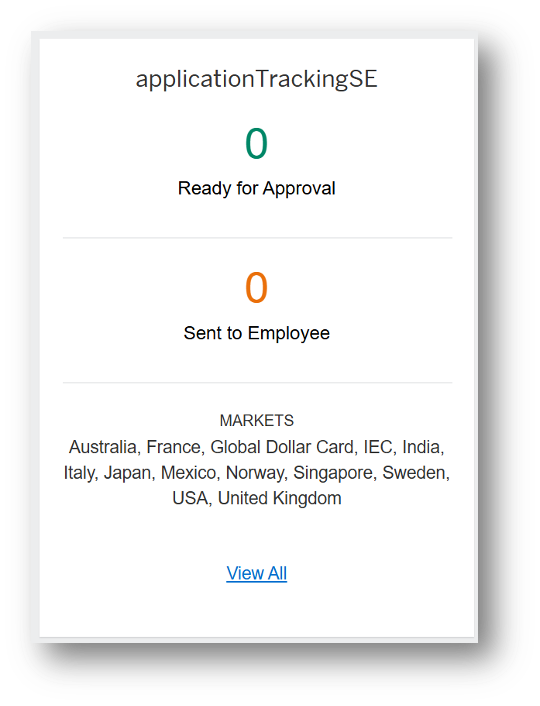
- Global Application Tracking : Get details on applications Ready for Approval, including application status, and Sent to Employees, by clicking on the numbers.
Initiating a Card Application
Flexible ways to Initiate - Select Quick Send or select an Access Key to send up to 10 applications at a time to named individuals.
For countries where Bulk Apply is available, click Learn More for instructions on how to initiate and send up to 3,000 applications at once.
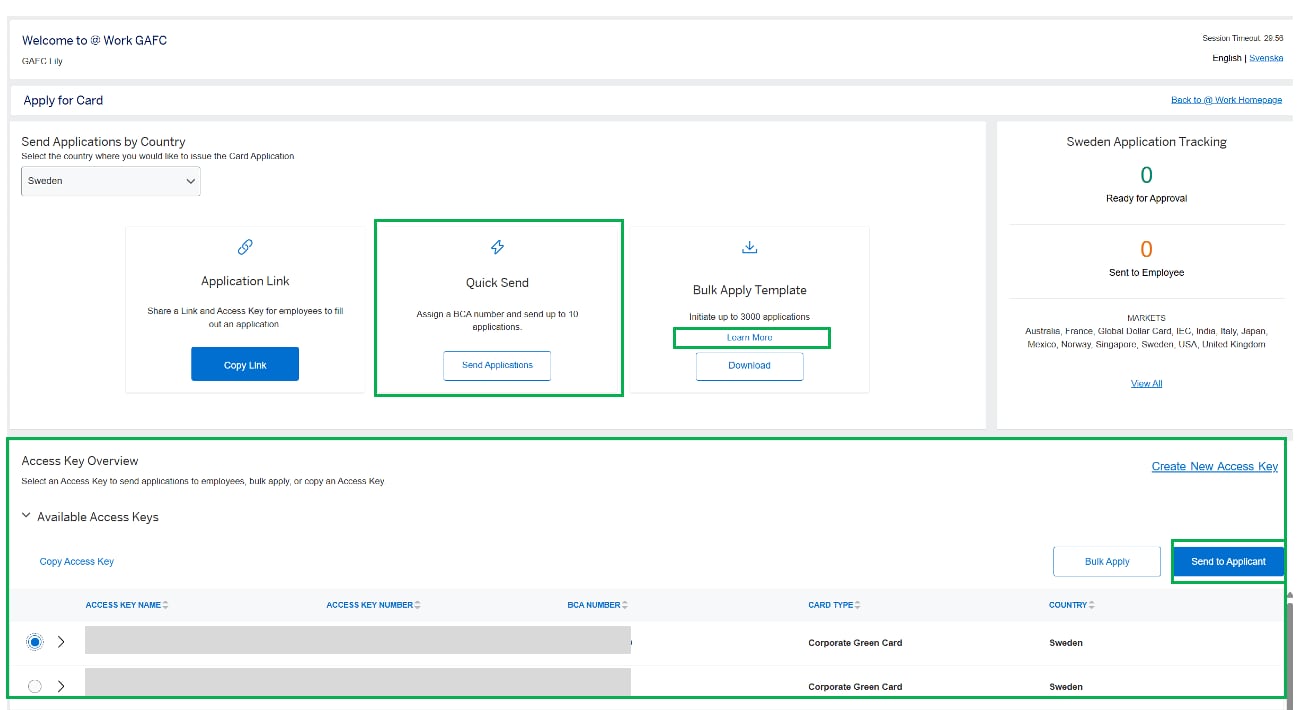
Use Quick Send to send applications without an access key. Quick Send will automatically send completed applications to American Express without final approval by a Programme Administrator, except in countries where final approval is always required.
Quick Send has no pre-approval option. For a process that requires pre-approvers, select an access key.
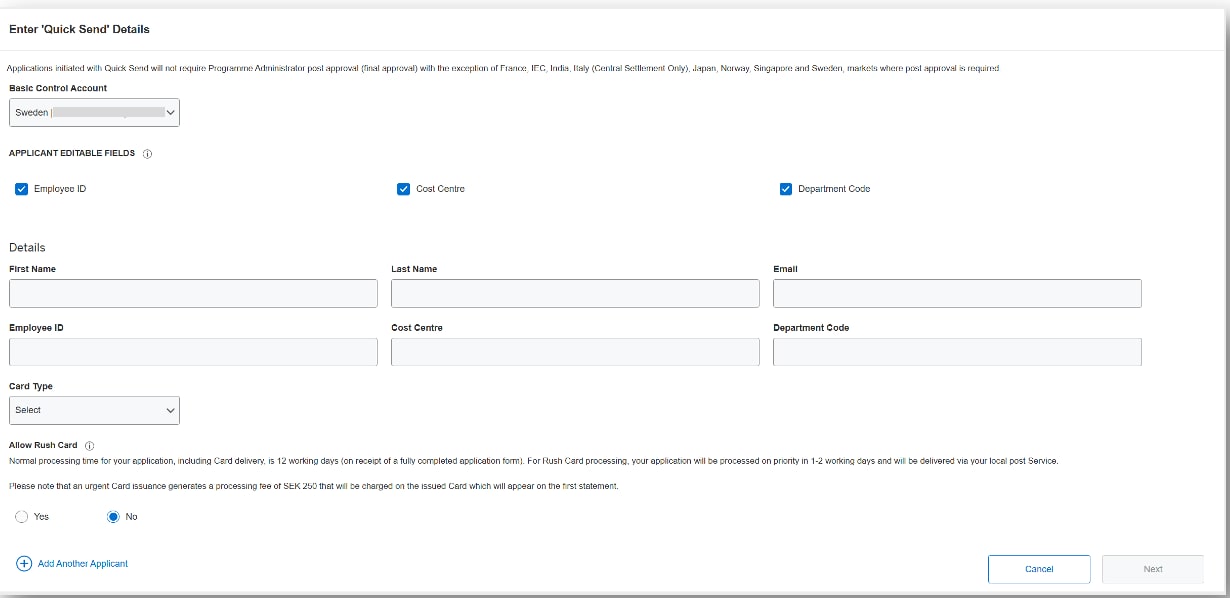
- Sending Applications with Quick Send
- Enter Employee Details
Select the Basic Control Account number (BCA)then enter required employee contact details (first name, last name and email address).
The optional company specific fields need to be completed by the Programme Administrator. If required, they can be edited by the applicant by default. Unticking the boxes will prevent these fields from being edited by the applicant.
Click Add Another Applicant to initiate up to 10 applications.
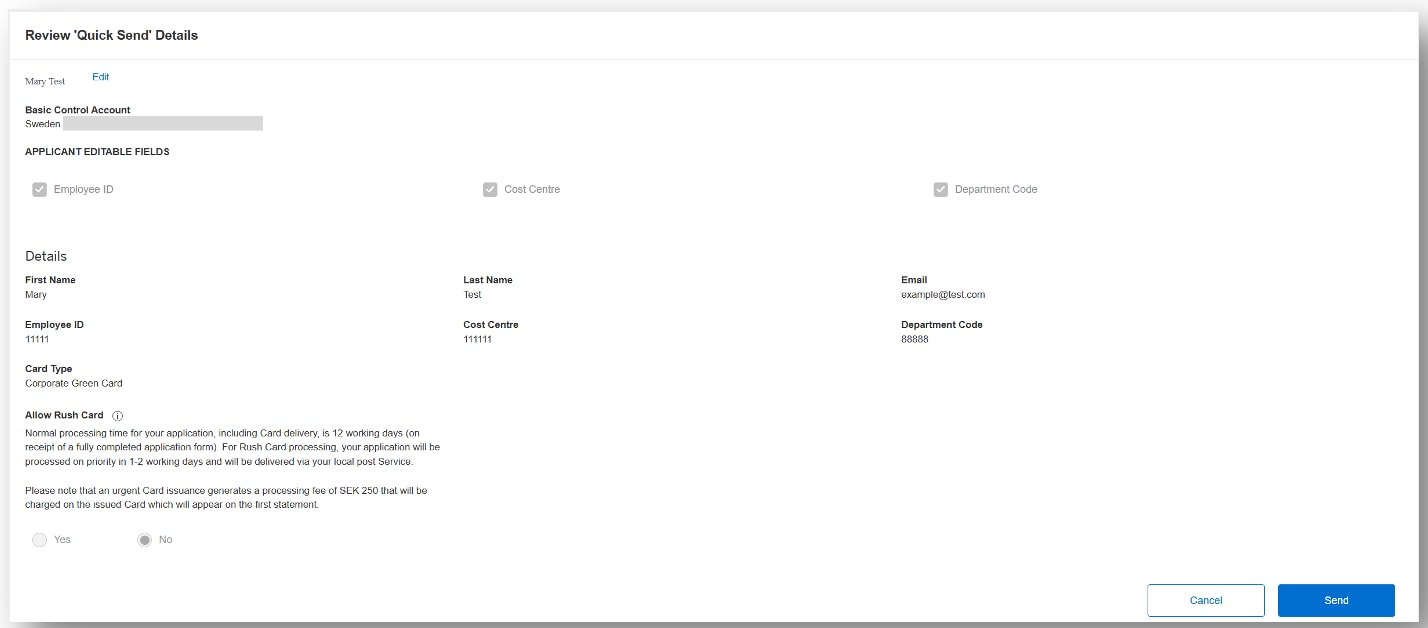
- Review & Send
Ensure all details are correct and click Send. , or if changes are needed, click Edit .
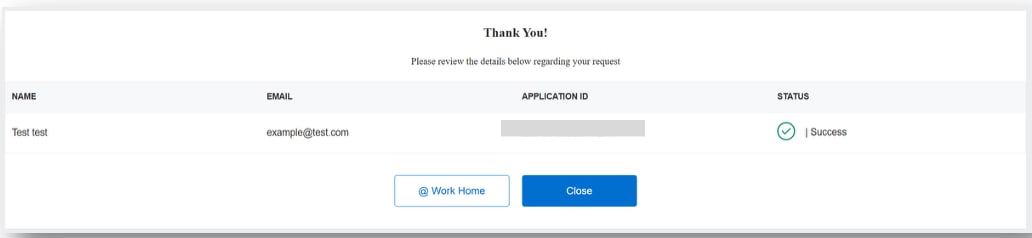
- Confirmation
The system will confirm the Application ID and automatically send an email invitation to each applicant.
Each employee will receive two emails – one with the Application Link and one with the Application ID. The Application ID is required to log into the digital form.
Access keys have no expiration and can be reused without limit.
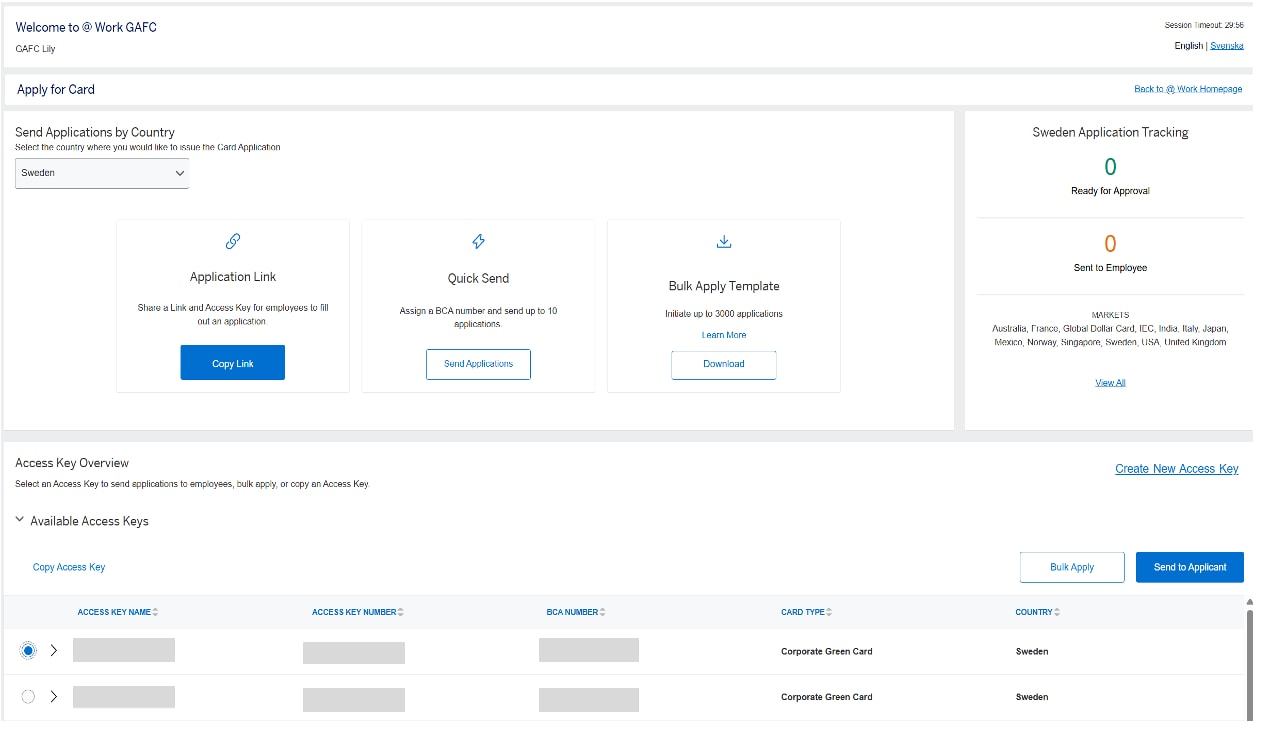
- Sending Applications with an Access Key
- Select an existing Access Key or Business Control Account number (BCA) from the list displayed, then click Send to Applicant to enter details.
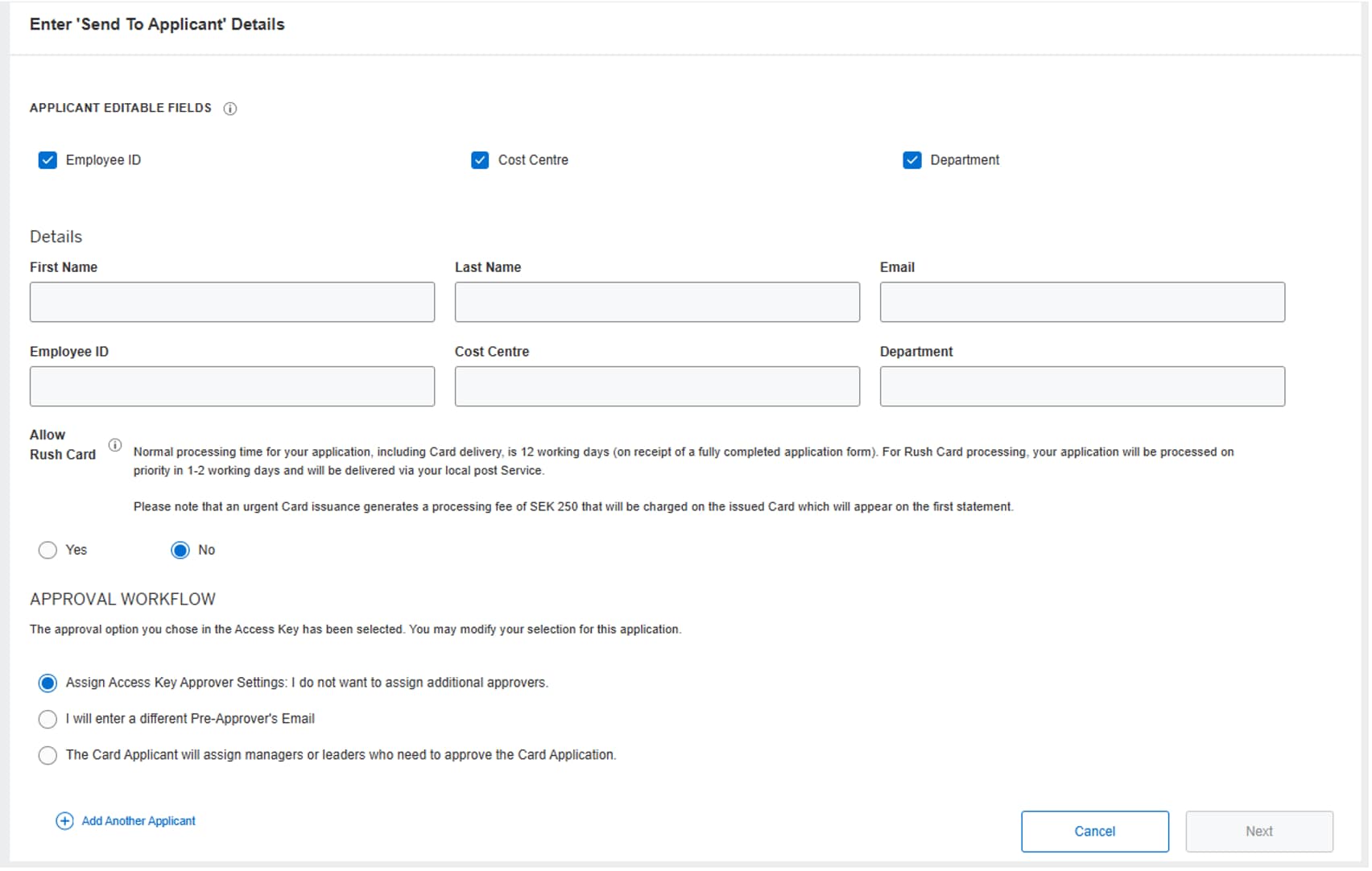
- Enter employee details and select optional settings.
Add required employee contact details (first name, last name and email address).
Optional company specific fields can be edited by the applicant by default. Unticking the boxes will prevent these fields from being edited by the applicant and should be supplied in this form, if required.
Click Add Another Applicant to initiate up to 10 applications with the same Access Key.
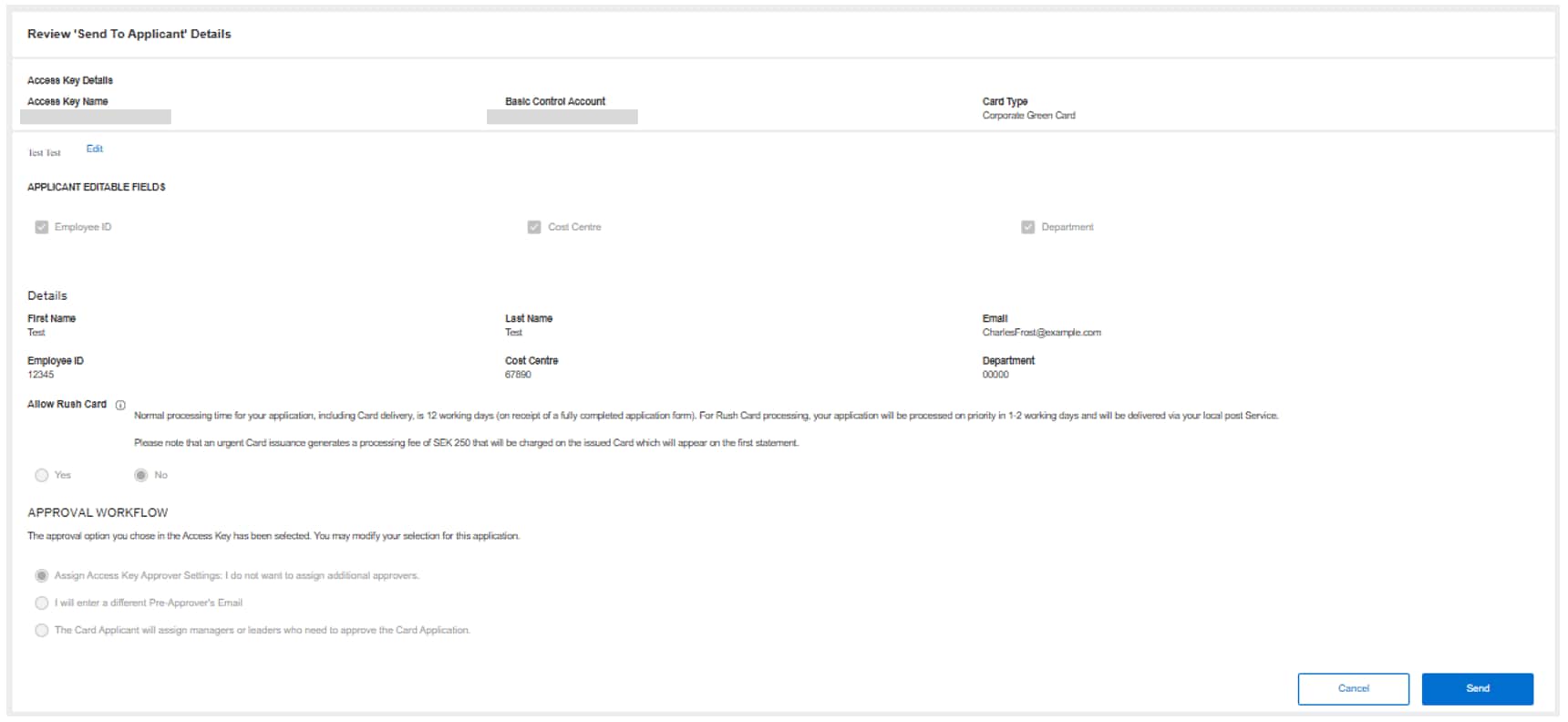
- Review and Send
Ensure all fields are complete and click Send.

- Confirm
The system will confirm the Application ID and automatically email application invitation to the named employee(s).
Each employee will receive two emails – one with the Application Link and one with the Application ID.
The Application ID is required to log into the digital form.
Enabling Employees to Initiate a Card Application
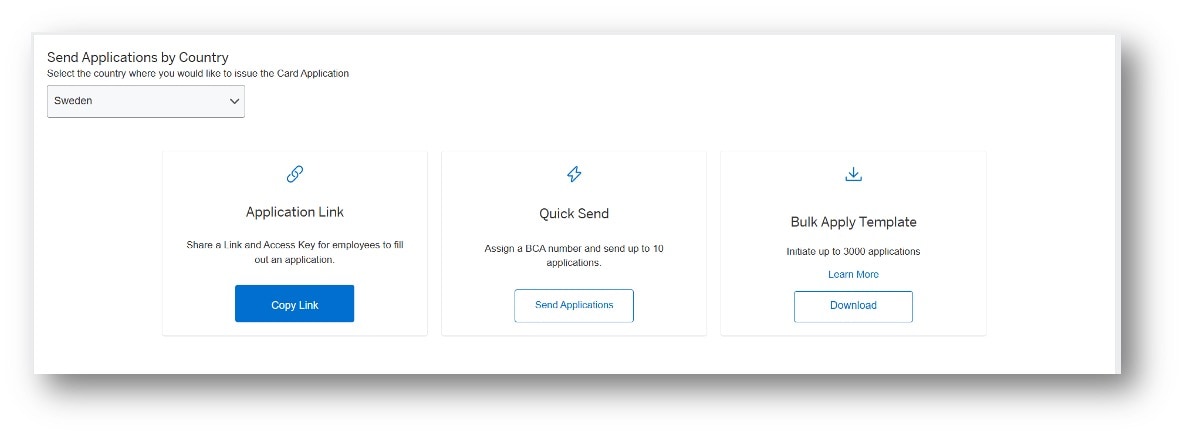
Share an Application Link and an Access Keyto enable employees to access information on internal sites to initiate their own applications.
All Card Applicant initiated applications require Programme Administrator approval.
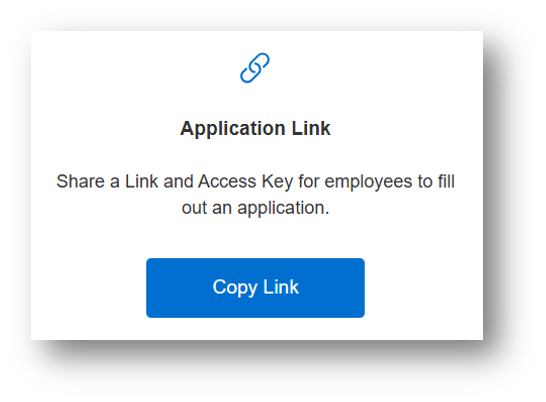
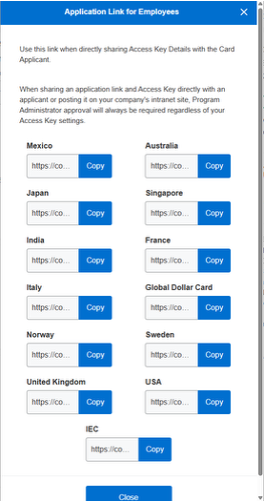
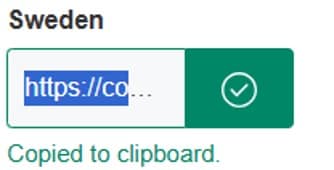
- Share the Access Key and URL
The URL and Access Key Number can be posted together on an intranet page, other internal site, or located within new hire materials.
Managing Card Applications
From the Global Apply for Card (GAFC) dashboard, Programme Administrators can see how many applications are pending approval, and how many have been sent to employees.
Click on the relevant number to review details, including application status..
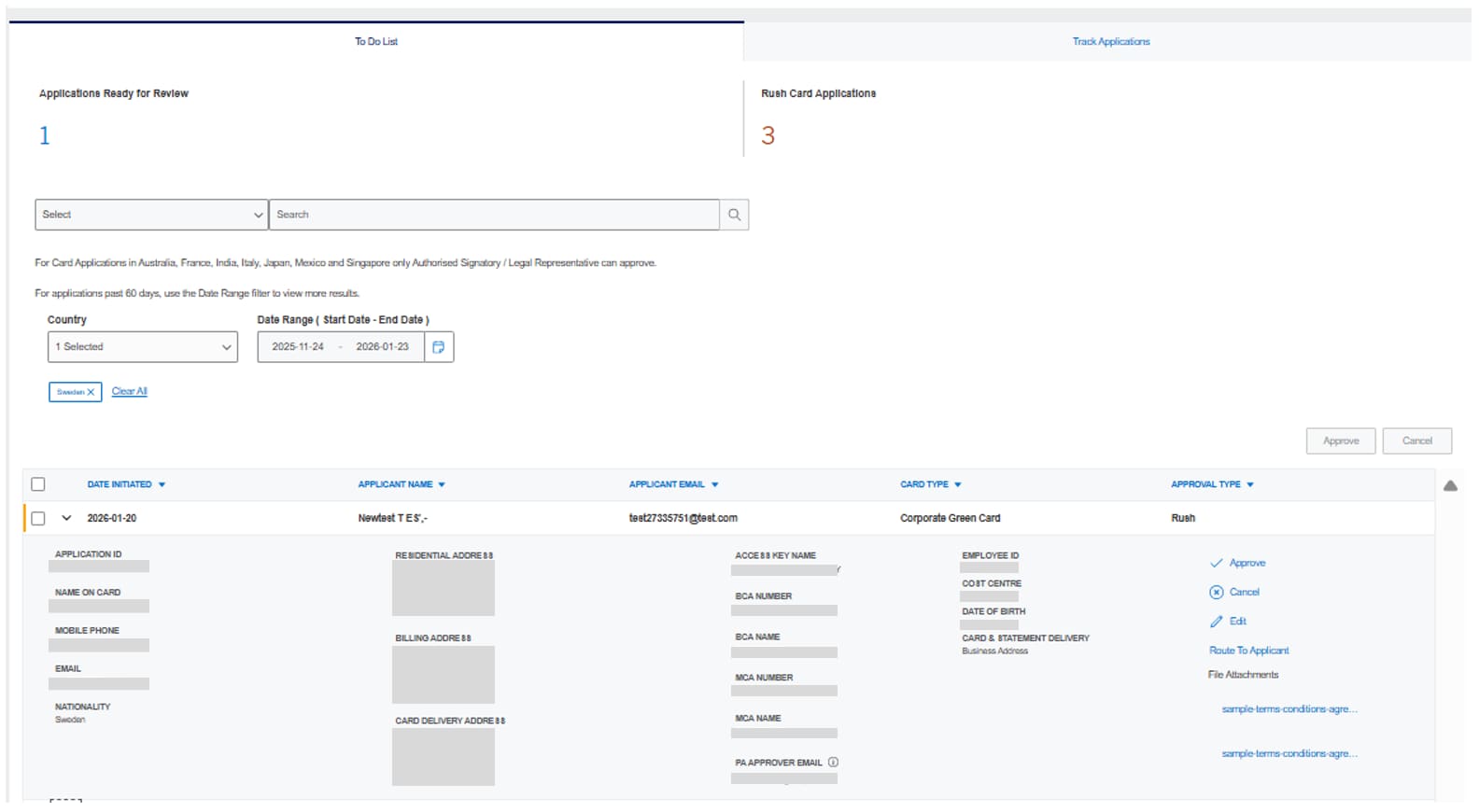
- Review Applications Pending Action
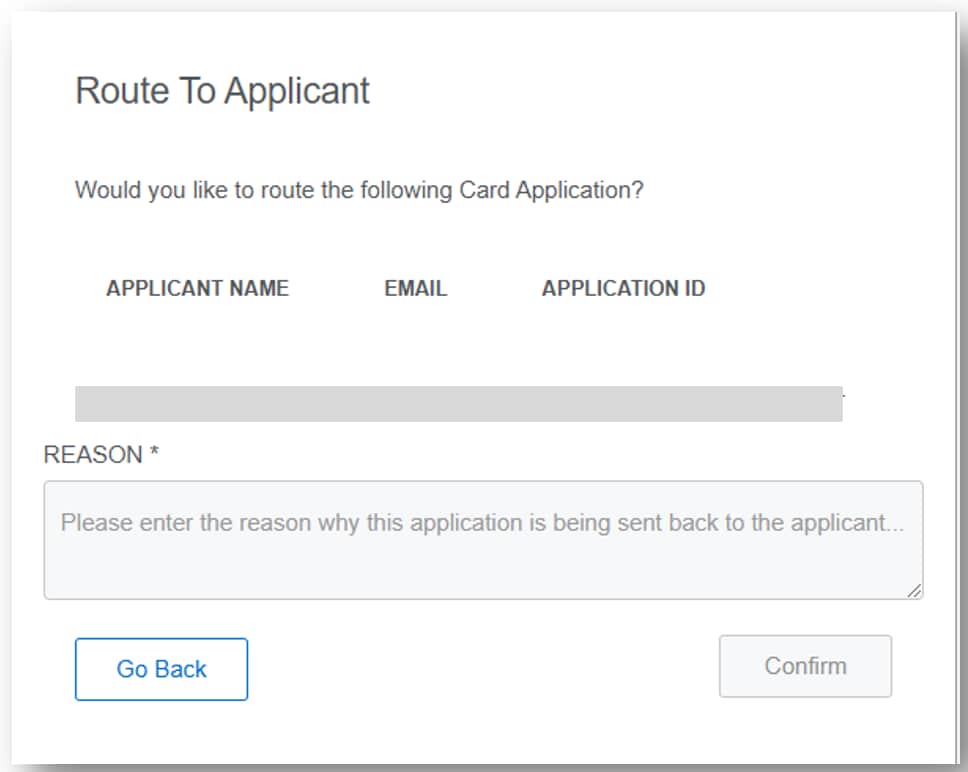
The To Do List tab lists all applications pending Programme Administrator action - approve, cancel, or reroute for additional details.
The number of Applications Ready for Review and Rush Card (urgent) Applications will appear at the top.
Filter by country and date to view applications for multiple countries together or specific date ranges.
- Review Summary and Choose Your Action
Selecting the Arrow on the right of each application selection box will display summary information.
Select from one of the actions to the right of the application summary.
For countries where permitted, documentation attached to the application will appear underneath the actions.

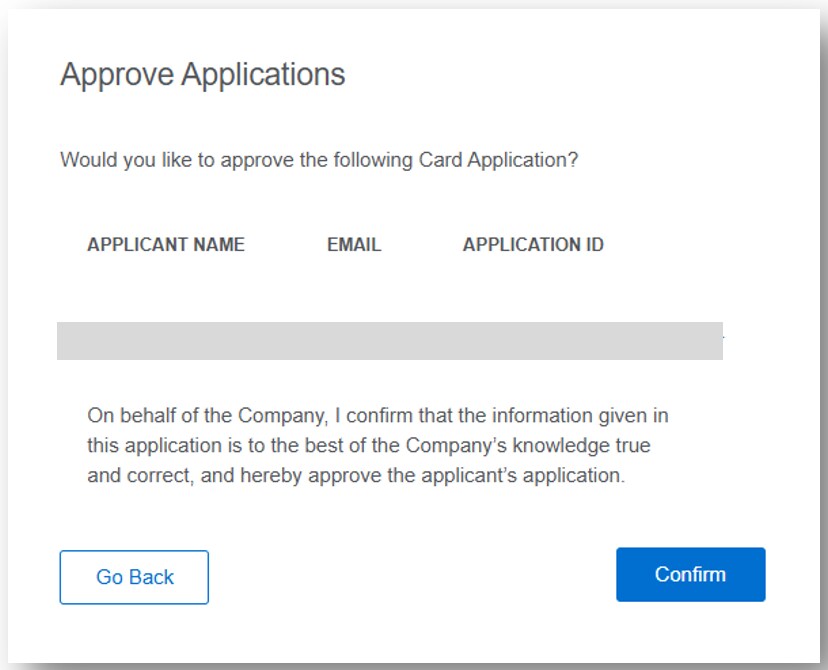
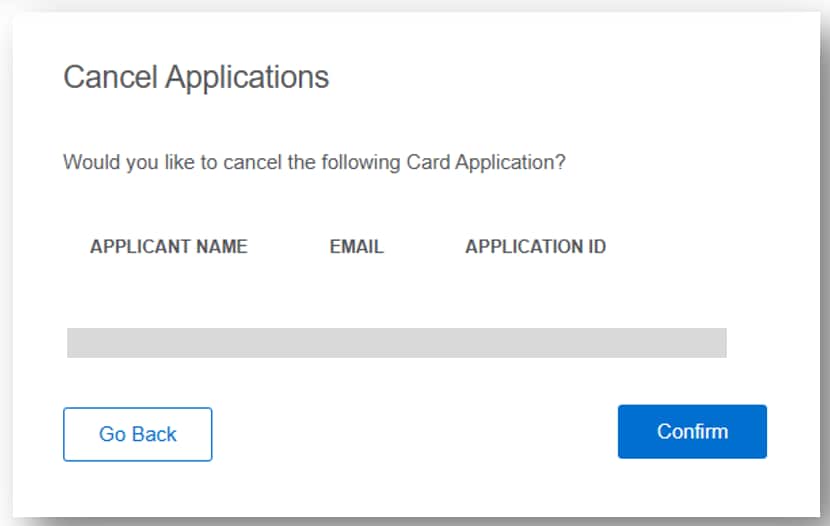
Multiple application approvals or cancellations can be initiated by ticking boxes alongside applications in the list and selecting the required Approve or Cancel button
- Confirm
A pop up will ask you to confirm your selection. Any change to the application will be reflected on theTrack Applications tab.
Track a Card Application
The list presents all Card Applications to allow Programme Administrators to see the application progress.
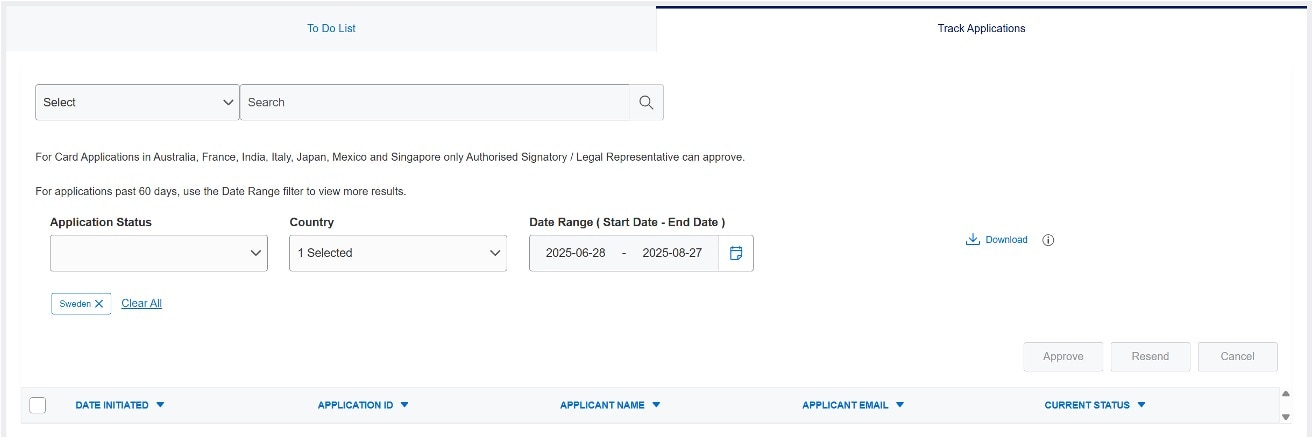
- View Application List
In the Track Applications, tab Programme Administrators can view the status of all applications at once, with filtering options.
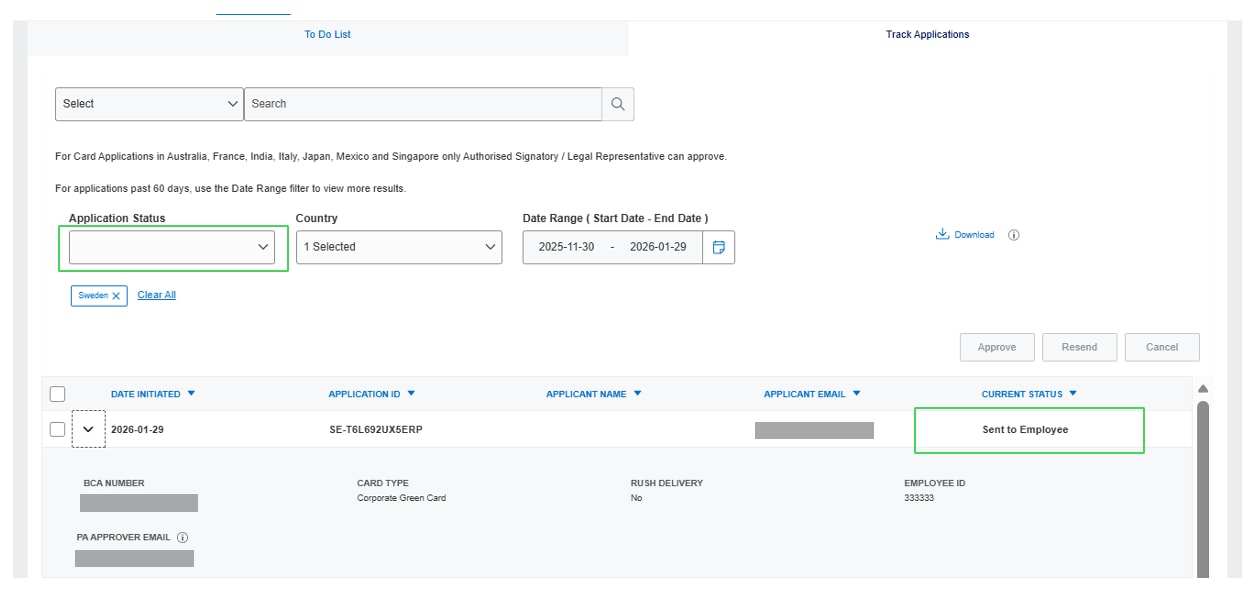
- View Application Status
Application status is available for each stage of the application journey.
The status types vary by market.
For country specific details including Application Status types, please refer to GAFC Frequently Asked Questions
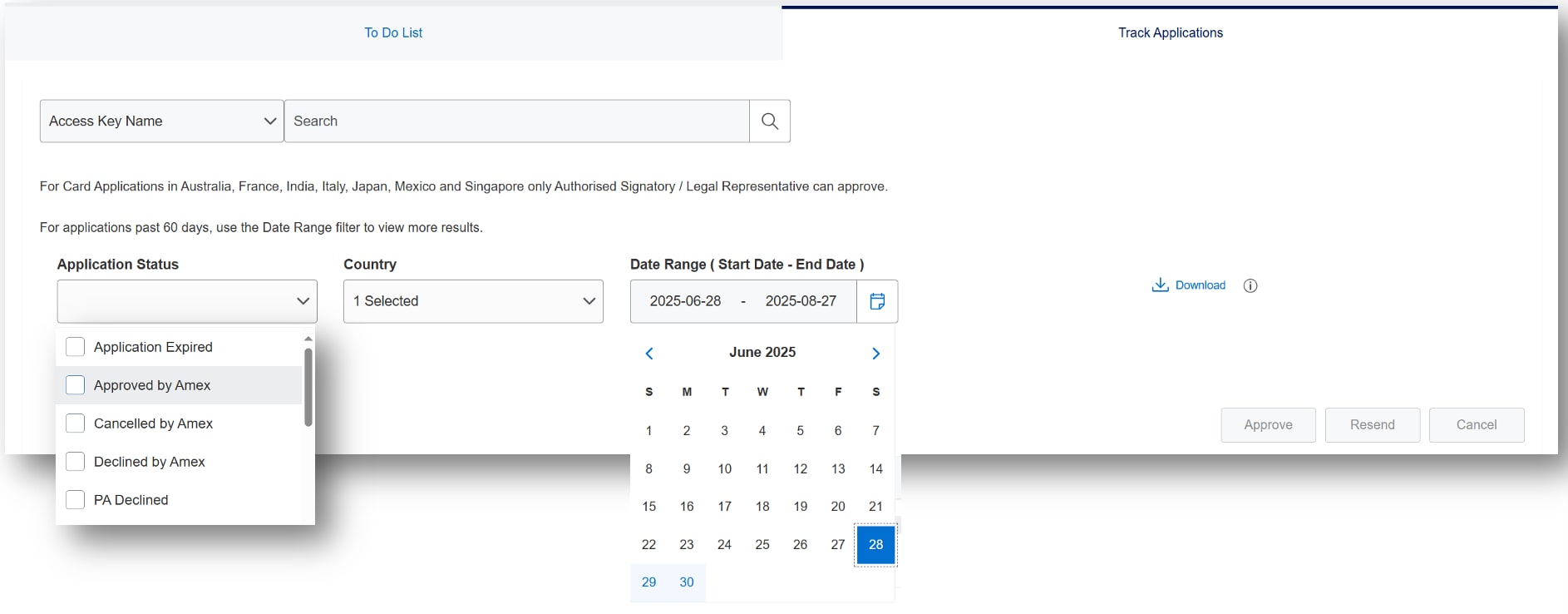
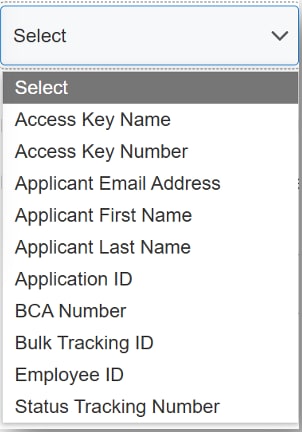
Quickly locate applications to confirm status or resend to applicant
Search and detailed filtering by Application Status, Date Range, and Country enable fast retrieval of employee applications
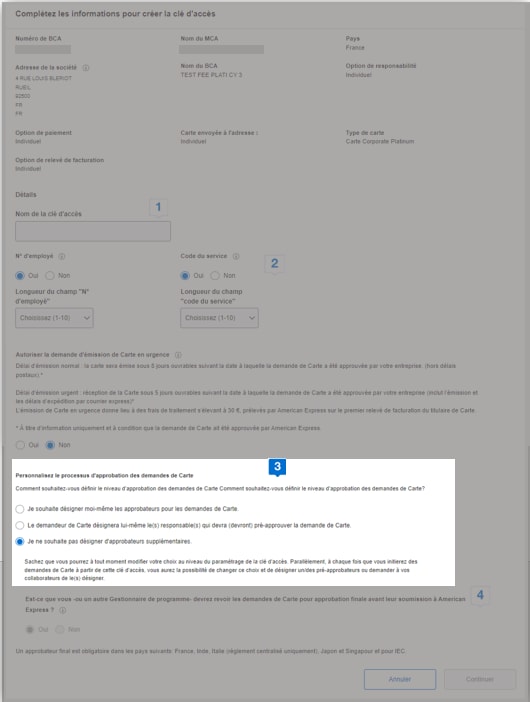
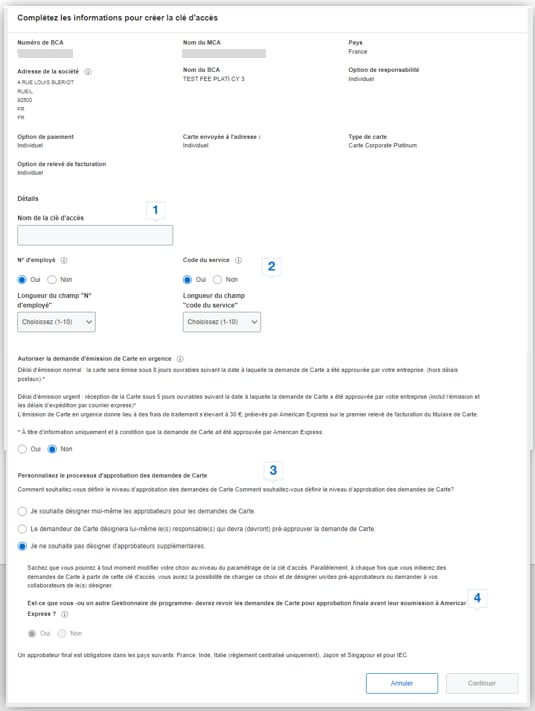
Access Key creation - simply set your options and save
Unlimited access key sharing is possible at the Basic Control Account (BCA) level. Once created, access keys do not expire.
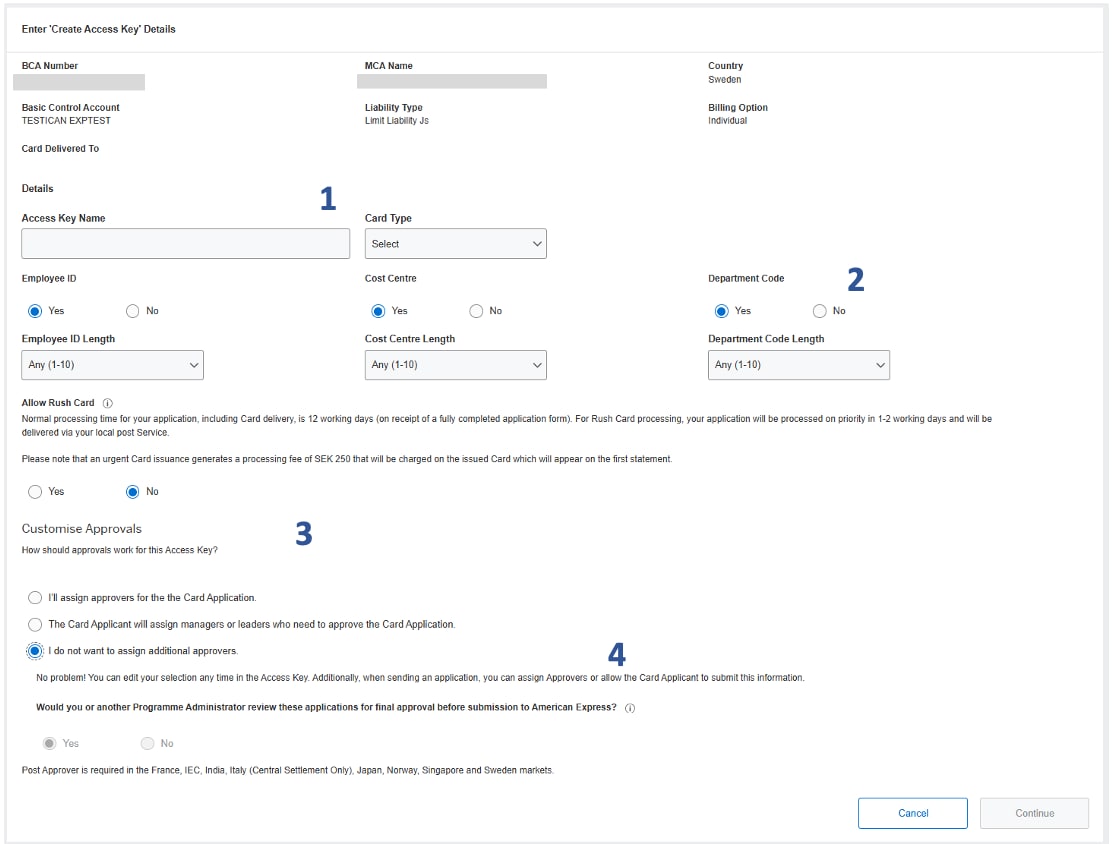


Access Key Name
Type a unique Access Key Name to make it easy to locate and initiate.


Optional Details
These fields are optional and enable customisation – the field will appear on application if checked. Programme Administrators can customise the length of fields to minimise input errors by applicants. If various lengths are valid, leave as “Any”.


Customise Approvals
Select the best approval process for your company. Assigned Approvers can be added within Global Apply for Card, to provide automatic routing.


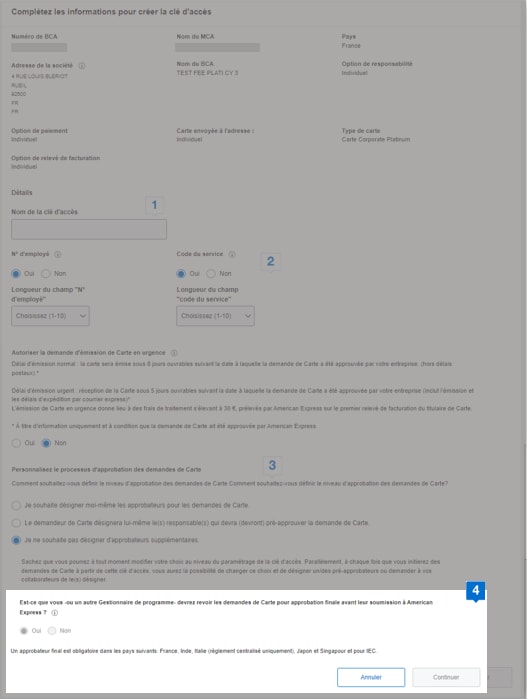
Final Approval
Some countries always require final approval. For countries that do not always require final approval, Programme Administrators can choose to review applications for final approval before submission to American Express.
Offers Carousel
-
-

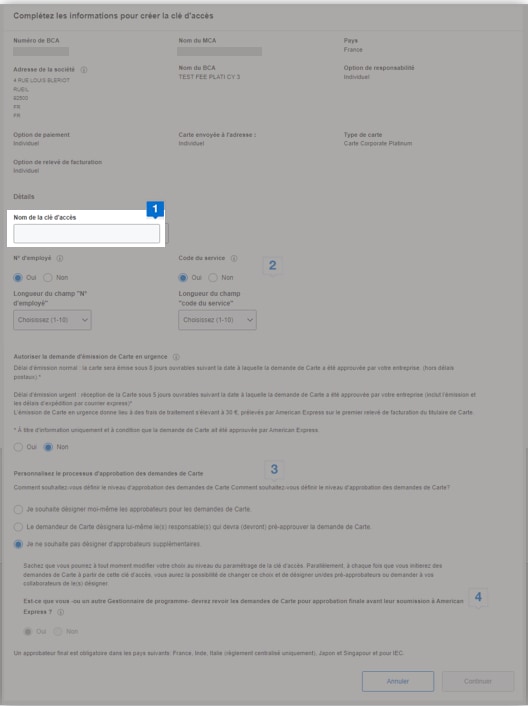
Nom de la clé d'accès
Saisissez un nom de clé d'accès unique et représentatif afin de faciliter son identification et son utilisation pour initier des demandes.
-

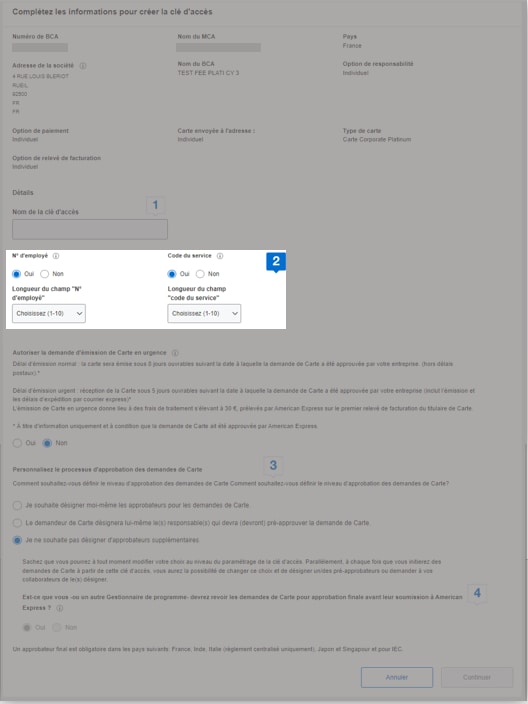
Champs optionnels
Ces champs sont facultatifs et permettent de personnaliser la demande de Carte, ils apparaîtront sur la demande de Carte uniquement s'ils sont cochés. Vous pouvez personnaliser la longueur de ces champs pour minimiser les erreurs de saisie des demandeurs de Carte. Si différents nombres de caractères sont possibles pour un même champ, conservez l'option "Choisissez 1-10".
-

Personnaliser les approbations
Sélectionnez le processus d'approbation le plus approprié pour votre entreprise. Des pré-approbateurs peuvent être désignés pour être intégrés automatiquement au processus d'approbation.
-

Approbation finale
Certains pays, comme la France, exigent toujours une approbation finale. Pour les autres pays, les gestionnaires de programme peuvent déterminer si une approbation finale est requise ou non avant de soumettre les demandes de Carte à American Express.
Can't find what you are looking for?
Get Support
- Programme Administrator Servicing Team
- Tel: +46 (0) 771-29-53-30
- Monday to Friday – 8: 00 AM to 17:00 PM (CET)
- corporatecardsweden@aexp.com
- https://www.americanexpress.com/sv-se/foretag/betalningslosningar/kundservice/kontakta-oss/?inav=se_menu_business_corporate_contact
AMERICAN EXPRESS
Copyright © 2026 American Express Company