



4 Min Read | Published: December 12, 2023 | Updated: October 23, 2025
How to use the Insights Expenses tab in American Express Business BlueprintTM
The Expenses tab, located under “Insights” in Business Blueprint, shows business expenses across your select American Express products and linked external business checking and card accounts. This way, it’s easy to track your spending, spot trends, and strategically plan payments for your next business expense.
On the Expenses tab you’ll find two unique views to help you understand your business expenses:
Expenses by Account. This view shows the total expenses from your select American Express and linked external business checking and card accounts for the time period selected on the “View by Date” dropdown in a stacked bar graph followed by a list of your spending amounts by account and the total spent across accounts.
Expenses by Category. This view highlights your top five expense categories for the time period selected on the “View by Date” dropdown with a stacked bar graph followed by a breakdown of all your expense categories and subcategories in order from highest to lowest spending amount.
This guide explains how you can view your business spending using the Expensestab within Insights to help interpret your expenses.

After logging into Business Blueprint, select “Insights” from the top navigation, then select the “Expenses” tab.
You can see your total spending for your selected time period, as well as your monthly average spent for the last 12 months.
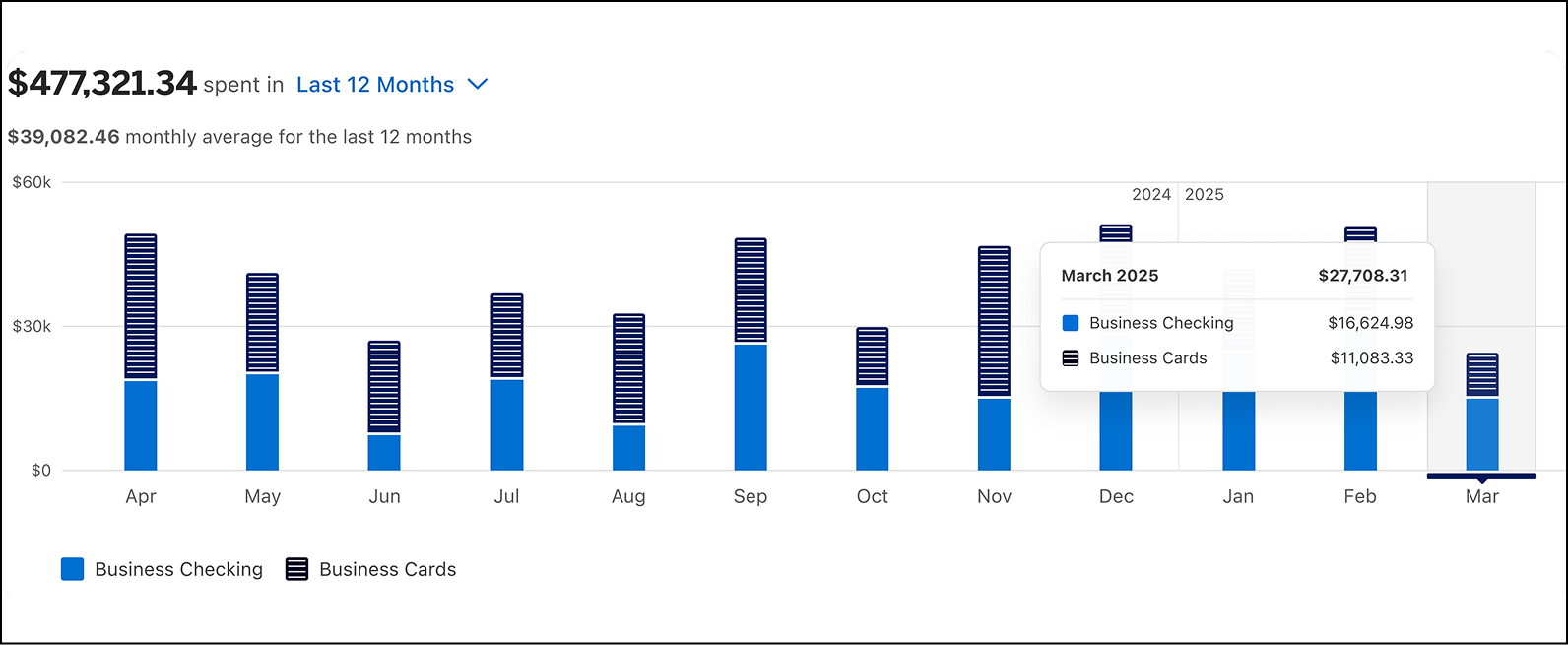
The stacked bar graph displays your expense data for the past 12 months. The bars are separated between the expenses paid through your connected business checking account(s) and the spending on your connected business credit card(s).
Hover over any of the monthly bars in the graph to view a box showing the numerical breakdown of yourexpenses for that month. To view information for a different month, hover your cursor overthe corresponding bar for that month.
For illustrative purposes only
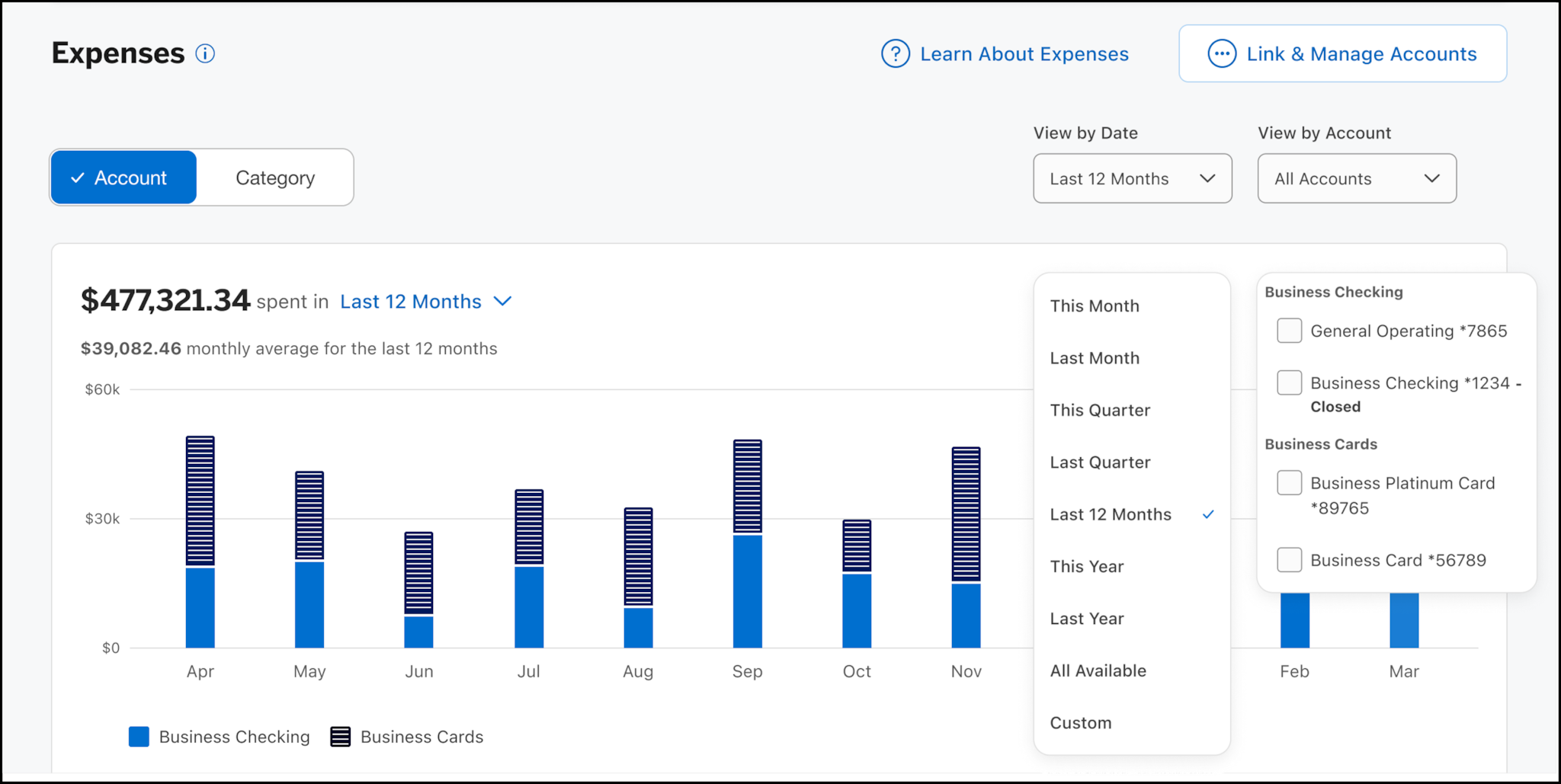
By default, your expense data is displayed for the last 12 months. Alternatively, you can view your expenses by month, quarter, year, or all available from the “View by Date” dropdown above the graph.
To view details for a portion of a “View by Date” period, hover your cursor over the corresponding bar.
For illustrative purposes only
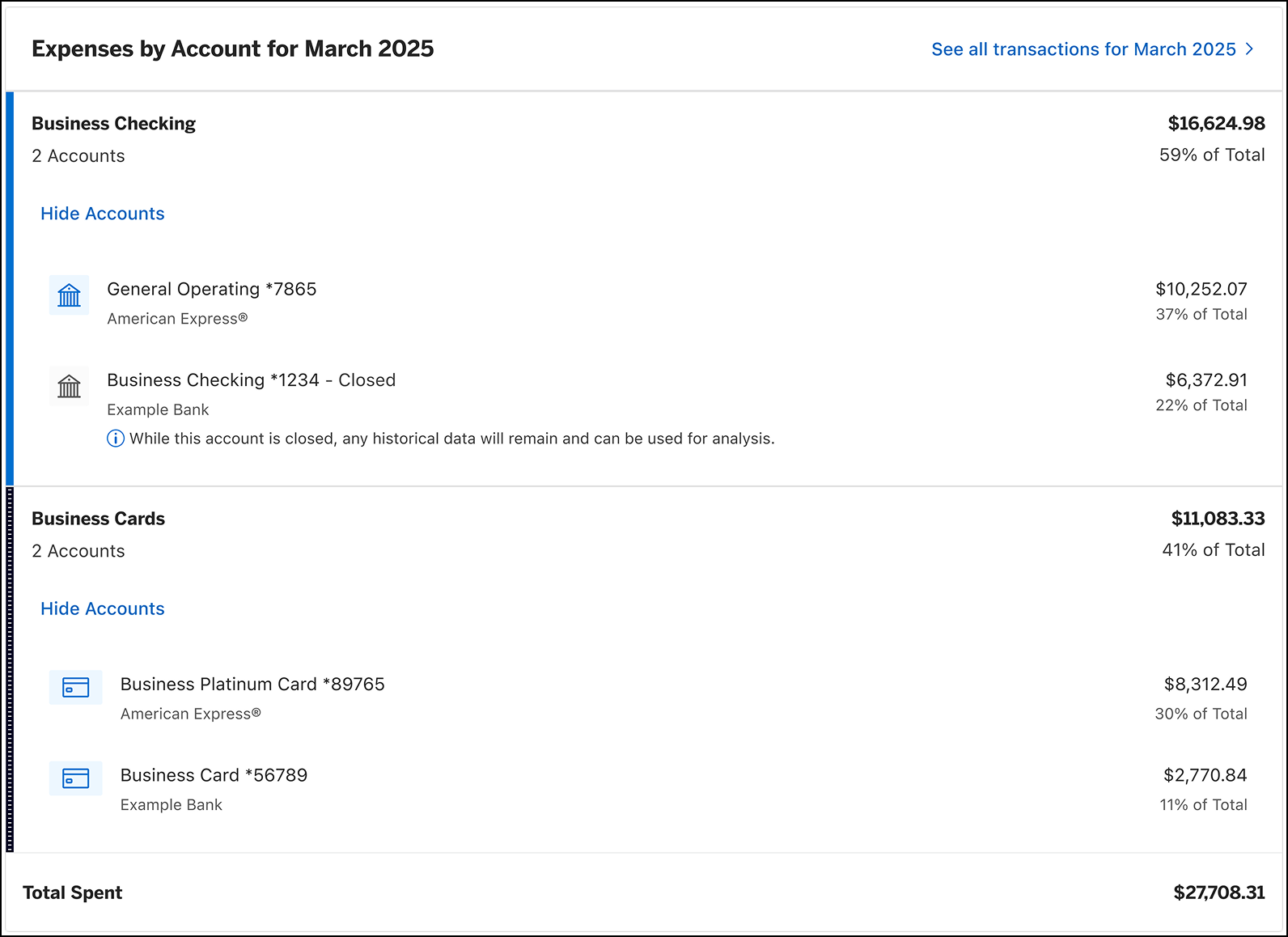
Beneath the graph, you will see the “Expenses by account” list section. Here, you can view your total expenses across all your connected accounts. The filtering options on the page will impact the expenses that appear in this section. You can view expenses for specific accounts by selecting an option from the “View by Account” dropdown.
Accounts are grouped into two buckets: Business Checking and Business Card. Within each bucket , you will see a list of the connected accounts, as well as their contribution to your total expenses for the selected period.
For illustrative purposes only
To view account expense data for a different period, select the corresponding bar in the graph and the information will update.
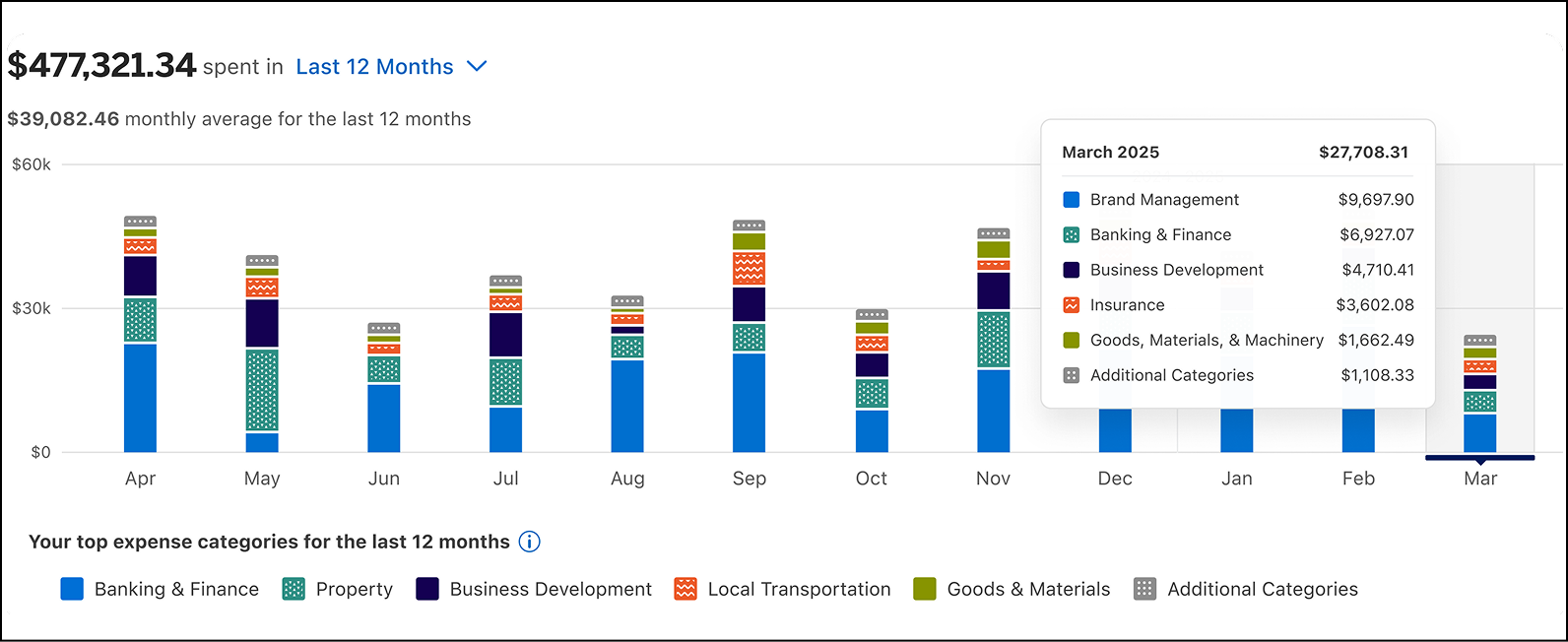
Select the “Category” view to see your “Expenses by Category” graph, which highlights your top five expense categories, such as Banking & Finance, Business Development, Property, and more. The filtering options on the page, including the “View by Date” and “View by Account” dropdowns, will also affect the data shown in your graph.
For illustrative purposes only
Viewing your “Expenses by Category ” allows you to identify the biggest cost drivers for your business over aselected time period. The list section below the graph displays more details about your category-based spending, including your total spent in each category and subcategory. You can expand the list toview all of your categories by selecting “Show Additional Categories” or “Show Subcategories” within each of the listed categories.
For more details about the transactions that make up the expense categories, select the category or subcategory name to go to the Transactions tab.

For illustrative purposes only
STILL NEED HELP?
Reach out to us for further guidance.
Deposit accounts offered by American Express National Bank. Member FDIC.
TERMS AND CONDITIONS
American Express Business Blueprint™
American Express Business Blueprint™ is the small businesses digital experience that allows a customer to view on one digital dashboard summary account information for the following American Express small business products: American Express® Business Cards, American Express® Business Line of Credit, and American Express® Business Checking. The customer can also choose to link their third-party issued business bank accounts and business credit cards to Business Blueprint. Not all third-party accounts or cards can be connected to Business Blueprint. Business Blueprint allows the customer to view data insights and track their business cash flow and expenses by viewing reports that American Express prepares using the customer’s linked account information. While the cash flow management service from Business Blueprint is currently free, each of the business products from American Express that are visible in Business Blueprint has its own fees, eligibility criteria, application process and approval requirements. The Business Blueprint service (including any data insights provided to the customer) does not constitute legal, tax, financial or accounting advice, and is not a substitute for obtaining competent personalized advice from a licensed professional. You should seek professional advice before making any decision that could affect the financial health of your business. American Express makes no representations as to the accuracy, completeness or timeliness of the reports, data or account information that are available to the customer from Business Blueprint.™
American Express® Business Line of Credit
Terms and Conditions for an American Express® Business Line of Credit apply. Visit https://www.americanexpress.com/en-us/business/blueprint/terms-and-conditions/business-line-of-credit/ for more information.
American Express® Business Checking and Business Savings
We are currently accepting applications from eligible U.S. businesses. Not all applicants will be approved for a Business Checking and Business Savings accounts. Select industries or businesses engaged in certain activities are currently ineligible, such as money service businesses, cryptocurrency, internet gambling businesses, and marijuana related businesses.
Membership Rewards® Program
Terms and Conditions for the Membership Rewards® program apply. Visit membershiprewards.com/terms for more information. Participating partners and available rewards are subject to change without notice.
The value of Membership Rewards® points varies according to how you choose to use them. To learn more, go to www.membershiprewards.com/pointsinfo
American Express and Amex are registered trademarks of American Express.