



4 Min Read | Published: December 12, 2023 | Updated: December 20, 2024
How to make a manual repayment on your American Express® Business Line of Credit
The following guide will walk you through the process of making a manual or “one-time” repayment. You may also have the option to make repayments toward a specific individual loan if you have two or more loans outstanding, your minimum due has been paid, and you have no past due balances.
After logging into your account, there are several ways to start the process of making a manual repayment.
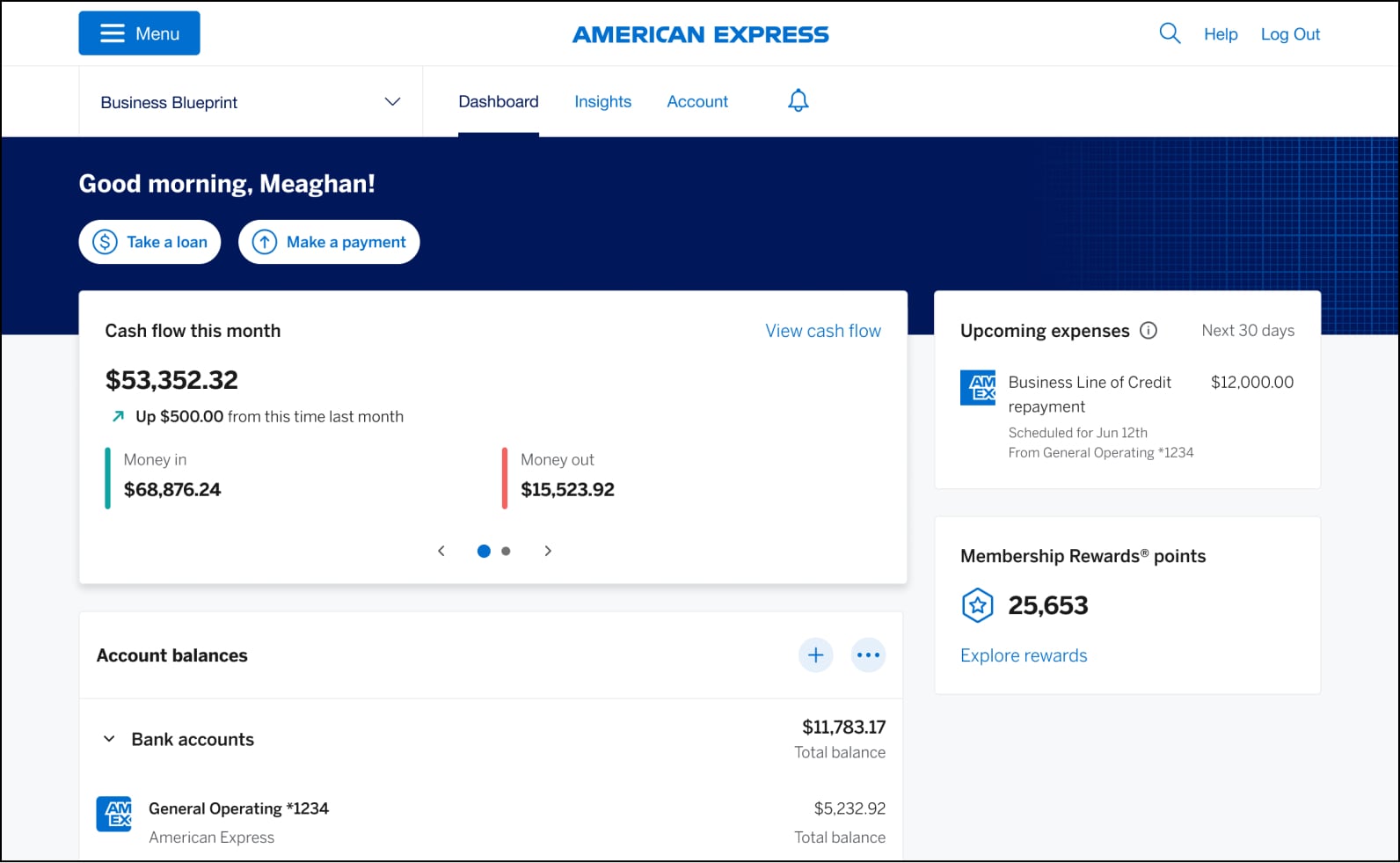
From your American Express Business BlueprintTM dashboard:
- Click the “Make a payment” button below your welcome message, and then select your American Express® Business Line of Credit account, or
- Select your Business Line of Credit repayment listed in the “Upcoming expenses” section (for desktop users it is on the right of your screen; on mobile scroll below “Account balances”).
From your American Express® Business Line of Credit homepage you can click:
- The “Make a repayment” link found in the “Repayment Details” section, or
- “Make a repayment” in the “Quick links” box found on the top right of the screen (on mobile “Quick links” can be found by scrolling below “Recent activity”), or
- The “Repayments” tab (which follows “Home” and “Activity”) then click “Select repayment amount”
For illustrative purposes only
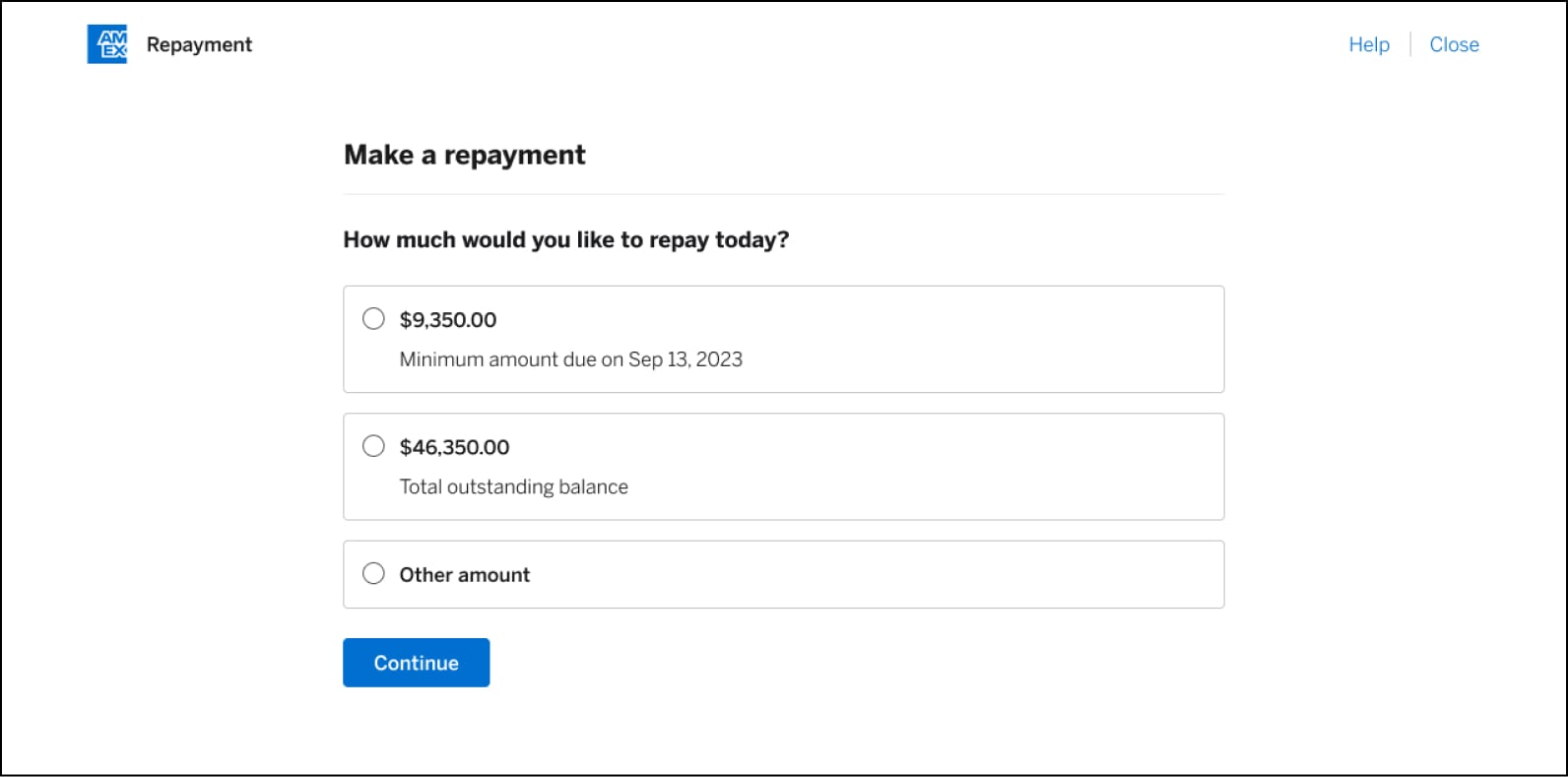
On the screen, you’ll see your available repayment options: You can choose to pay the minimum (if you have a minimum due), the total outstanding amount, or an amount in between. When you pay more than the minimum amount required each month (as specified in your loan agreement), the extra money will be used according to the payment rules detailed in the same loan agreement.
When you select “Other amount,” a fill-in box will appear allowing you to enter the desired amount.
After you enter the amount, click the blue “Continue” button.
For illustrative purposes only
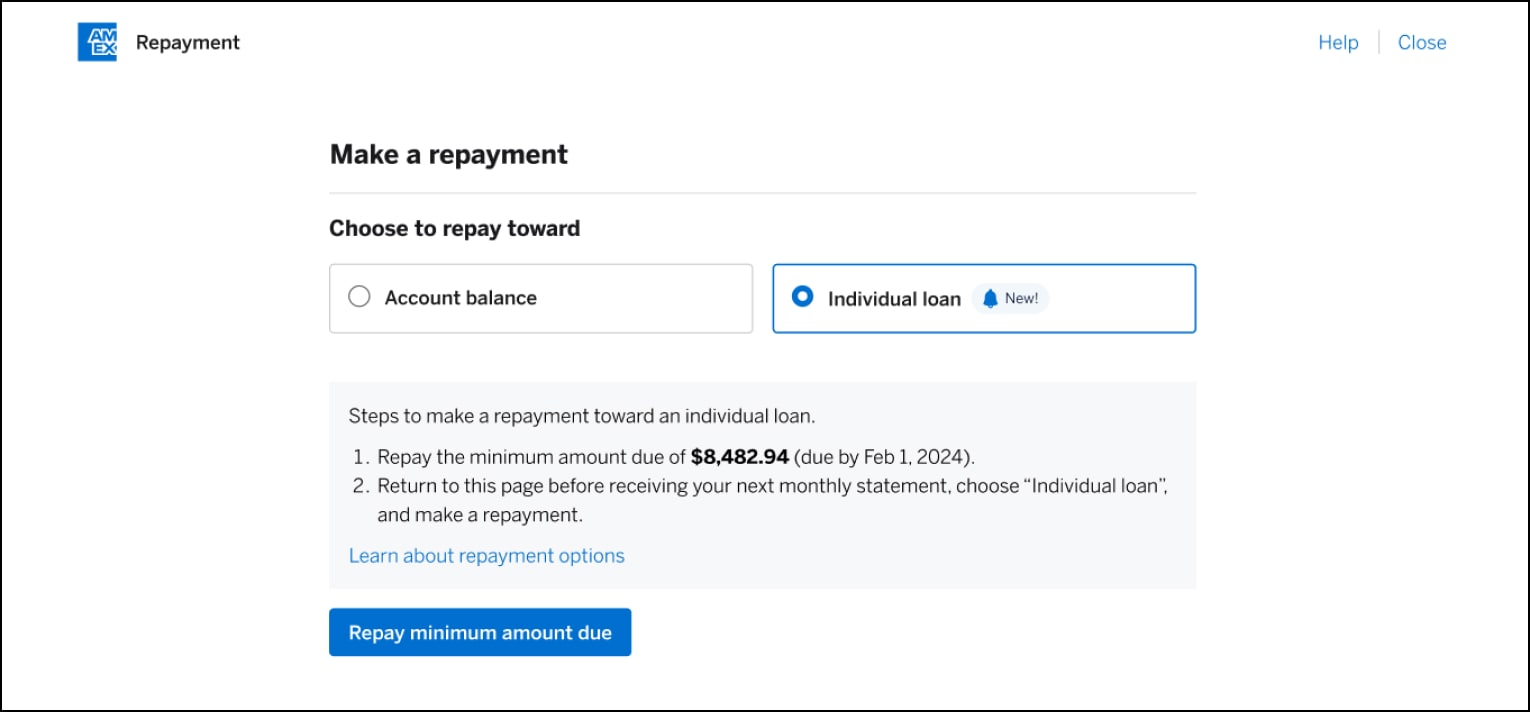
You can now also make repayments toward an individual loan on your American Express® Business Line of Credit account. To use this feature, you must: have two or more loans outstanding, have paid your minimum due on the account, and have no past due balances.
How to apply a repayment to an individual loan
If you’ve ever made a manual repayment to your Business Line of Credit account, it’s a very similar process:
- Go to your Business Line of Credit home page
- Select “Make a repayment”
- Select to repay “Individual loan”
For illustrative purposes only
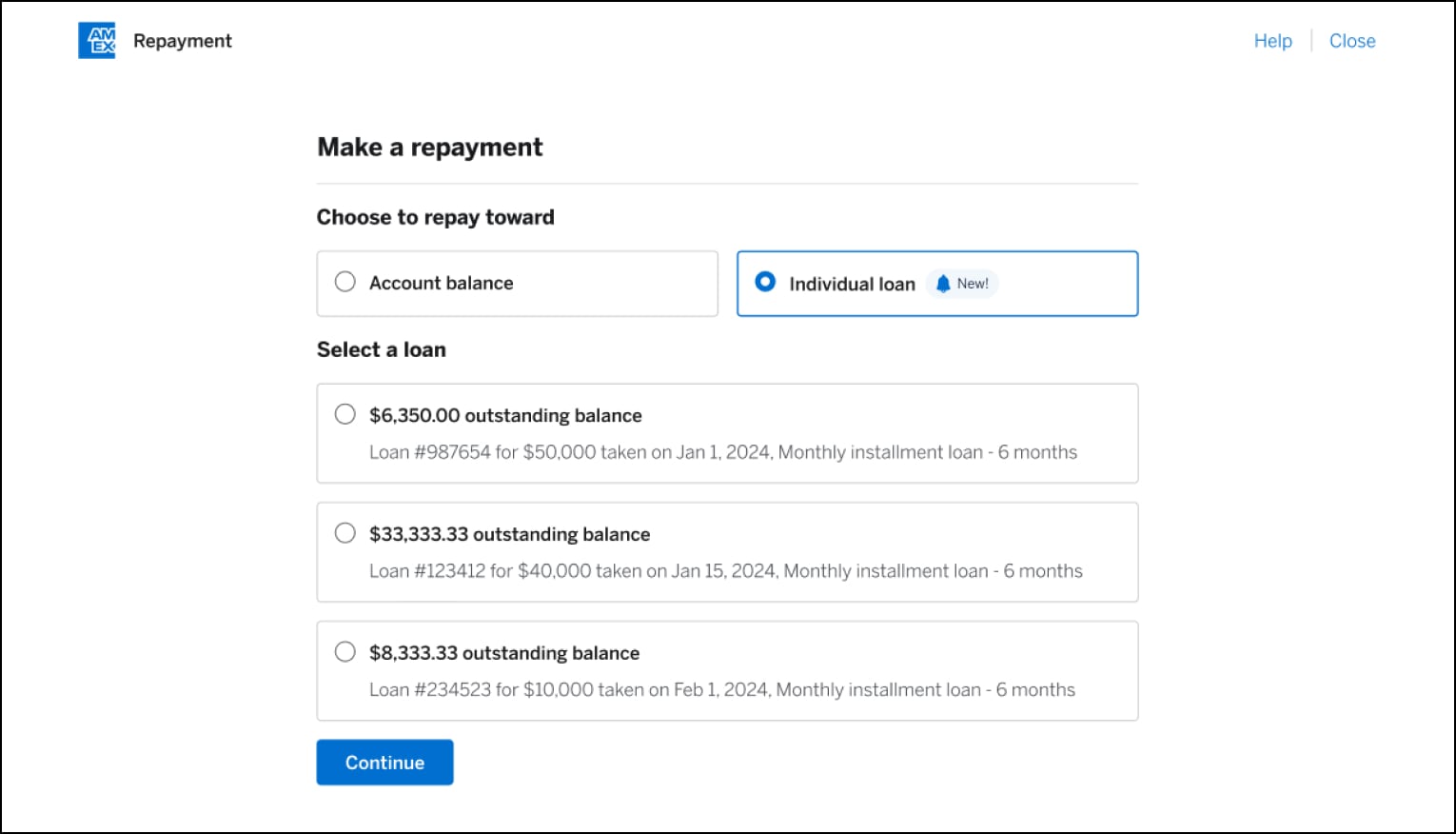
- Select which loan you’d like to repay
- Select the amount you’d like to repay
- Repayment amount is applied toward the selected loan
For illustrative purposes only
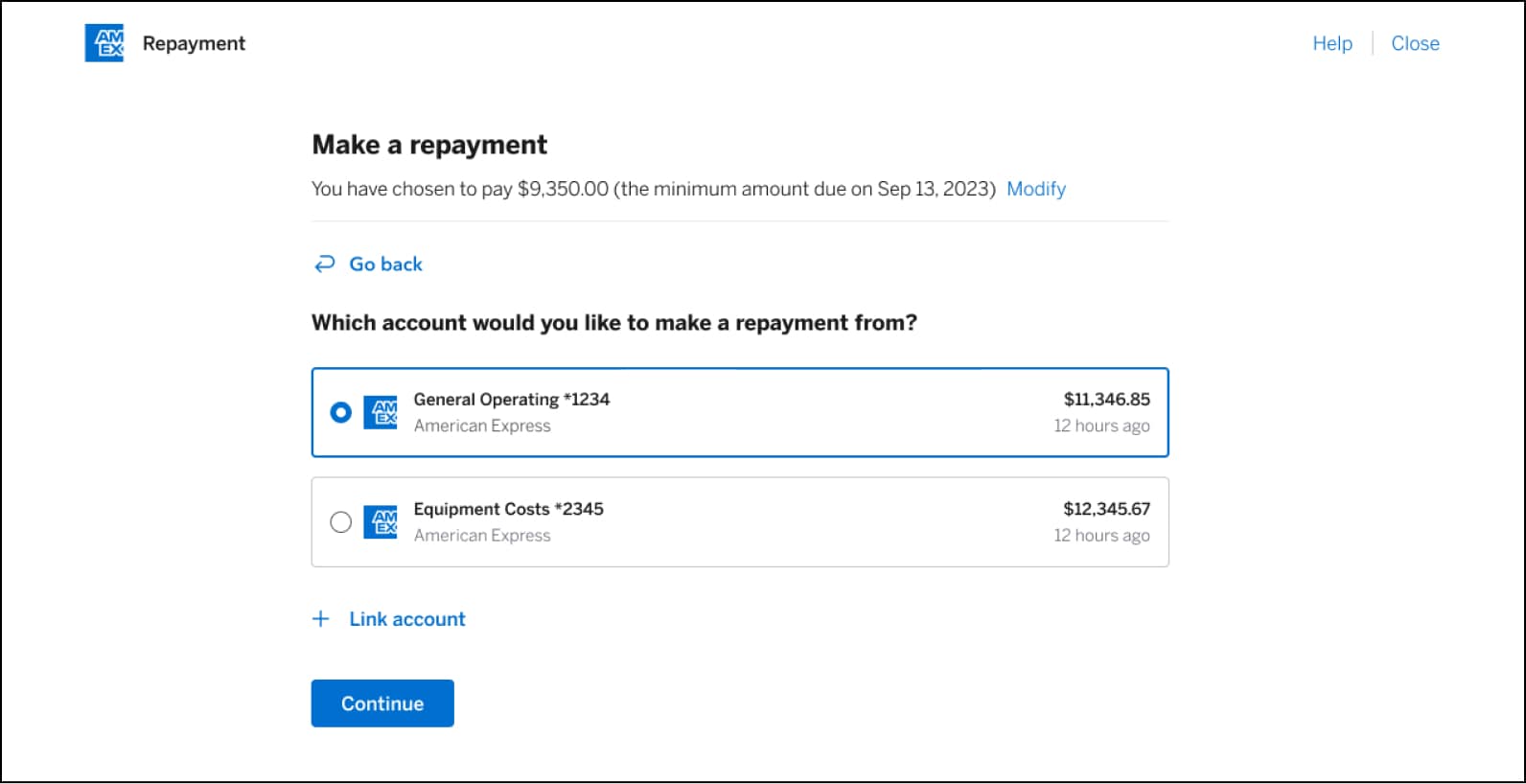
If you’ve previously linked your bank accounts:
Simply choose which account you would like to make the payment from, and press “Continue.”
If you wish to use a new account that is not listed:
Start by clicking “Link account” and follow the prompts to link a new bank account. Once the new account is verified, you will be able to select it in order to make a payment.
For illustrative purposes only
How is my first repayment due date determined?
Based on your repayment cycle, your first repayment due date may be as short as 21 days from your loan draw date or as long as 51 days from the draw date. Your statement will combine the amount due across all your active loans into a single amount to repay. All other loans taken will have the same repayment due date as the first loan drawn.
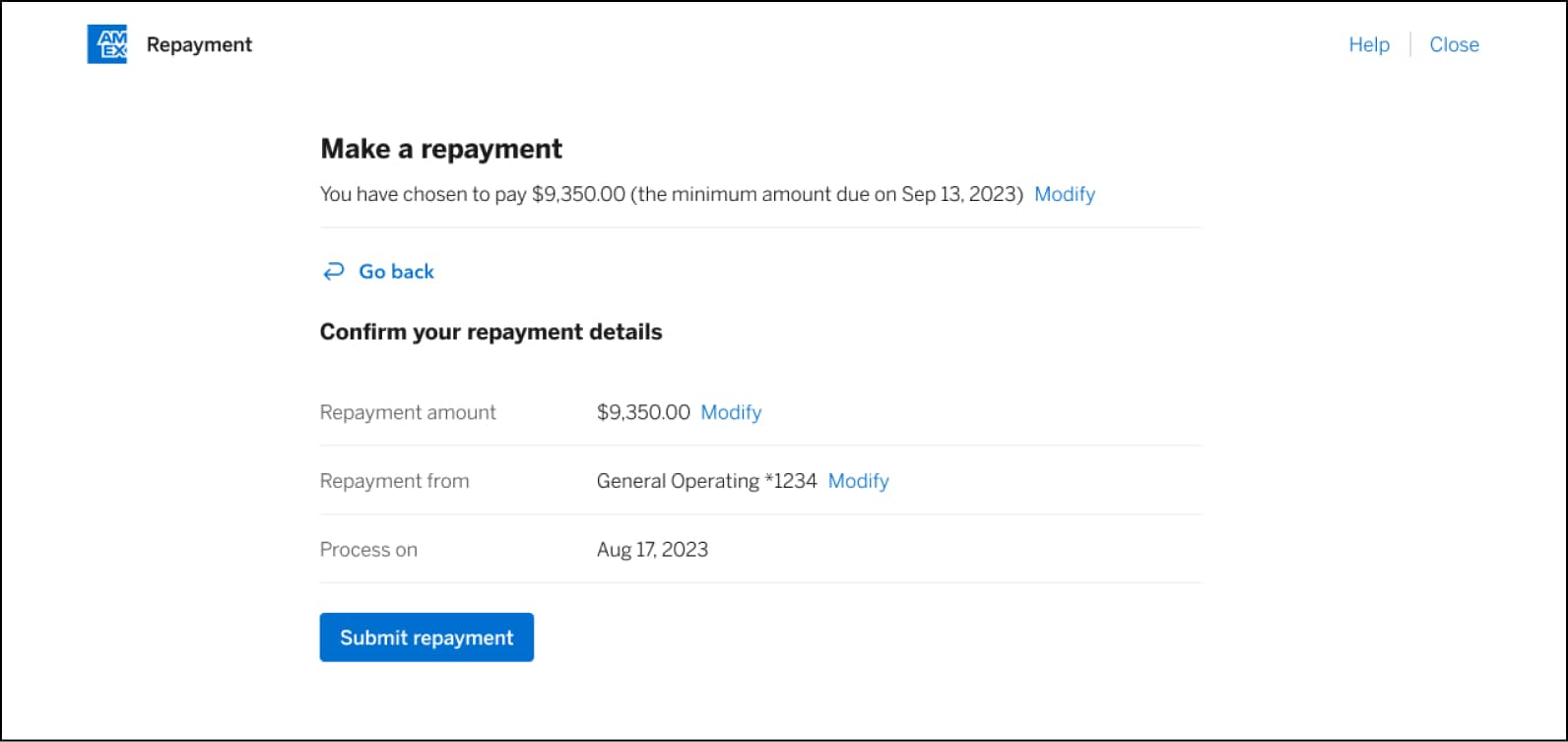
Review the details and submit payment.
The final step is to review the details, including the repayment amount and account used to make the repayment. If you wish to make any changes, you can click the “Modify” button next to any of your selections, or “Go back” which is located just above the repayment details.
For illustrative purposes only
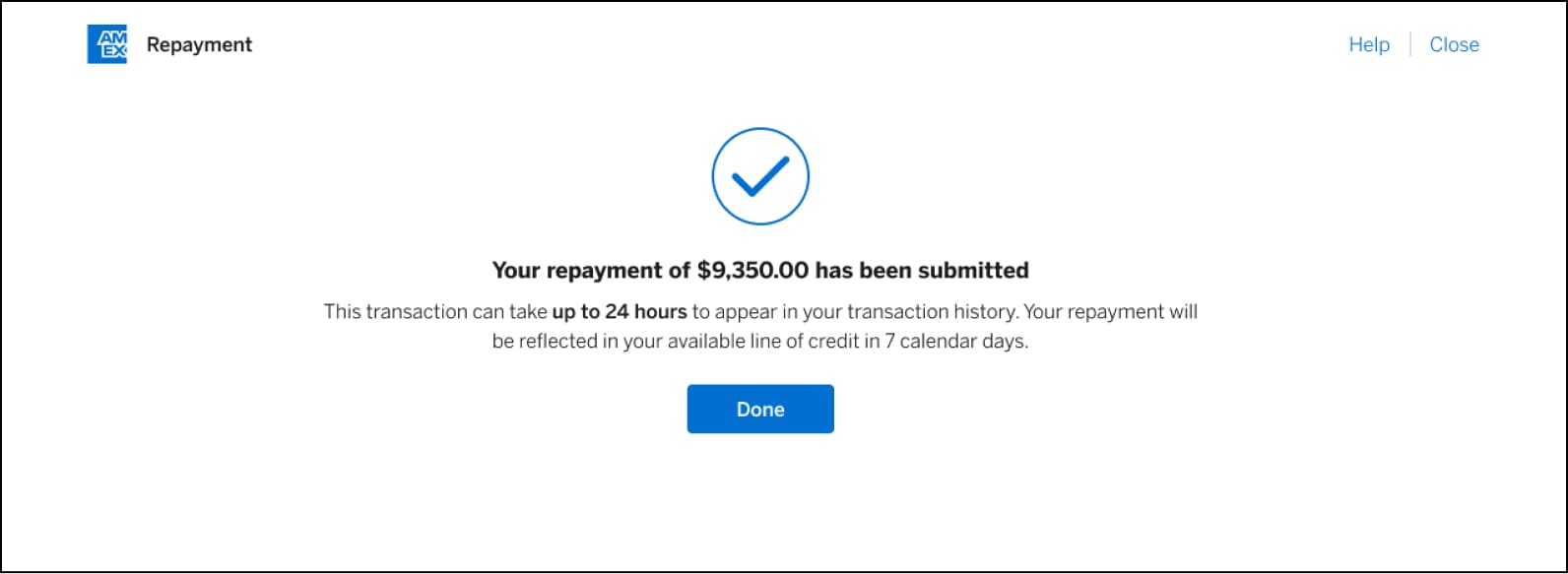
The date the transaction will process is also displayed for your information. If everything is correct, click “Submit repayment,” and you’ll be taken to a confirmation page.
Your repayment should appear in your transaction history within 24 hours.
For illustrative purposes only
STILL NEED HELP?
Reach out to us for further guidance.
Deposit accounts offered by American Express National Bank. Member FDIC.
TERMS AND CONDITIONS
American Express Business Blueprint™
American Express Business Blueprint™ is the small businesses digital experience that allows a customer to view on one digital dashboard summary account information for the following American Express small business products: American Express® Business Cards, American Express® Business Line of Credit, and American Express® Business Checking. The customer can also choose to link their third-party issued business bank accounts and business credit cards to Business Blueprint. Not all third-party accounts or cards can be connected to Business Blueprint. Business Blueprint allows the customer to view data insights and track their business cash flow and expenses by viewing reports that American Express prepares using the customer’s linked account information. While the cash flow management service from Business Blueprint is currently free, each of the business products from American Express that are visible in Business Blueprint has its own fees, eligibility criteria, application process and approval requirements. The Business Blueprint service (including any data insights provided to the customer) does not constitute legal, tax, financial or accounting advice, and is not a substitute for obtaining competent personalized advice from a licensed professional. You should seek professional advice before making any decision that could affect the financial health of your business. American Express makes no representations as to the accuracy, completeness or timeliness of the reports, data or account information that are available to the customer from Business Blueprint.™
American Express® Business Line of Credit
Terms and Conditions for an American Express® Business Line of Credit apply. Visit https://www.americanexpress.com/en-us/business/blueprint/terms-and-conditions/business-line-of-credit/ for more information.
American Express® Business Checking and Business Savings
We are currently accepting applications from eligible U.S. businesses. Not all applicants will be approved for a Business Checking and Business Savings accounts. Select industries or businesses engaged in certain activities are currently ineligible, such as money service businesses, cryptocurrency, internet gambling businesses, and marijuana related businesses.
Membership Rewards® Program
Terms and Conditions for the Membership Rewards® program apply. Visit membershiprewards.com/terms for more information. Participating partners and available rewards are subject to change without notice.
The value of Membership Rewards® points varies according to how you choose to use them. To learn more, go to www.membershiprewards.com/pointsinfo
American Express and Amex are registered trademarks of American Express.