





American Express® Welcome Centre
Start Your Membership
Experience Here
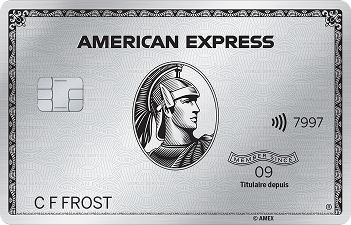
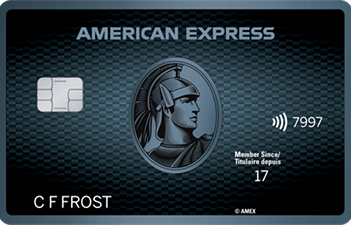
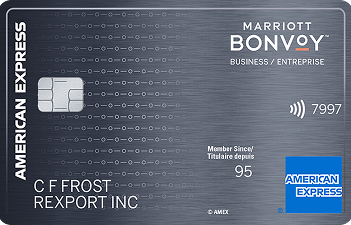
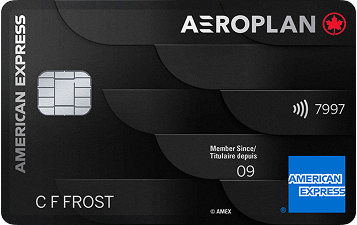
Follow these
steps to begin your
Amex journey.


Step 1: Activate your Card
Ready to explore life as a Cardmember? Activate your Card and start experiencing it today.
Activate Card

Step 2: Get the American Express®
App



Step 3: Set up your mobile wallet
Add your Card to your Apple Pay, Google Pay™* or Samsung Pay mobile wallet for contactless payments.1
Get Started
Step 4: Set up account alerts
Sign up to receive important updates to your account such as payment reminders, balance updates, and more.2
Get StartedDo more with your Membership
Make the most of being a Cardmember and see what else can be in store.





Explore Amex Offers
View available offers across travel, dining, shopping, entertainment, and more. Terms apply.


Sign up for Front Of
The Line®
Unlock experiences you love with access to Front Of The Line® Amex Presale Tickets™4 and Amex Reserved Tickets™4.


Setup recurring bills
Using your Card on recurring bills means you could earn rewards on monthly expenses. On eligible Cards. Terms Apply.


Setup Preauthorized Payments
Preauthorized payments can help prevent you from missing a payment.


Refer a friend & get rewarded
If your Card is eligible, you can invite a friend with your unique referral link and if they're approved, you could both get rewarded. Other eligibility and terms apply.
See how easy
it is to get started
Want to watch how it’s done? Let’s get you set up with a quick onboarding video.
Consumer Card + Membership Rewards

Get to know your
Card benefits
- Membership Rewards®
- Cash Back
- Co-Brand
- Other

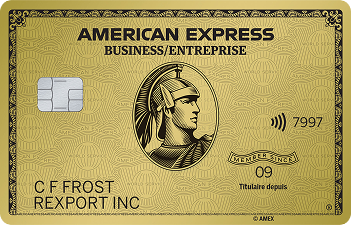
Rewards Card
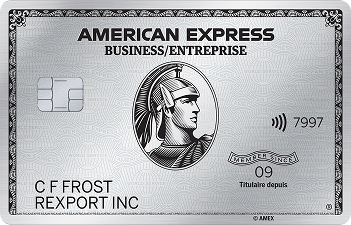
Platinum Card®from American Express®
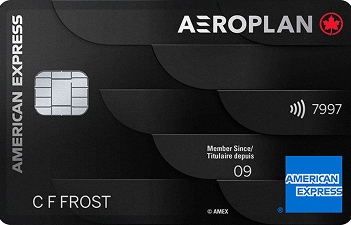
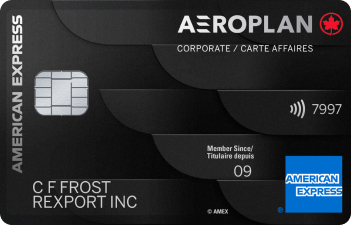
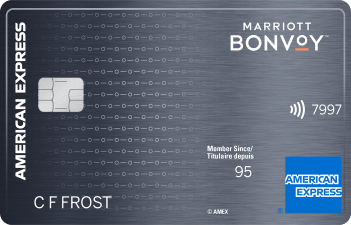
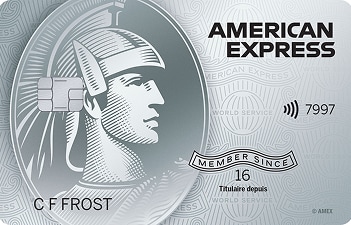
View your documents


Contact Us
Need help with a question?
Don't have an Online Services account? Click here to create one.
Whatever you need - question answered, issues addressed - we look forward to assisting you. Please have your Card in hand when calling the number on the back of your Card or chatting with us.
Chat with us by logging into your Online Services account or the American Express® App: 8:00 AM - Midnight EST / 7 days a week.
Frequently Asked
Questions

General
Where can I learn more about the insurance coverages† on my Card?
You can learn more about insurance coverages† that currently come with your Card on our Review your Coverage page and how to make a claim on our Submit a Claim page.
Can I update my contact details online?
Yes, you can view and update your address(es), email address and phone number(s) by logging in to Online Services. Go to the 'Manage Accounts' tab and select 'Edit Account Details'.
How can I add a new Card to my existing online account?
Log into your MYCA account and go to 'My Account' tab and select Activate Your Card. Once you enter your card details, your Card will be added to your account.
How can I see the settings for another Card?
From the Account Home page, you can toggle between Cards by clicking the Card icon on the top right to view and manage the settings for your other Card(s).
What are Membership Rewards® points and how can I earn them?
When you use your Card to make qualifying purchases, you earn points on those purchases. These points can be redeemed for travel, shopping, gifting or paying off your bill. Learn more here.
How can I change my PIN?
You can change your PIN through the American Express App or online services.
App: Go to the ‘Account’ tab and select ‘Manage Card Pin’ and select ‘Change Pin’.
Online: Log into Online Services and under the ‘Manage Account’ tab, select ‘Security and Privacy’, then click ‘Change PIN’.

Card Usage
How can I check my Card’s spending power?
You can use the Check Spending Power tool through your Online Services account or in the Amex App to find out instantly to see if the amount you expect to spend can be approved (on eligible Cards).5 Terms apply.*
Which businesses accept American Express?
You can explore the many businesses accepting American Express on Amex Maps or the Online Directory.6

Payments
Am I able to make payments online?
Yes, you can make a payment online through the Payment Centre by clicking 'Make payment' after you log in to Online Services or the Amex App.
How do I confirm that my payment was processed?
If you are the Basic Cardmember, you can log in to Online Services or the Amex App to check if the payment has been reflected on your account.
To get a notification that your payment is received (Basic Cardmember only) within your Online Services account:
- Visit the Manage Accounts tab, go to 'Communication Preferences' and click on 'Account Alerts'
- Set up email or text notifications
Depending on the payment option chosen, your payment can be processed same day or take up to 5 business days. Fees may be applicable, and services may also vary by financial institution. Payments will be credited upon receipt by AMEX Bank of Canada.
How can I enrol in Pre-authorized Payment Plan or Pay by Phone?
You can choose to have payments taken automatically from your Canadian dollar bank account with our Pre-authorized Payment Plan or make payments anytime by calling American Express Pay by Phone. To enrol, please click here for Electronic Payment Program. Please note, we may be unable to process any payments you intend to schedule immediately following enrolment, as we require sufficient processing time to register you into the Electronic Payment Program.
Still have questions? Visit the Help Centre for answers
Learn More†: All insurance coverage is subject to the terms and conditions of their respective master policies. Certain limitations, exclusions and restrictions apply. Please read your Certificates of Insurance carefully.
* This approval is based on your current account status. Certain changes to your account could affect the approved amount such as additional purchases, past due balance, a returned payment, a significant change in your spending pattern, or a fraud risk on your card. This approval is based on your overall ability to spend and is not related to the Flexible Payment Option limit on your account.
- We will guarantee protection against fraudulent payments on your Card, provided you have taken the responsibility to notify us immediately, and you have complied with your Card Terms and Conditions.
- Account Alerts is a free service for American Express Cardmembers. However, your mobile phone service provider may apply fees for incoming text messages. Please contact your provider for further details.
- Account must be in good standing. Consumer: You, the Basic Cardmember, will be liable for all charges to a Supplementary Card. An Additional Card is a Supplementary Card. Supplementary Cardmembers must be at least 13 years old. Maximum of 9 Supplementary Cards per account. Small Business: An Employee Card is a Supplementary Card. Account must be in good standing. Supplementary Card applicant must be the age of majority. Maximum of 99 Supplementary Cards per account.
- Purchase must be charged in full to an American Express® Card. Subject to availability and to event and ticketing terms, restrictions, verification procedures and fees. Tickets and packages may not be transferable and should not be resold. No refunds and no exchanges subject to merchant's obligations under applicable law.
- You may be approved to temporarily spend over your credit limit but you may be subject to an overlimit fee. Any overlimit transactions will increase your Minimum Payment Due. This request is not valid for cash withdrawals. Certain changes to your account could affect the approved amount.
- American Express Maps features eligible American Express Card accepting merchants and is intended for general reference purposes only. It does not represent a comprehensive list of all Card accepting merchants. Data is updated from time to time and may not be 100% accurate. For a list of eligibility criteria or to access Frequently Asked Questions please visit icm.aexp-static.com/content/dam/one-amex/merchant/en-ca/footer/default/CAFAQs.pdf
®, TM: Used by Amex Bank of Canada under license from American Express.
Apple Pay is a trademark of Apple Inc., registered in the US and other countries.
TM*: Google Pay is a trademark of Google LLC.
Samsung Pay is a registered trademark of Samsung Electronics Co. Ltd.
®**: For trademark ownership details see: americanexpress.ca/aeroplantrademarks
®***: 2025 Marriott International, Inc. All Rights Reserved. All names, marks and logos are the trademarks of Marriott International, Inc., or its affiliates, unless otherwise noted.